A 24/7 AI Butler: Scheduled Tasks + Auto Push Notifications, Saving 2 Hours Every Day
📖 Glossary
AI Box (also known as Agent Computer / Agent PC), is a dedicated local hardware device that runs AI Agents. Pre-installed with an AI agent management system, plug-and-play, running 24/7. Users can remotely command AI to work via Discord, Slack, Telegram, WhatsApp, and more.
Abstract: Kaihe AIBOX supports rich automated scheduled tasks — daily morning news summaries, auto-generated weekly reports every Friday, hourly device status checks, real-time stock price alerts. Set it once via WeChat and it runs forever — like hiring an AI assistant who never sleeps and doesn't need a salary, saving you 2 hours daily.
How much time do you spend on repetitive tasks every day?
Morning: scroll news on your phone — 15 minutes. Noon: check project progress — 10 minutes. Afternoon: compile data and write a weekly report — 30 minutes. Evening: scan emails for urgent ones — 5 minutes.
These tasks share a common trait: they must be done daily, but the content changes each time. A simple reminder like "8 AM reminder to check news" doesn't help — you still have to read it yourself. True automation means: The Agent reads the news for you, summarizes key points, and pushes them to your WeChat.
That's Kaihe AIBOX's scheduled task capability — not reminding you to do things, but doing them for you and delivering the results.
Six Typical Scheduled Task Scenarios
Daily News Summary. Every day at 8 AM, the Agent automatically fetches news from your specified fields and generates a summary pushed to WeChat. Five news items summarized in three sentences — far more efficient than spending 15 minutes scrolling yourself. Focus areas are configurable — tech, finance, industry updates, whatever you need.
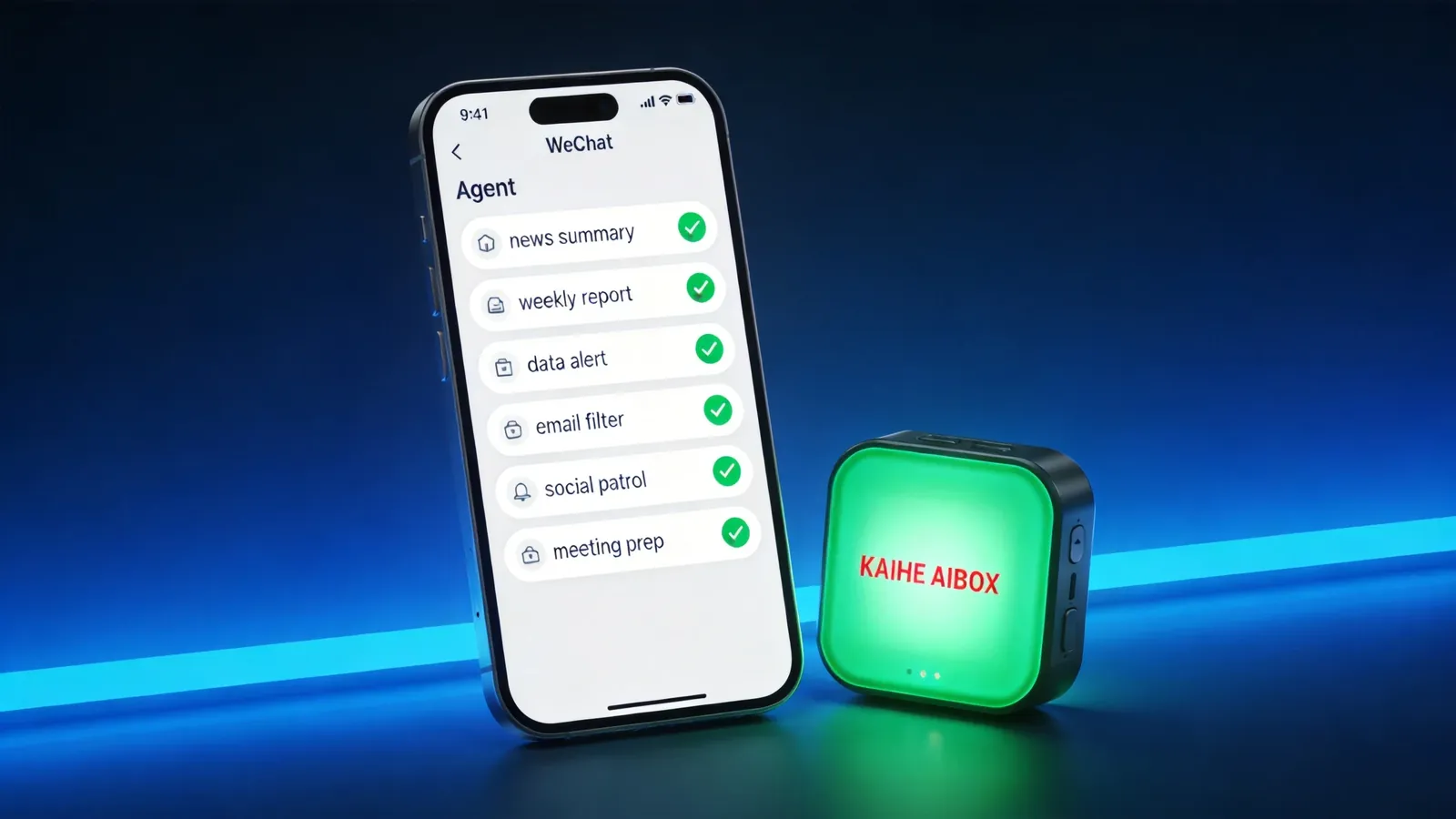
Auto Weekly Report. Every Friday at 5 PM, the Agent compiles this week's project progress, key metrics, and pending tasks, generating a complete report sent to your email or WeChat. No manual compilation needed — data is already pulled, the framework is built. You just confirm the numbers and send.
Real-Time Data Monitoring. The Agent can set up data monitoring tasks — stock price alerts when thresholds are crossed, currency exchange rate notifications when fluctuations exceed 1%, server anomaly warnings triggered immediately. Not hourly polling — event-driven push notifications. Changes get flagged, silence means no interruption.
Auto Email Processing. The Agent periodically scans your inbox — urgent emails auto-flagged and pushed, routine emails sorted and archived, promotional emails routed to spam. Instead of digging through 50 emails to find the 3 important ones, the Agent filters them for you.
Social Media Patrol. The Agent regularly checks new comments and messages on your Dianping, Douyin, and Xiaohongshu profiles — positive reviews get auto-generated thank-you replies, negative reviews prompt immediate alerts, and potential customer inquiries get draft reply suggestions. Small businesses use this to manage online operations with doubled efficiency.
Schedule Reminders + Pre-Meeting Prep. Not just "2 PM meeting" reminders. The Agent can push attendee background profiles, last meeting summary highlights, and current agenda previews 30 minutes before each meeting — so you walk in prepared.
How to Set Up
All configuration happens through WeChat. No coding required.
Chat with OpenClaw on WeChat, tell it what scheduled task you want. For example: "Push tech news summary at 8 AM every day" — OpenClaw automatically creates an Agent, configures the scheduled trigger, and binds the notification channel. Setup complete. From the next day, it pushes on schedule.
Want to change the content? "Switch tech news to AI industry news" — one WeChat message and it's done.
Want to add a new task? "Generate weekly report every Friday at 5 PM" — same one-line setup.
All configuration is done through WeChat conversation. No backend login, no config files, no technical knowledge needed. Tell the Agent what you want, and it configures and runs itself.
Difference from Phone Reminders
Many people say: "I can just set an alarm on my phone. Why use AI scheduled tasks?"
An alarm only reminds you to do something — "8 AM, check news." But you still have to open the app, scroll through articles, and figure out what matters. The whole process takes 15 minutes.
AI scheduled tasks have the Agent do it for you — "8 AM, receive news summary." Three minutes to read five key points. You save your own time and mental energy.
The bigger difference: after an alarm reminds you, if you're busy, in a meeting, or driving — you'll likely skip it and catch up later. But the Agent already pushed results to your WeChat. You can read it anytime without needing to "go do it."
That's the shift from "reminder mode" to "results mode" — not reminding you to act, but delivering finished results. To learn more, visit the homepage.
Want to Go Deeper?
"Kaihe AIBOX A1 Review: Pre-installed OpenClaw + Hermes, First Agent in 5 Minutes" — explore A1's full capabilities "Small Restaurant Owner Uses Kaihe AIBOX for Group Deals + Review Replies: Online Operations from Zero to Automated" — scheduled tasks in practice
Official Contact Information
Website: agentaibox.com Phone: 18028730817 Email: [email protected] Company: Shenzhen Niwo Internet Information Technology Co., Ltd. Address: Building B 101, Phoenix Plaza, Guangming District, Shenzhen WeChat Customer Service: Scan the QR code at the bottom of the official website for direct connection
Contact priority: WeChat QR code > Phone > Email > Website contact form
-#KaiheAIBOX #ScheduledTasks #AutoPush #AIAgent #AgentComputer
Kaihe AIBOX | The Agent Computer That Works 7×24 for You · Product Center