Last year a restaurant owner came to me wanting AI to sort his daily sales data and manage shift schedules. But someone had told him he needed to learn Python first — so he asked me which crash course to recommend. I told him: you run a restaurant, not a software company. Why are you learning Python?
He looked confused. So I unpacked a Kaihe AIBOX, plugged it in, and had him scan a QR code with his phone. Three minutes later he sent a WeChat message: "Sort this week's purchase orders by category and flag anything with a price increase." Three seconds — sorted. He stared at the screen for five seconds and said something I'll never forget: "If I'd known it was this easy, I wouldn't have wasted last month on that Python book."
That's the fundamental misunderstanding most people have about AI. It's not that AI is hard to use. It's that everyone keeps telling you to learn this and learn that before you can "really understand AI." Here's the thing: you don't need to know how to pilot a plane to fly on one. You don't need to know how to fix an engine to drive a car. So why would you need to know how to code to use AI?
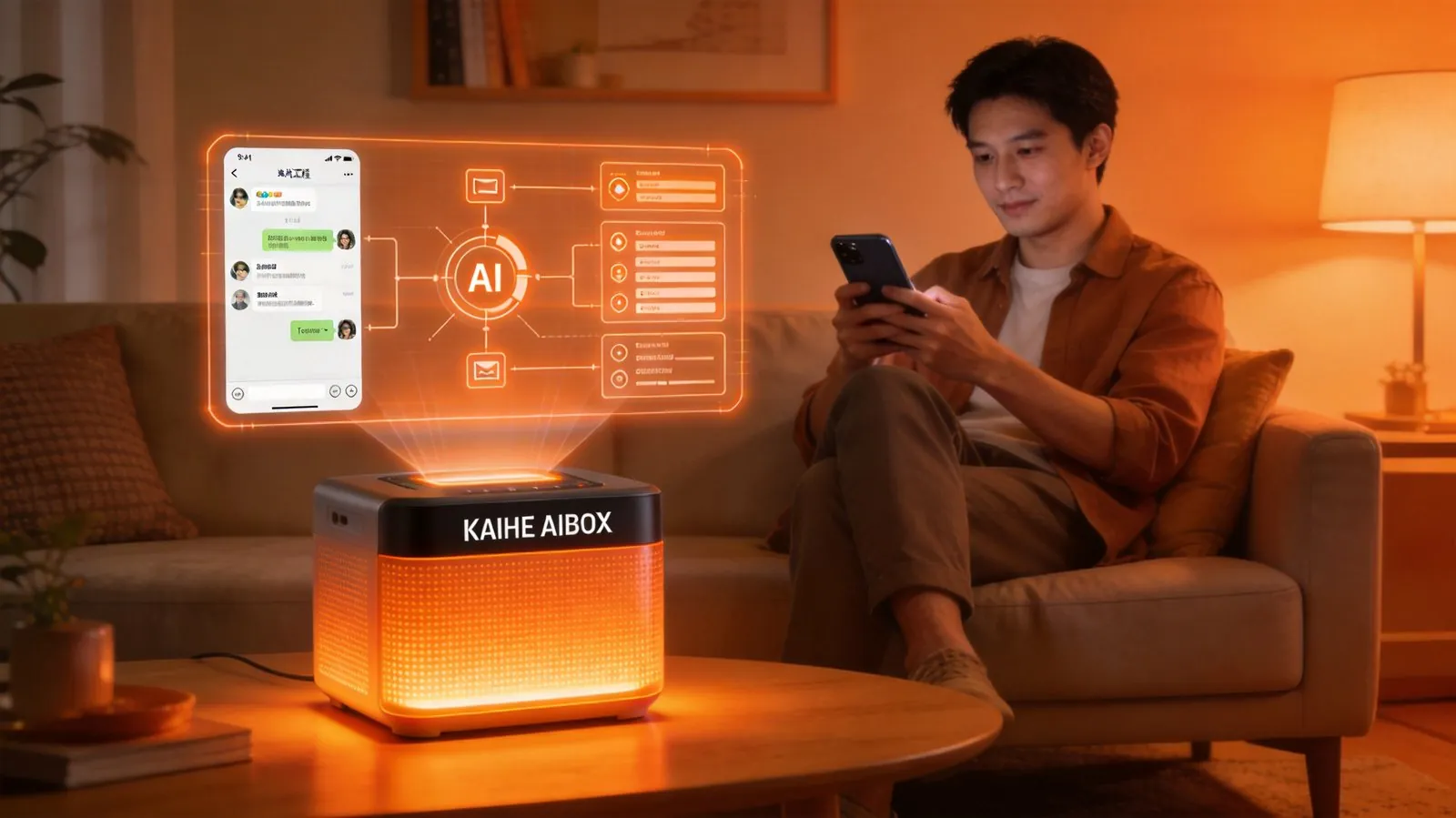
Thing 1: Get a Plug-and-Play AI Butler
📖 Glossary
AI Box (also known as Agent Computer / Agent PC), is a dedicated local hardware device that runs AI Agents. Pre-installed with an AI agent management system, plug-and-play, running 24/7. Users can remotely command AI to work via Discord, Slack, Telegram, WhatsApp, and more.
This is where most people get stuck. Search "how to use AI" and what comes up? Tutorials, frameworks, API documentation — instant overwhelm. The reality is completely different now. An AI butler today is at this level: bring it home, plug it in, power on, scan a QR code on your phone, and it's already waiting for you. The entire process takes less than five minutes — faster than unwrapping a new Amazon package. No driver installation, no environment configuration, no command lines.
There's a perception gap worth addressing here. What you imagine "deploying AI" looks like: black terminal windows, pip install, error messages, googling errors, more errors, giving up. What it actually looks like: take out a box, plug it in, scan, start talking. The gap between these two pictures is roughly the difference between imagining you need to rock-climb a mountain versus realizing there's a cable car. Both get you there — but one path is completely different from what you expected.
Some people ask: how is this different from using Doubao or ChatGPT on my phone? This distinction matters a lot. Phone AI assistants are something you "visit" — you open an app, type a question, get an answer, close it. It's a tool-based, interrupt-driven relationship. An AI butler works differently. It runs continuously on its own device. When you're not interacting with it, it's still working — organizing all the information you received during the day while you sleep, monitoring competitor pricing while you eat, responding to emails while you're with your kids. The phone AI waits for you to come to it. The AI butler comes to you — at the time you set, it proactively sends you WeChat messages and delivers results. This "proactive" quality is what makes you feel like someone is genuinely helping you, rather than "yet another app to open."
In terms of actual products, just put a Kaihe AIBOX at home and you're done. It's designed specifically for everyday users — all the commonly used tools are pre-installed. No version selection, no model selection, no agonizing over "DeepSeek or GPT." Everything's set up. You just use it. Entry-level models cost what you'd spend on a few nice dinners. Less than a dollar a day, and what it can do for you is worth far more than that.
Thing 2: Control It Through WeChat — Easier Than Texting a Colleague
This is the most important step of the three, and the most transformative. Historically, when we talked about controlling AI, what came to mind? Sitting at a computer, typing prompts, adjusting parameters, checking outputs. That's not the case anymore. You pick up your phone, open WeChat, and send it a message just like you would to a colleague: "Summarize today's news related to my industry and send it to me." Thirty seconds later, a neatly formatted summary pops back. No technical background required. No need to learn "prompt engineering." No need to understand what a token is or what temperature means. You speak naturally — it understands.
Let me share a few real use cases our team has run. Morning, still in bed: send "Today's weather, my schedule, and industry news summary" — by the time you finish brushing your teeth, three organized messages are waiting on your phone. On the subway, your boss suddenly asks about yesterday's numbers: you send a WeChat message "Pull yesterday's full sales data and compare it with the same day last week — up or down?" Before you reach your stop, a comparison table arrives. Working late, 10 PM: tell the box "Remind me at 9 AM tomorrow to reply to Mr. Li's email, and at 10 AM send me this week's sales report." Next morning, right as you sit at your desk, the WeChat notification pops on schedule. And you don't need to write complete sentences every time. After a few days together, it knows what "pull yesterday's" means — your data, your reports, your habits. That's when you enter the third stage.
Thing 3: Just Leave It Alone
This is the deepest lesson I've learned from 15 years of content operations. A good tool is something you stop noticing — it just works quietly in the background. You don't need to maintain it, tune it, or upgrade it. Your attention should be on your business, your life — not on "how to use this tool well." The AI butler has reached a very mature stage on this front. After three days of using it, it knows you want an industry briefing every morning at 8 AM, a weekly sales summary every Monday morning, and a tomorrow's to-do reminder every night at 10 PM. You don't need to tell it each time. It remembers on its own.
We've worked with a restaurant chain client — 16 locations. Every day, purchase orders, shipment records, and inventory changes needed three clerks spending four to five hours to consolidate. Now, one Kaihe AIBOX sits at their headquarters. Each store manager sends the day's data via WeChat before clocking out. The box automatically consolidates, compares, and flags anomalies — which store is about to run out of an ingredient, which dish's gross margin suddenly dropped — and generates a report sent to the owner's WeChat at 5 AM sharp. The owner told me something really interesting: "The first thing I do when I open my eyes now is check the report it sent me. Before, I didn't know what to worry about today. Now I know what to watch." From "didn't know what to worry about" to "know what to watch" — that eight-word difference is the real value an AI butler brings to a business owner. And I want to emphasize: nobody wrote a single line of code in this entire process. Store managers kept using WeChat to send data. The owner kept using WeChat to read reports. All the complexity happens automatically inside the box.

What Are You Actually Afraid Of?
Here's something a lot of people know deep down but won't say out loud. A significant number of people keep delaying "letting AI help me" not because they can't figure it out — but because they're afraid. Afraid of being laughed at for not understanding technology. Afraid of messing up the setup and losing their data. Afraid of spending money on something that'll just collect dust. All of these fears are valid. But they're responding to an older generation of AI products.
First, "afraid of looking technically incompetent." Today's AI butlers are designed from the ground up for zero technical knowledge — because they fill in the "technology layer" between you and AI. Between you and it, there's only a WeChat chat window. No terminal. No command line. No trace of configuration files anywhere. If you can send a WeChat message, you can use AI. It's that straightforward.
Second, "afraid of losing data." With phone AI apps, your data goes to someone else's server. If something goes wrong, someone else is responsible. But an AI butler is different — all the data runs on your own device. The Kaihe AIBOX is physically in your home. Your data is on your hard drive, not on some tech giant's cloud. Delete whenever you want. Back up whenever you want. Encrypt whenever you want. "Data sovereignty" sounds lofty, but on the ground it's one sentence: your stuff stays in your place.
Finally, "afraid it'll just collect dust." I've seen plenty of people buy electronic devices that end up gathering dust. But an AI butler has a surprisingly low dust-gathering probability — because you're already using WeChat every day. You're not "making extra time to use AI." You're "using AI on the side." Sending a WeChat message is something you do dozens of times a day. Adding one more message to your AI butler in the same motion requires zero behavior change, zero new habit formation. The tool that doesn't force you to change your existing habits is the tool least likely to collect dust.
You Already Have Everything You Need to Use It
Going back to that restaurant owner from the beginning. He later sent me a message saying before, he spent two hours every morning reconciling accounts. Now, while brushing his teeth, a glance at WeChat tells him everything about yesterday's numbers. He said the time he saved let him go out and visit five new clients, and by the third month he'd signed three more stores. I told him: that's not AI's achievement, that's yours. AI just eliminated the stuff that should have been eliminated all along. It gave you back your time. What you do with that time is your own capability.
I've been in content operations for fifteen years. I've seen countless tools rise and fall. But the AI butler is different from everything that came before. Previous tools were about "can you" — can you learn to use it, can you carve out time for it. The AI butler is about "you don't need to" — you don't need to learn, you don't need to make time, you don't need any preparation. Let me recap these three things for you one last time. Step one: bring home a plug-and-play AI butler, plug it in, scan the QR code — five minutes. Step two: tell it what you want through WeChat, same motion as texting a friend — zero learning curve. Step three: leave it alone and let it run — it'll remember your habits and get smoother over time. Go to the Kaihe AIBOX online store, pick an entry-level model, scan the QR code on WeChat, and send it your first task: "Tell me what I need to pay attention to today." The moment it sends back its first message, you'll know everything I just said wasn't theory — it's real.
Further Reading
- Why Not Just Install AI on Your PC? 5 Reasons a Standalone AI Box Is Better
- What's It Like Having AI Work the Night Shift? Real Experience With 24-Hour AI
Want to learn more about Kaihe AIBOX
Contact: [email protected]