AI Schedule Management Tested: 4 Tools Run for a Week, 3 Settings to Never Miss a Task
📖 Glossary
AI Box (also known as Agent Computer / Agent PC), is a dedicated local hardware device that runs AI Agents. Pre-installed with an AI agent management system, plug-and-play, running 24/7. Users can remotely command AI to work via Discord, Slack, Telegram, WhatsApp, and more.
Abstract: Professionals use calendars and to-do lists to manage schedules, but manual maintenance is exhausting. AI schedule management tools can create events, set reminders, track task progress, and push WeChat notifications—all from one sentence. This article compares Tencent Marvis, Reclaim.ai, Microsoft Copilot, and OpenClaw heartbeat across four dimensions, breaks down use cases, and shares 3 critical settings to never miss a task. Kaihe AIBOX with OpenClaw runs locally, with agents on standby 24/7 pushing reminders without needing your computer on.
For professionals, calendars and to-do lists often become "noted but never checked" decorations. Manually creating events, setting reminders, tracking progress—that itself is a task needing management. The core value of AI schedule tools: let AI remember for you, follow up for you, nudge you. Kaihe AIBOX as a local AI agent computer with OpenClaw pre-installed has a natural advantage—agents run locally 24/7, pushing reminders through WeChat when it's time.
Four AI Schedule Management Solutions Compared
Option 1: Tencent Marvis — System-Level Control
Marvis is Tencent's operating-system-level AI assistant launched May 2026, using a 1-primary + 5-specialized Agent architecture with 10 million free Tokens daily. It directly controls your computer system—say "create a meeting reminder for tomorrow 3pm" and it opens the calendar app and creates the event.
After the iOS app launched June 25, it supports cross-device remote control—your phone can control your computer desktop. Think of something during your commute? Pull out your phone, have Marvis create the event on your computer, and see it in the calendar when you get to the office.
Best for: Professionals who need deep system control, especially Windows users.
Option 2: Reclaim.ai — Calendar Optimization
Reclaim.ai is one of the most mature AI calendar tools, used by over 550,000 people. Its core capability is automatically scheduling tasks into free calendar slots—tell it "I need 3 hours this week for a weekly report" and it finds open slots and blocks them off.
It integrates deeply with Google Calendar and Outlook, and connects to Jira, Asana, ClickUp, and other project management tools to turn tasks directly into calendar events.
Best for: Heavy Google Calendar or Outlook users who need automatic focus time blocking.
Option 3: Microsoft Copilot — Ecosystem Integration
Microsoft 365 Copilot is deeply integrated into Teams, Outlook, and To Do. Say "schedule a meeting tomorrow 10am" in Teams chat and Copilot creates the calendar invite. Time mentions in Outlook emails trigger Copilot to suggest adding them to your calendar.
Best for: Professionals whose companies use Microsoft 365, with lots of team collaboration.
Option 4: OpenClaw heartbeat — Local Agent
OpenClaw's open-source agent framework provides two timing mechanisms: Cron and Heartbeat. Kaihe AIBOX comes with OpenClaw pre-installed, with built-in cron tools and HEARTBEAT.md configuration.
Cron handles rigid scheduling—daily 9am to-do push, Friday afternoon weekly report reminder, precise to the minute. Heartbeat handles flexible patrolling—agents periodically check task status and proactively notify you via WeChat when overdue items are found. The two mechanisms together cover both "scheduled reminders" and "proactive follow-up."
The core advantage is local execution—agent scheduling runs on-device, no need to keep your computer on. When it's time, the agent pushes a reminder through WeChat, visible right on your phone.
Best for: Users who need 24/7 auto-reminders, don't want to depend on cloud services, and value data privacy.
3 Settings to Never Miss a Task
Setting 1: Dual-Layer Reminders — Cron + Heartbeat
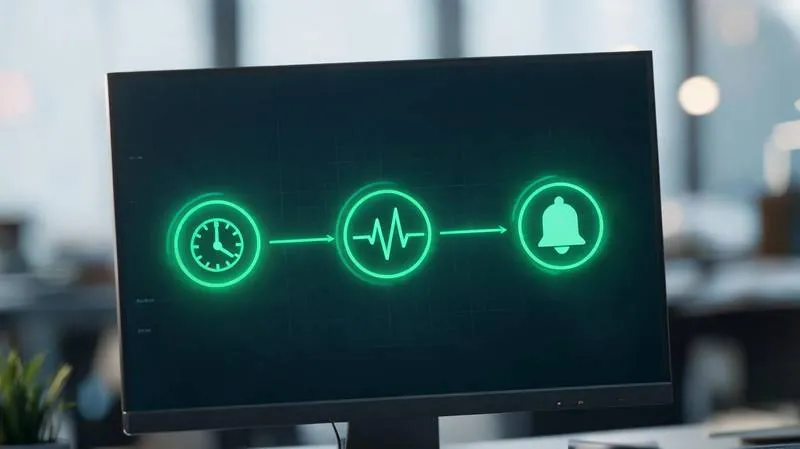
A single reminder isn't enough. Cron pushes "remind you at the scheduled time." Heartbeat patrols "AI proactively discovers what needs reminding." Use both: Cron handles fixed daily reminders (9am today's to-do, 6pm review), Heartbeat handles dynamic checks (notices a task deadline is approaching but status hasn't updated, proactively pushes a reminder).
On Kaihe AIBOX, configuration is simple: write "check today's to-do list, notify me on WeChat if anything is overdue" in HEARTBEAT.md, and OpenClaw's agent handles the rest.
Setting 2: WeChat Push — Don't Miss Reminders
The biggest problem with calendar reminders is "reminded but not seen." Phone push notifications get buried, email reminders have low open rates. WeChat is the most frequently opened app for professionals—pushing reminders there gives the highest open rate.
OpenClaw supports WeChat channels—agents push messages directly through WeChat when it's time. Marvis also supports mobile push. Core principle: reminders should go to the app you check most often.
Setting 3: Task Dependencies — Only Remind About the Next Step When the Previous One Is Done
Many to-dos are linear: you need to finish A before starting B. If B gets reminded while A isn't done, it causes confusion. Good AI schedule tools should support task dependencies—only trigger B's reminder when A is marked complete.
OpenClaw achieves this through agent logic: the agent checks task A's status, only pushes B's reminder when A is complete, otherwise notes "B's prerequisite task isn't finished yet." Reclaim.ai also supports task dependencies.
Further Reading
- Kaihe AIBOX-A1 - Local AI agent computer with OpenClaw heartbeat
- Kaihe AIBOX Store - Full lineup, 24/7 standby
- AI Auto-Edits Video for Xiaohongshu - Agent workflow breakdown
- More AI Agent Articles - Agent ecosystem deep dives
-#KaiheAIBOX #AIAgent #OpenSource #ArtificialIntelligence #AISchedule #SmartToDo #OpenClaw #PersonalAI
Kaihe AIBOX | The Agent Computer That Works 7×24 for You · AI Agent