Your Phone Will Soon Have an "AI Light" — It Glows When AI Is Working, So You Don't Have to Keep Checking
📖 Glossary
AI Box (also known as Agent Computer / Agent PC), is a dedicated local hardware device that runs AI Agents. Pre-installed with an AI agent management system, plug-and-play, running 24/7. Users can remotely command AI to work via Discord, Slack, Telegram, WhatsApp, and more.
Abstract: Google I/O 2026 introduced Android Halo, a dynamic spark icon at the top of the phone screen that shows the real-time status of AI agents. This "AI light" marks the shift from AI's "black box" operation to "front-stage visibility" — and transparency is the prerequisite for the mass adoption of AI agents.
Part I: A Light Is Coming to Your Phone
At Google I/O in May 2026, the feature that caught my attention wasn't a new model's parameter count, nor was it a flashy demo of some new capability. It was something far smaller — almost easy to miss: Android Halo.
What does it look like? In simple terms, it's a dynamic spark icon that appears in the phone's status bar. When an AI agent is executing a task, entering real-time mode, or proactively sending you a message, the spark lights up and pulses. You don't need to open any app. You don't need to switch to any screen. You only need to glance at the top of your screen to know: the AI is working.
This might sound trivial — an icon, really? But if you think carefully about how people actually use AI agents, you'll realize this "little light" sits on top of a much bigger problem.
Think about the evolution of notification systems on phones. Before push notifications became standardized, you had to manually open each app to check for new messages, new emails, new updates. It was tedious and inefficient. When Apple introduced the notification center in iOS 5 and Google followed with the notification shade in Android, it wasn't just a convenience feature — it fundamentally changed how people interacted with their devices. Information came to you instead of you going to find it. Android Halo is poised to do the same thing for AI agents: instead of you checking on the AI, the AI tells you it's there.
Part II: The "Black Box Dilemma" of AI Agents
Let's go back to a fundamental question: when you ask an AI agent to do something for you — say, "summarize today's meeting notes and email them to the team," or "monitor competitor pricing changes," or "write three social media posts following the brand template" — what are you thinking during the process?
Anxiety.
You're not sure it started. You're not sure where it is in the process. You're not sure whether it's stuck. You're not sure whether it finished and you just missed the notification. You find yourself repeatedly opening the app to check — like lifting the lid of a pot to see if the soup is boiling yet. And every time you lift the lid, the soup doesn't cook any faster just because you looked.
This isn't an isolated phenomenon. Almost every AI agent product currently on the market faces the same problem: the execution process is invisible. After the user issues a command, the agent executes silently in the background. There is a wall between the user and the agent. This wall produces three direct consequences:
1. Trust deficit. If you can't see it working, it's hard to believe it's working. Especially when a task takes a long time, users instinctively wonder: "Did it crash?" This is a well-documented phenomenon in human-computer interaction research. When a system provides no feedback during a lengthy operation, users perceive the system as less reliable, even if the system is functioning perfectly. The absence of visible progress doesn't just create uncertainty — it actively erodes confidence.
2. Efficiency loss. Repeatedly checking progress is itself a waste of time. The user breaks out of their current workflow to check AI status, then switches back. The cognitive cost of this context-switching is substantial. Research in cognitive psychology has consistently shown that task-switching carries a "switch cost" — it takes time for the brain to reorient, reload the context of the previous task, and resume productivity. Each time you pop open the AI app to check progress, you're not just spending seconds tapping and scrolling; you're spending additional minutes recovering your focus afterward.
3. Reduced willingness to use. If every use of AI requires a cycle of "wait + check + confirm," the tool's experience is not smooth. A person's dependence on a tool is determined by how much mental load the tool relieves, not by how capable the tool is in theory. The most powerful AI agent in the world is useless if people don't want to use it because the experience is frustrating. This is a variation of the "last mile problem" — the technology works, but the human experience of using it doesn't.
The moment you start frequently "checking whether the AI is still working," the AI has already ceased to be a competent assistant — because a good assistant should never make you worry about whether they're actually doing the work.
Consider how this compares to working with a human assistant. When you delegate a task to a person, you expect periodic updates — a quick message saying "I've started," a mid-point check-in, and a notification when it's done. This isn't micromanagement; it's basic professional communication. Yet with AI agents, we've somehow accepted a standard where the "assistant" goes completely silent from the moment you give the instruction until (maybe) the moment it delivers a result. That's not a partnership; that's a leap of faith.
Part III: Android Halo — A System-Level "AI Running Indicator"
Google's solution at I/O 2026 is Android Halo. Its core design philosophy can be summarized in one sentence: make the AI's running status part of the phone's operating system, not a feature of a specific app.
What does this mean, and why does it matter?
3.1 No Need to Open Any App
Traditional AI status notifications are implemented inside apps. You have to open ChatGPT to see "Thinking…" You have to open some automation tool to see the task queue. But Android Halo is a system-level implementation — it's integrated directly into the Android system's status bar. No matter what you're doing on your phone — scrolling WeChat, watching a video, replying to email — as long as an AI agent is running, you can see that pulsing spark icon.
It's like the indicator light on your home router: you don't need to log into the router's admin page; one glance at the light tells you whether the network is on. Or think of the battery icon — you don't open Settings to check your battery level; you just glance at the top of the screen. Android Halo brings the same ambient awareness to AI agent status.
This distinction — between app-level and system-level — is more important than it might first appear. When status information lives inside an app, it competes with everything else that app is showing you. It's buried under menus, hidden behind notifications, or visible only on a specific screen. But when status information lives at the system level, it's always present, always ambient, always available at a glance. The cognitive cost of checking goes from "open app, navigate to status, read status, close app" to "glance up." That's an enormous reduction in friction.
3.2 Three States, Zero Confusion
Android Halo is designed around three trigger scenarios:
- When executing a task: The agent is carrying out a task you assigned; the spark icon lights up with a steady glow.
- When in real-time mode: The agent enters a real-time interaction mode (such as real-time voice, real-time translation, or a live coding session); the icon pulses with a specific rhythm, distinct from the task-execution glow.
- When proactively messaging: The agent has completed a task or has important information to tell you; the icon switches to a notification state, drawing your attention more urgently.
Three states correspond to three user concerns: Is it working? Is it interacting with me? Does it need my attention? No text explanation needed. No need to tap for details. One look at the icon tells you.
The elegance of this three-state design lies in its information density. A single icon communicates three distinct pieces of information without requiring the user to read anything, tap anything, or switch contexts. This is ambient computing at its finest — information that's present when you need it and unobtrusive when you don't.
3.3 First Batch Supports Gemini
Android Halo's first integration is with Google's own Gemini agent. This means that, at the system level, Gemini's various tasks — search, creation, automation — can all "report" their running status to the user through Halo.
More importantly, Google has defined Halo as an open interface for Android — future third-party AI agents will also be able to integrate with it. This is a critical signal: Google isn't just building a status indicator for its own AI; it's attempting to establish a unified standard for "AI transparency" at the operating system level.
Why does this matter? Because fragmentation would kill the concept. If every AI agent had its own proprietary status indicator — a ChatGPT icon here, a Claude icon there, a custom automation tool icon over there — the status bar would become a chaotic mess, and users would learn to ignore all of it. A unified, system-level indicator solves this by providing one consistent visual language for all AI activity. Whether it's Gemini writing your email or a third-party agent monitoring your stock portfolio, the Halo icon means the same thing: AI is working on your behalf.
Part IV: From "Black Box" to "Glass Box" — A Paradigm Shift in AI Transparency
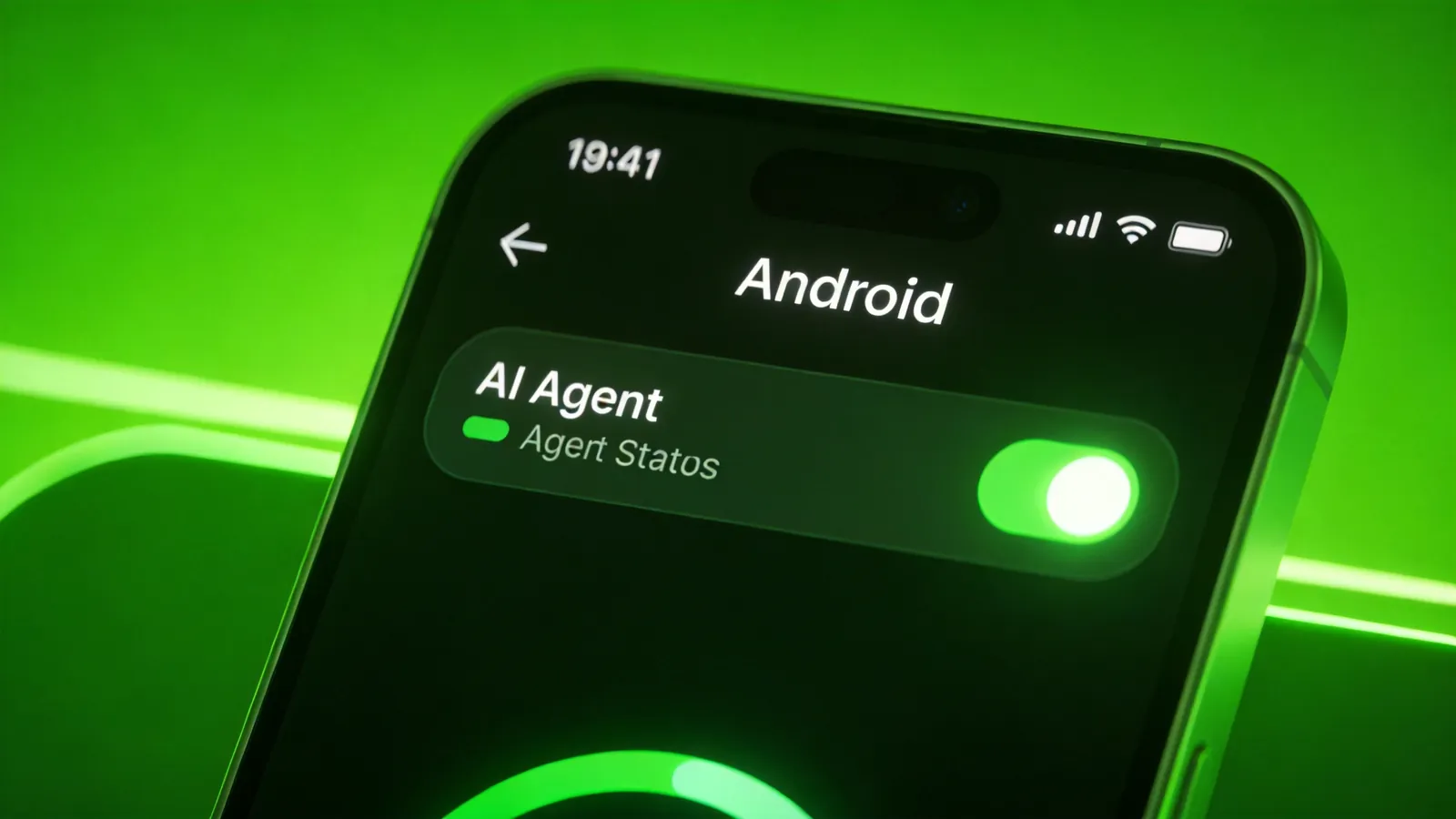
The importance of Android Halo doesn't lie in it being a pretty icon animation. Its importance lies in what it represents: a paradigm shift where AI behavior moves from "black box" to "glass box."
4.1 Why Is Transparency a Key Infrastructure?
There's a common truth in software engineering: you cannot manage what you cannot see. Observability is the cornerstone of large-scale system operation — CPU utilization, memory usage, request latency, error rates… these metrics let you know what the system is doing and how well it's doing it. The entire discipline of Site Reliability Engineering (SRE) is built on this principle: instrument everything, monitor continuously, alert proactively.
AI agents are also systems. But for a long time, users have been facing a system with "no monitoring dashboard" — you give it input, you wait for output, and the intermediate process is completely invisible. This is barely tolerable in simple question-answer scenarios. But when AI agents start taking on complex multi-step tasks — automatically orchestrating workflows, continuously monitoring data streams, making autonomous decisions — the absence of transparency is a disaster.
Compare this to autonomous driving: if a self-driving car cannot tell you what it "sees," what it's "thinking," and what it "intends to do," would you dare sit in it? Tesla learned this lesson the hard way — the addition of the visualization screen showing what the car's Autopilot system "sees" was a direct response to user anxiety about the black-box nature of autonomous driving. People needed to see that the car was aware of the pedestrians, the stop signs, the lane markings. The visualization didn't make the car drive any better, but it made people trust it more.
The same logic applies to AI agents. User trust in AI is proportional to the visibility of AI behavior.
4.2 The Precedent Android Halo Sets
The significance of Android Halo is that, for the first time, it establishes an AI running status visibility mechanism at the operating system level. This isn't an internal feature of some app; it's "infrastructure" for the smartphone as a general-purpose computing platform.
Looking back at tech history, every major upgrade in human-computer interaction paradigms has been accompanied by an increase in "visibility":
- Command line → Graphical interface: From reading text to seeing icons and windows; from "imagining" the result to "seeing" it. The graphical interface didn't just make computers prettier — it made them more comprehensible by making their state visible at a glance.
- Local apps → Cloud services: From local storage to cloud sync; from "not knowing if it synced" to real-time sync icons. Dropbox's green checkmark didn't improve the sync technology, but it dramatically improved the user's confidence that sync was working.
- Manual operation → Automation: From doing it yourself to letting a tool do it; from "I know I'm doing it" to "I have to check whether the tool did it." CI/CD pipelines in software engineering show this pattern — every modern CI system has a status badge that shows whether the build is passing or failing, because developers need to know at a glance whether their automation is healthy.
Android Halo is precisely the piece that fills in the "visibility" gap in the stage of "manual operation → AI automation." It's the CI status badge for your personal AI agents.
4.3 More Than Just "Lighting Up a Light"
Of course, an icon can convey only limited information. Android Halo is only a starting point. It solves the most basic problem — "Is the AI working or not?" Deeper transparency needs include:
- Progress information: How far has the AI progressed? How much is left? A task that's 90% done feels very different from a task that's 10% done, even though both are "in progress."
- Decision explainability: Why did the AI make this choice rather than that one? When an agent chooses to send an email to Alice instead of Bob, or selects one data source over another, users need to understand the reasoning — not just for trust, but for accountability and error correction.
- Exception alerts: What problem did the AI encounter? Does it need human intervention? An agent that silently fails is worse than an agent that never started, because the user might act on the assumption that the task completed successfully.
- Cost awareness: How many tokens / how much compute did this task consume? As AI agents take on more tasks, the costs accumulate. Users need visibility into resource consumption to make informed decisions about what to automate and what to do manually.
These are issues that need to be gradually addressed after Halo. But "lighting up the light" is the first step — if you can't even see "whether it's working," nothing else can even begin.
AI transparency isn't a nice-to-have user experience optimization. It is a prerequisite for the mass adoption of AI agents. If the user always has to "lift the pot lid," AI will forever remain a "tool you use occasionally" rather than becoming an "indispensable assistant."
Part V: Cross-Platform Perspective — Transparency Isn't Just a Phone Problem
Android Halo solves the AI transparency problem on mobile, but this need extends far beyond phones. In fact, the transparency problem might be even more acute on other platforms where AI agents run longer, more complex tasks.
5.1 Transparency Needs on Desktop
On a computer, an AI agent might be executing multiple tasks simultaneously — data cleaning, report generation, code review, email processing, market research, competitor analysis… If these tasks all run silently in the background, the information opacity problem is more severe than on mobile, because the tasks are more complex and take longer.
What the desktop needs is a richer status panel — not just "a light," but task queues, progress bars, and log streams. Imagine a "mission control" dashboard for your AI agents, similar to how project management tools like Jira or Asana show the status of all tasks in a project. You wouldn't manage a team of people without knowing who's working on what and how far along they are. Why should managing a team of AI agents be any different?
5.2 Transparency Needs for Server / Local Deployment
When an AI agent runs on a local device or private server (such as an agent computer), executing tasks 24/7, the transparency need grows exponentially. When you're away from your computer, the AI is still working — how do you know what it did, how well it did it, and whether anything went wrong?
This is the "unattended operation" problem, and it's one of the oldest challenges in computing. Server administrators solved it with monitoring systems like Nagios, Prometheus, and Grafana — dashboards that show system health at a glance and send alerts when something goes wrong. The same principle applies to AI agents: if they're running unattended, they need an equivalent monitoring and alerting infrastructure.
This requires a "continuous running indicator" mechanism — not waiting for the user to check, but proactively making the status visible to the user at any time they glance. The key insight is that the user shouldn't have to initiate the status check; the system should always be displaying or ready to display its state.
5.3 Kaihe Agent Computer's "24/7 Running Indicator"
KaiheAiBox's agent computer has, from the very beginning, taken "letting the user know the AI is working" as a core design principle. Its running indicator system includes:
- Web management interface: Open a browser and you can see the running status, task queue, and execution logs of all agents. This isn't a simplified dashboard — it's a full-featured control panel that shows you everything you need to know about what your agents are doing.
- 24/7 continuous operation: Agents run uninterrupted locally; you don't need to "log in" for them to work. They start when the system starts, and they keep running until you tell them to stop.
- Task-level transparency: The start time, current status, and output results of every task are clearly visible. You can see not just that an agent is running, but what specific task it's running, what step it's on, and what it has produced so far.
This philosophy is the same in spirit as Android Halo — both aim to transform AI's running status from "black box" to "visible." The difference is that Android Halo focuses on "lightweight visibility" on mobile (an icon), while Kaihe's agent computer focuses on "deep visibility" — a complete status panel, task logs, and running history.
Android Halo solves the "mobile AI transparency" problem. Kaihe's agent computer solves the "24/7 stable AI task execution" problem — a local agent scheduling system plus a web management interface, enabling even non-technical users to easily let AI work for them.
Part VI: The Three Levels of AI Transparency
Combining the design thinking behind Android Halo and Kaihe, we can divide AI transparency into three progressive levels:
| Level | Core Question | Typical Implementation |
|---|---|---|
| Perception layer | Is the AI working? | Android Halo spark icon |
| Progress layer | How far has the AI progressed? | Task progress bar, step-by-step logs |
| Understanding layer | Why did the AI do it this way? | Decision chain display, reasoning process visualization |
Perception Layer: The Baseline
The perception layer answers the simplest but most fundamental question: is the AI currently active? Android Halo operates at this layer. It's the equivalent of a power light on a device — it tells you the system is on, but not much more. Yet this basic information is surprisingly powerful. Just knowing that something is happening (rather than nothing) dramatically reduces user anxiety.
Research in UX design has consistently shown that perceived wait time decreases when users can see that a process is active. A loading spinner doesn't make the page load faster, but it makes the wait feel shorter because the user knows the system hasn't frozen. Android Halo's spark icon serves the same function for AI agents — it's a loading spinner for the AI age.
Progress Layer: The Details
The progress layer goes deeper, answering: how far along is the AI? This is where task queues, progress bars, step indicators, and execution logs come in. Kaihe's agent computer operates at this layer, providing granular visibility into each task's lifecycle.
Progress information serves two purposes. First, it reduces uncertainty — knowing that a task is 70% complete is very different from knowing only that it's "in progress." Second, it enables intervention — if you can see that an agent has been stuck on step 3 of 10 for an unusually long time, you can investigate and potentially course-correct before the entire task fails.
Understanding Layer: The Frontier
The understanding layer is the most ambitious: why did the AI make the decisions it made? This involves displaying the agent's reasoning chain, showing which options it considered and why it chose one over the others, and making the decision-making process inspectable and auditable.
This layer is largely unsolved today. Current AI agents can tell you what they did (in their output), but they generally can't tell you why they did it in a way that's truly transparent and inspectable. Research in AI interpretability and explainability is working toward this goal, but practical implementations remain limited.
Android Halo currently sits at the perception layer. Kaihe's agent computer covers the perception and progress layers. The understanding layer is the next major challenge for the entire industry to tackle.
The ultimate goal of transparency isn't to let the user see every detail, but to ensure that when the user needs to know, they can always find the answer. Good transparency design is "checkable anytime" rather than "force-visible all the time" — you don't need to keep staring at it, but you know that when you want to look, the information is there.
Part VII: When AI Becomes a "Colleague" Rather Than a "Tool"
If we take a longer view, the significance of AI transparency isn't just technical experience optimization — it's a fundamental shift in the human-AI relationship.
When we treat AI as a "tool," it's fine for it to be a black box — a hammer doesn't need to tell you it's hammering; a wrench doesn't need to report how many turns it made. Tool use is "instantaneous": you use it, it responds, it ends. The feedback loop is tight — you see the result immediately, so you don't need status updates.
But when AI becomes a "colleague" — a collaborative partner that can autonomously execute long-cycle tasks and requires your trust and authorization — transparency is a baseline condition. You wouldn't hand an important piece of work to a colleague who never reports progress. By the same logic, you wouldn't hand a critical business process to an AI whose status you can't see at all.
This shift from "tool" to "colleague" isn't just metaphorical. It has concrete implications for how we design AI systems:
- Tools are invoked; colleagues are delegated to. When you invoke a tool, you're in the loop the whole time. When you delegate to a colleague, you step out of the loop and rely on status updates to stay informed.
- Tools produce outputs; colleagues produce outcomes. A tool gives you a result; a colleague gives you a result plus context about how they arrived at it, alternatives they considered, and things they noticed along the way.
- Tools are replaceable; colleagues are trusted. You can swap one hammer for another without a second thought. But switching colleagues requires rebuilding trust, because trust is built on accumulated evidence of reliability and transparency.
That "AI light" of Android Halo is, at its essence, building the minimum infrastructure for this kind of "colleague-level trust": When I'm working, you'll know. When I encounter a problem, you'll see.
That light may be small, but what it illuminates is the path from AI as a "tool" to AI as a "partner."
Part VIII: The Road Ahead — From Light to Language
Android Halo is a beginning, not an end. The spark icon in your status bar is the first step in what will likely become a much richer ecosystem of AI transparency features. Here's what the future might look like:
Rich notifications. Beyond just the icon, AI agents could send rich notifications with summary information — not just "I'm working," but "I'm 60% done, found 3 issues, estimated completion in 5 minutes." This moves the transparency model from "is it active?" to "what's it doing?" — a significant step up in informational value.
Ambient displays. On devices with always-on displays (like many Android phones), the AI status could be visible even when the screen is "off" — a subtle glow or animation that tells you an agent is active without requiring any interaction. This creates a peripheral awareness similar to how you might notice a colleague's office light is on, indicating they're working, without needing to knock on their door.
Voice updates. For hands-free scenarios, AI agents could provide brief voice updates — "Your report is almost done, I'll send it to your inbox in about two minutes" — similar to how a human colleague might poke their head into your office to give a quick status update. Voice updates are particularly valuable for accessibility and for situations where visual attention is directed elsewhere (driving, cooking, exercising).
Cross-device continuity. Your AI agent's status could follow you across devices — phone, tablet, laptop, desktop — so you always have visibility regardless of which device you're using. This is critical for agent tasks that span hours or days: you shouldn't lose awareness of what your agents are doing just because you switched from your phone to your laptop.
Historical transparency. Beyond real-time status, users should be able to review what their AI agents did while they were away — a "daily brief" of AI activity, similar to how you might review a team's activity feed in a project management tool. This creates accountability and enables users to build trust over time by verifying that their agents are acting as expected.
Proactive exception reporting. Perhaps most importantly, agents should alert users proactively when something unexpected happens — not just when they're done, but when they encounter ambiguity, encounter an error, or need a decision that only the human can make. This transforms the agent from a background process into an interactive collaborator.
All of these build on the foundation that Android Halo is laying: the principle that AI activity should be visible by default, not hidden behind app interfaces and menu trees.
Conclusion: The Light Is Only the Beginning
Android Halo is a small icon, but it points to a big direction. AI agents are moving from the shadows of the background into the foreground of user awareness. This transition — from invisible to visible, from black box to glass box — is what will ultimately determine whether AI agents become an enduring part of everyday life or remain a niche curiosity.
The smartphone, after all, is the most personal computing device most people own. It's the device that's always with you, always on, always connected. If AI agents are going to become truly useful assistants — handling your scheduling, managing your communications, automating your workflows — they need to be as transparent on your phone as they are capable in the cloud.
The "AI light" on your phone is coming. And when it arrives, you'll finally be able to stop lifting the lid to check the soup.
But the metaphor of the kitchen pot also reveals a deeper truth: the purpose of transparency isn't surveillance — it's trust. You don't stare at a boiling pot continuously. You check it periodically, and the lid lets you do that efficiently. Similarly, AI transparency isn't about watching every computational step; it's about knowing that you can check whenever you want, and that when something important happens, you'll be notified. The light says "I'm here, I'm working, and you're in control." That message, simple as it is, may be the single most important design decision in making AI agents acceptable to mainstream users.
The question isn't whether AI transparency will become standard — it's how quickly the industry will move beyond the perception layer to provide the deeper visibility that users need and deserve. Android Halo lit the first spark. The fire is only just beginning.
The Broader Implications for Agent Computing
Android Halo's approach to transparency has implications beyond smartphones. As AI agents become integral to workflows across devices and platforms, the demand for consistent, cross-platform transparency will only grow. Users who experience the reassurance of Android Halo on their phones will expect similar visibility when their AI agents run on desktops, servers, and dedicated hardware.
This is where dedicated agent computing platforms like KaiheAiBox's Agent Computer come into focus. While Android Halo provides the perception layer on mobile, a full-fledged agent computer needs to deliver all three layers — perception, progress, and understanding — across the diverse set of agent tasks it manages 24/7. When an agent is monitoring your email, processing data, generating reports, and coordinating across multiple services simultaneously, a simple status icon isn't enough. You need a dashboard that shows you what each agent is doing, how far along each task is, and whether any intervention is required.
The convergence is clear: mobile devices are beginning to surface AI agent activity, while dedicated agent platforms provide the depth of visibility needed for complex, multi-step workflows. Together, they're building the transparency infrastructure that will make AI agents trustworthy enough for mainstream adoption. Android Halo proves that users want this visibility. The next challenge is delivering it at the scale and depth that productive AI agent use requires.
The industry is at an inflection point. The question is no longer whether AI agents need transparency — Android Halo has settled that debate by proving that even the simplest form of visibility meaningfully improves user experience. The question now is how quickly we can move from perception to progress to understanding, and how broadly we can apply these principles across the entire ecosystem of AI-powered tools and platforms. The light has been lit. The race is on to make it shine brighter and reach further.
KaiheAiBox · AI Agent