"The biggest cost for our tiny studio isn't software. It's not rent. It's waiting for renders to finish."
That's Zhou, a partner at a small architecture design studio in Shenzhen. The team is just three people — Zhou (lead architect), one rendering specialist, and one admin/business coordinator. Their projects are mostly residential renovations, small commercial spaces, and interior design.
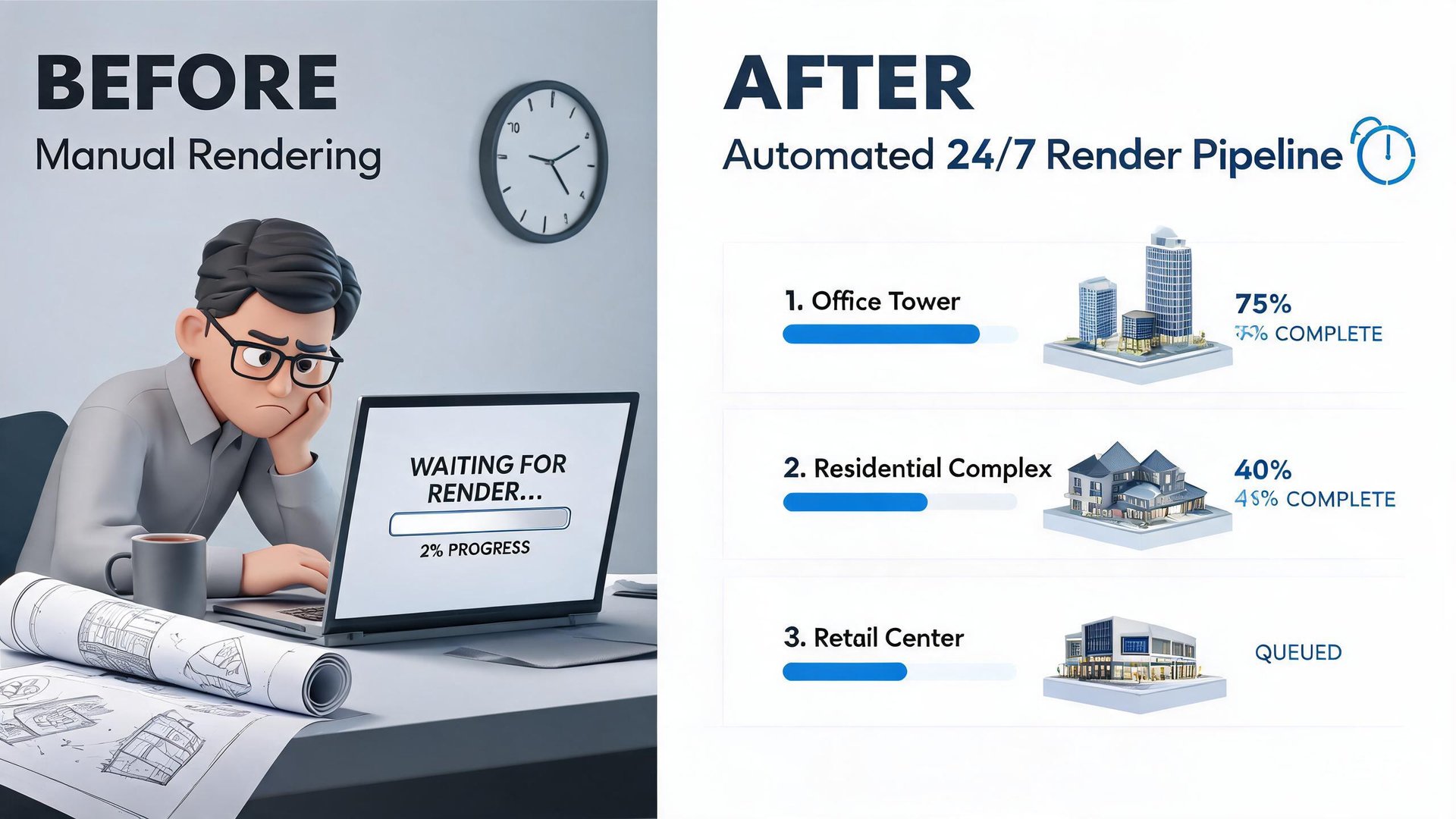
The traditional workflow: Zhou sketches a concept → the rendering specialist models in SketchUp + V-Ray → wait 2-4 hours for a render → client requests changes → re-render → wait another 2-4 hours → repeat endlessly.
For a 50-square-meter showroom project, render waiting time consumed 40% of the total project timeline.
1. Diagnosing the Problem: The Render Queue Bottleneck
📖 Glossary
AI Box (also known as Agent Computer / Agent PC), is a dedicated local hardware device that runs AI Agents. Pre-installed with an AI agent management system, plug-and-play, running 24/7. Users can remotely command AI to work via Discord, Slack, Telegram, WhatsApp, and more.
This isn't a compute power problem — their workstation is decent (RTX 4070, 32GB RAM). The real issues:
1. Renders can't queue and run in parallel. While one image renders, the next task just sits idle. When a render finishes at 2 AM, nobody's awake to submit the next one.
2. Client revision domino effect. "Make the wall color a bit warmer" — this casual request means the entire scene needs re-rendering, another entire afternoon gone.
3. Repetitive manual work. The rendering specialist spends 1-2 hours daily on setting render parameters, checking outputs, and re-queuing tasks — all pure manual labor.
Zhou did the math: they render 20-30 scenes monthly, totaling 120-180 render hours. At least 40 of those hours are pure queue-waiting waste — tasks waiting for tasks.
The problem isn't slow machines. It's that nobody is awake 24/7 to manage the scheduling.
2. The Solution: KAIHE + OpenClaw Agent Workflow
Zhou chose the KAIHE E1 (32GB unified memory, 55 TOPS NPU) and built an automated rendering scheduler on OpenClaw.
System Architecture
[Designer submits render task]
        ↓
[OpenClaw Agent receives → writes to task queue]
        ↓
[Agent monitors workstation status → auto-submits next task when idle]
        ↓
[Render complete → Agent detects output files]
        ↓
[Auto-names + categorizes + uploads to project folder]
        ↓
[Auto-notifies designer: "Your render is ready"]
Implementation Details
1. Render task queue. Designers message the Agent via WeCom: "Render 01-lobby-daylight.skp, V-Ray High Quality, output 4K." The Agent auto-parses parameters and writes to the task queue.
2. Intelligent scheduling. The Agent monitors the workstation's GPU utilization over LAN. When GPU drops below 5% (render complete) → automatically submits the next queued task. A render finishes at 3 AM, the next one starts immediately. By 8 AM when the designer arrives, 5 renders completed overnight.
3. Output management. Renders are auto-named by project/date/scene and archived to NAS. The last 3 versions are preserved; older ones auto-purge to free space.
4. Client revision integration. Zhou's favorite feature — "Change the wall color." He forwards the client's WeChat screenshot to the Agent. The Agent auto-extracts the revision request, matches it to the project folder, and appends the change log. The rendering specialist opens their computer to find "Today's re-render list" — no back-and-forth communication needed.
3. Results: More Than Just Time Saved
Quantitative Data
| Metric | Before | After | Change |
|---|---|---|---|
| Monthly render tasks | 20-30 | 20-30 (unchanged) | — |
| Effective render time | 120-180h | 90-120h | Queue time reduced 40% |
| Specialist manual hours | 20-25h/month | 3-5h/month | 80% reduction |
| Overnight utilization | 0% | 80%+ | Dormant time → productivity |
| Client revision turnaround | 0.5-1 day | 1-2 hours | 5-10× improvement |
| Average project delivery | 7-10 days | 4-6 days | 40% shorter |
Qualitative Benefits
No more late nights for the rendering specialist. Urgent projects used to mean staying up all night manually submitting renders one by one. Now, tasks are queued before leaving the office, and the Agent manages overnight execution. Everything is done by morning.
The fear of client revisions is gone. Zhou says this is the biggest change — they used to dread the "can you adjust this?" message, because it meant someone was tied up for an entire afternoon. Now a revision is just a WeChat message; the Agent handles scheduling automatically.
A 3-person team can take on more projects. A 40% shorter delivery cycle means the same team can handle 1-2 additional parallel projects. For a small studio, that's direct revenue growth.
4. Why Not Just Use Cloud Rendering?
"I did the math," Zhou says.
Cloud GPU rendering (e.g., AWS g4dn.xlarge, ~$1/hour), 120 hours/month = ~$120/month = ~$1,440/year.
A KAIHE E1 is a one-time ¥12,999 (~$1,800), plus ~$5/month electricity. The first year total is ~$1,860 — slightly more than cloud. But year two onward, it's just electricity. Over two years, 70%+ savings versus cloud.
Plus, cloud rendering has upload/download latency — 4K scene files are often several GB, taking 30+ minutes just to upload. Local rendering eliminates that entirely.
5. Zhou's Takeaway
"People in our industry are both curious and scared of AI. Curious because it can genuinely save work, scared because we worry it's too hard to learn, too expensive, or too unreliable."
"But in practice, OpenClaw doesn't feel like those AI tools that require coding — I just talk to it. 'Queue up these tasks for me,' 'Tell me when the render is done,' 'Client changed the column color, update the project log' — it's like having a tireless assistant."
"Now the rendering specialist leaves two hours earlier every day. I don't have to wake up in the middle of the night to check progress. Those two things alone justified the cost."
6. Could This Work for You?
The core logic of this case is highly transferable:
- Any creative field with batch queuing problems: video rendering, 3D modeling, audio processing, batch photo editing
- Any small team relying on manual scheduling: no need to hire ops — use an Agent for automated orchestration
- Any scenario needing 24/7 operation: overnight is your real productivity window
KAIHE + OpenClaw isn't about "running faster." It's about keeping the machines running when nobody's there.
Published with the user's permission. Certain details have been anonymized.
tags: case study, architecture design, render automation, Agent workflow, small team productivity, 24/7 automation, OpenClaw