Codex Appshots: Double-Tap Command to Feed Your Screen to AI — Programming Enters the WYSIWYG Era
📖 Glossary
AI Box (also known as Agent Computer / Agent PC), is a dedicated local hardware device that runs AI Agents. Pre-installed with an AI agent management system, plug-and-play, running 24/7. Users can remotely command AI to work via Discord, Slack, Telegram, WhatsApp, and more.
TL;DR: On May 22, 2026, OpenAI dropped six major Codex updates. The headline feature: Appshots lets Mac users double-tap Command to instantly capture an app window and feed it to Codex — which can read text content even outside the visible area. The /goal command graduates from experiment to stable, enabling multi-day tasks. And Mac can be locked while Codex keeps coding via your phone. AI programming officially moves from "you describe, AI writes" to "you point, AI fixes."
1. What Is Appshots?
On May 22, OpenAI released major updates to the Codex desktop app — six new features at once. CEO Sam Altman announced on X: "New Codex is live." XinZhiYuan called it "Codex's strongest upgrade ever."
Among the six updates, Appshots is the undisputed headliner.
In simple terms: Appshots lets Mac users press a hotkey (default: left and right Command keys, customizable in settings) to capture the current app window and send it to Codex. But this isn't just a screenshot — Codex can read all text content in the window, including portions not currently visible on screen.
This means: no more manually copying code snippets, screenshots, or bug descriptions. Just double-tap Command, and Codex "sees" everything you see — and even more.
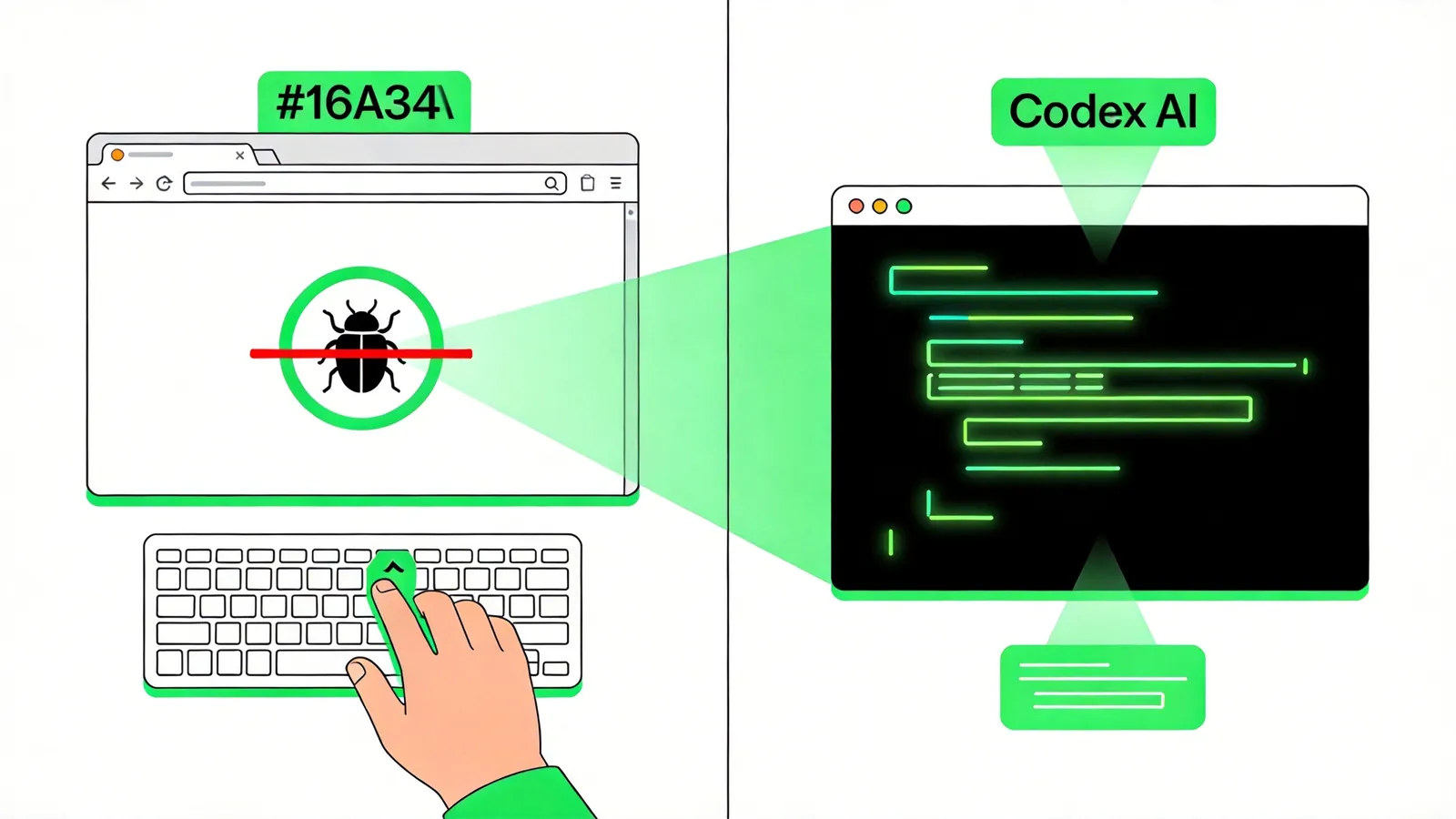
2. Three Core Pain Points Appshots Solves
According to OpenAI's official description, Appshots addresses three primary pain points:
Pain Point 1: Debugging web pages with bugs — high description cost
Before: screenshot → paste into chat → describe "this button doesn't work, error in console line 3" → AI takes time to understand → possibly gives an irrelevant fix.
Now: double-tap Command directly on the browser window — Codex automatically captures the entire window (including developer tools console errors), understands the problem, and produces a fix.
Pain Point 2: Design-to-code with complex UI transfer
Before: drag Figma screenshot into ChatGPT → describe layout structure → AI generates code → you discover misalignment → re-describe → re-generate.
Now: double-tap Command on the design tool window — Codex reads the entire interface (including content hidden beyond scroll areas), understands the complete layout at once, and generates more accurate code.
Pain Point 3: Complex interfaces that text can't fully describe
Before: separately copy-paste error messages, log outputs, config files, and UI screenshots to AI, then spend significant time explaining their relationships.
Now: double-tap Command — all visible and hidden content from the entire app window goes to Codex in one shot, and AI automatically establishes context relationships.
This isn't simply "screenshot sent to AI." Traditional screenshot tools capture only pixels. Appshots extracts text content (including off-screen portions) — a fundamental difference.
3. /goal Graduates to Stable: AI Can Now Run Multi-Day Tasks
The other major update alongside Appshots is /goal officially graduating from experimental to stable.
Previously, /goal as an experiment let users set a long-term goal that Codex would pursue until completion. But the experimental version had stability issues and couldn't reliably maintain state across sessions.
The stable /goal now supports:
- Multi-hour to multi-day long task execution: Set "refactor the entire auth module," and Codex autonomously decomposes sub-tasks and progresses step by step
- Mid-course progress checks: Monitor what Codex has accomplished so far
- Direction adjustment or pause: Correct course if you discover things heading the wrong way — no need to wait for completion
- Unified multi-platform experience: Available in Codex App, IDE Extension, and CLI
The combination of /goal and Appshots is powerful: you can set a /goal (e.g., "fix all login-related bugs"), then feed problematic windows one by one to Codex via Appshots. Codex automatically correlates these snapshots to the goal and tracks fix progress continuously.
4. Mac Locked, Code Still Running: Phone Remote Control
Another highlight of this update: even with Mac locked and screen off, Codex can securely use applications on Mac via your phone.
The Codex mobile app (iOS and Android preview) launched May 14 and now includes locked-screen remote control. Real-world scenarios:
- You're in a meeting and suddenly remember needing to confirm a deployment → pull out your phone → open the Codex panel in ChatGPT → remotely execute commands on your Mac
- A colleague reports a production bug while you've already left work → use your phone to have Codex on your locked Mac locate the issue
- On your commute, you think of a feature improvement → assign the task to Codex via your phone; by the time you arrive home, the code is ready
OpenAI emphasizes security: remote control requires verification and won't execute any operations without authorization.
5. Three Additional Updates
1. Enhanced Built-in Browser
The new browser is faster in advanced annotation mode, with more accurate positioning and support for batch commenting. A practical improvement for workflows where Codex browses the web for information.
2. Team Plugin Sharing
Business and Enterprise users can share plugin configurations within teams, avoiding the need for everyone to separately configure the same workflows. A clear efficiency win for enterprise teams.
3. Enterprise Analytics Dashboard
New multi-dimensional analytics panel with active user stats, Token usage, lines of code metrics — helping enterprise managers understand team AI coding tool adoption.
6. The Technical Thinking Behind Appshots
Appshots' core value isn't "screenshot" — screenshot tools have existed for decades. Its real breakthrough is multimodal context fusion:
- Visual information: Window layout, UI element positions, colors, fonts
- Text information: Code content, error logs, config parameters (including off-screen content)
- Interaction context: Which app, which page, what state
Delivering all three types of information to AI gives Codex, for the first time, the same "working environment awareness" as human developers. This isn't incremental improvement — it's an interaction paradigm leap.
From a broader perspective, Appshots represents the third interaction revolution in AI programming tools:
- Text conversation (2023-2024): You describe requirements in text, AI returns code
- IDE integration (2024-2025): AI embedded in editor, can see files you have open
- Full-screen awareness (2026-): AI can "see" everything on your screen — and more
Each leap dramatically reduces the "human-AI information gap" — information that humans know but AI doesn't. Appshots compresses that gap to near zero.
7. Implications for Agent Hardware
The combination of Appshots and /goal upgrades Codex from a "code assistant" to a "24/7 programming agent." This requires:
- Always-on operation: /goal tasks may run across days without interruption
- Screen access permissions: Appshots requires reading window content, demanding an independent graphical runtime environment for the agent
- Remote accessibility: Phone remote control requires Mac to always be online
This suggests the optimal running setup for future programming agents may not be your main development machine (which you shut down, game on, or switch projects with). Instead, it should be a dedicated always-on device — low-power, stable, isolated from your main machine — where agents continuously execute /goal tasks while you monitor progress via phone or your primary computer.
Kaihe AI Box is purpose-built for this: 24/7 operation, 10W ultra-low power, physically isolated from your main PC. Whether running Codex /goal long tasks or using OpenClaw to dispatch multiple agents in parallel, you need a dedicated always-on device to host them.
KaiheAiBox · AI Agent Tracker