Codex with CC Switch: Third-Party API Setup on Mac and Windows Without Paying for Plus
📖 Glossary
AI Box (also known as Agent Computer / Agent PC), is a dedicated local hardware device that runs AI Agents. Pre-installed with an AI agent management system, plug-and-play, running 24/7. Users can remotely command AI to work via Discord, Slack, Telegram, WhatsApp, and more.
Abstract: This guide walks through the complete Codex + CC Switch setup on both macOS and Windows. Codex's official $20/month ChatGPT Plus subscription is expensive and region-locked for many users. CC Switch is a free, open-source local API router that lets Codex talk to any third-party provider (DeepSeek, Kimi, Alibaba Bailian, QuickRouter) at 1/10 the cost. By the end of this article, you will have Codex running on DeepSeek, understand the protocol translation layer, and know how to fix the six most common setup errors.
Codex, OpenAI's official CLI coding assistant, is excellent at reading repos, writing code, and modifying files. But the official subscription has two hard limitations: the $20/month ChatGPT Plus fee is steep for individual developers, and many regions require overseas payment methods just to log in. Switching to DeepSeek, Kimi, or Zhipu models is not as simple as changing an environment variable either. Codex defaults to OpenAI's Responses API protocol, while Chinese model vendors all expose Chat Completions endpoints. The two protocols are not compatible out of the box.
CC Switch is a free open-source desktop tool that solves this exact pain point. It runs as a local API router, automatically translating Codex requests into whatever format your third-party provider supports, and lets you switch between providers with one click. The installation package is under 10 MB and ships native GUIs for macOS, Windows, and Linux. This guide walks you through the complete Codex + DeepSeek setup on both platforms.
1. Install Codex
Codex installation is straightforward on both platforms.
macOS users have two options. Option one: open Terminal and paste curl -fsSL https://claude.ai/install.sh | bash. Option two: download the .pkg installer from the official Quickstart page and double-click.
Windows users also have two options. Option one: open the Quickstart page in your browser, click "Download for Windows", and run the installer. Option two: install via the Microsoft Store. Search "Store" in the Start menu, search for "codex" or "chatgpt" (the app was renamed recently), and click Install.
Verify the installation by typing codex --version in Terminal or PowerShell. If you see a version number like 0.x.x, the install succeeded. This step also creates the ~/.codex/config.toml skeleton directory that CC Switch will manage.
Important: do not log into your official ChatGPT account yet. When using CC Switch, having both an official login and a custom provider configuration causes a conflict warning. Later when you start Codex, choose "Other login method" and paste your API key. You do not need the official login at all.
2. Install CC Switch
CC Switch is a GitHub open-source desktop tool by author farion1231, currently at version 3.16.0.
macOS users: download the .dmg package from the releases page (https://github.com/farion1231/cc-switch/releases) and drag the CC Switch icon into the Applications folder.
Windows users: download the .msi installer from the same releases page and double-click to install. After installation, a CC Switch icon appears in the system tray.
After installing, launch CC Switch. The main window shows a row of tool icons at the top (Claude Code, ChatGPT / Codex, Gemini CLI, OpenCode, OpenClaw). Click the ChatGPT icon to switch to Codex management. The "+" button in the top right creates a new provider, and the list below shows all your configured model sources.
3. Core Step: CC Switch Takes Over Codex Configuration
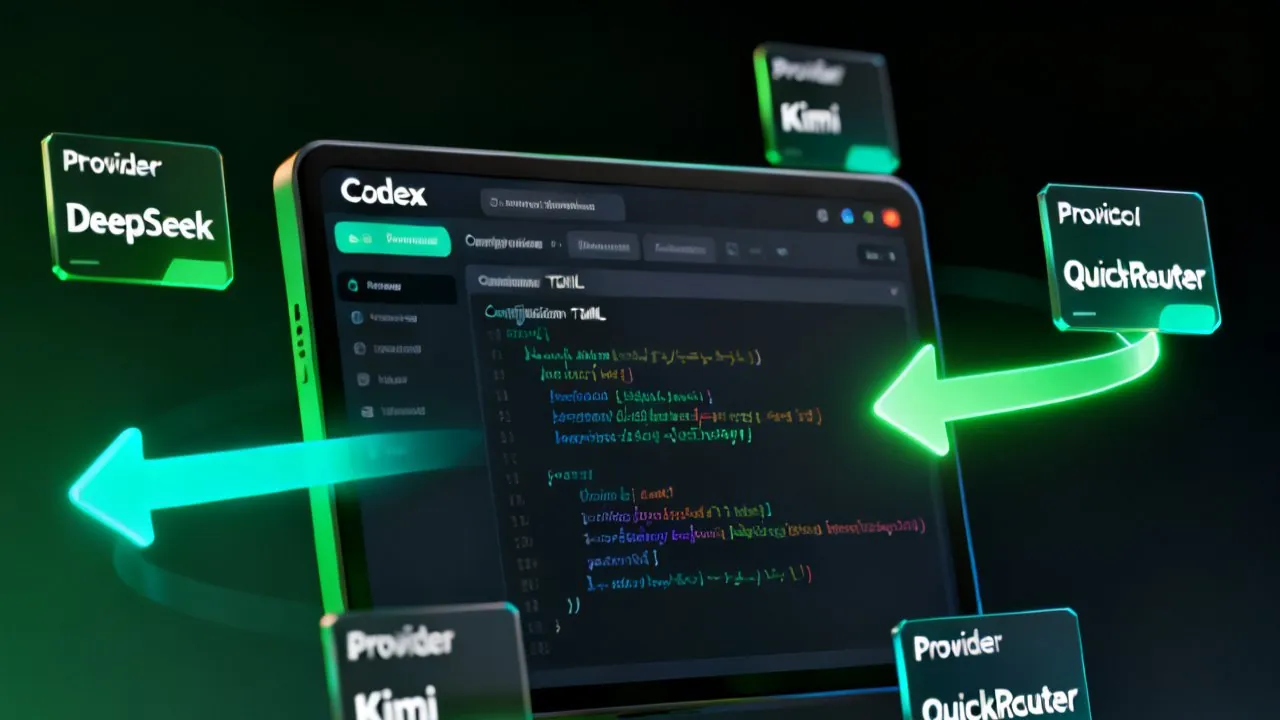
This is the heart of the setup. Click the ChatGPT icon at the top of CC Switch to enter Codex management, click the "+" button, and select "Custom Configuration".
Common configuration fields (identical on both platforms):
- Provider name: anything you want, like "DeepSeek" or "Bailian"
- API base URL: the third-party provider's endpoint
- DeepSeek official:
https://api.deepseek.com/v1 - QuickRouter (aggregator with cheap multi-model access):
https://api.quickrouter.ai/v1 - Alibaba Bailian:
https://dashscope.aliyuncs.com/compatible-mode/v1 - SiliconFlow:
https://api.siliconflow.cn/v1 - API key: create one in the provider's web console
- Model name: a model that provider supports, such as DeepSeek's
deepseek-chat, Kimi'smoonshot-v1-128k, Bailian'sqwen-coder-plus
Click Save and your provider appears in the list.
Critical step: click "Enable" to switch the status to Active. CC Switch now does several things: it rewrites the live Codex config file ~/.codex/config.toml to point at the local proxy http://127.0.0.1:15721/v1, locks the wire_api="responses" protocol, and starts a local proxy service on port 15721 that intercepts all Codex requests.
The protocol translation pipeline (understanding this saves you many headaches):
- Config rewrite: CC Switch rewrites Codex config to point at 127.0.0.1:15721, locking the Responses protocol
- Format marker: provider's
meta.apiFormat="openai_chat"tells the router the upstream uses ChatCompletions - Request forwarding: the router intercepts
/responsespaths and remaps them to/chat/completions, converting request body formats - Response re-serialization: upstream Chat-format responses (SSE streams) are reassembled into Codex-compatible Responses format
Regardless of whether the upstream uses Chat Completions, Anthropic, or Bedrock custom protocols, CC Switch translates everything into a format Codex can parse.
4. Register API Keys and Test Connectivity
After filling in provider config, verify the API key actually works. Test base URL connectivity first:
curl -sS "https://api.deepseek.com/v1/models" \
  -H "Authorization: Bearer sk-your-key"
If the response is a JSON listing all models the platform supports, connectivity is good. If you get 401 or 403, the key is wrong or the account is not activated.
Then run a minimal request:
curl -sS "https://api.deepseek.com/v1/chat/completions" \
  -H "Authorization: Bearer sk-your-key" \
  -H "Content-Type: application/json" \
  -d '{"model": "deepseek-chat", "messages": [{"role": "user", "content": "hello"}]}'
A 200 response means the provider works. Go back to CC Switch, enable it, and launch Codex.
Popular providers compared (August 2026):
| Provider | Flagship model | Input price ($/M tokens) | Output price | Best for |
|---|---|---|---|---|
| DeepSeek | deepseek-chat | 0.02 cached / 1 uncached | 2 | General coding, batch processing |
| Alibaba Bailian | qwen-coder-plus | ~2 | ~6 | Chinese docs, long context |
| QuickRouter | gpt-5.4 / Claude family | ~0.5-2 | ~1.5-6 | Multi-model flexibility |
| SiliconFlow | Qwen / Qwen3-Coder | Generous free tier | Very low | Personal dev, debugging |
Codex Plus costs about $20/month. DeepSeek charges per token, and a coding session typically costs a few cents to a few dollars per hour. Monthly cost is often under 1/10 of the official subscription.
5. Cross-Platform Verification
Do not trust the CC Switch status display. Verify with the actual Codex CLI.
Terminal verification (identical commands on both platforms):
Open Terminal or PowerShell in any project directory, type codex to enter interactive mode, and issue a simple command like "list all Python files in the current directory". If CC Switch is working, Codex will call the underlying model and respond. The terminal should log something like "Used deepseek-chat (provider: DeepSeek)", confirming the request went through DeepSeek.
Check the config file:
Mac/Linux users run cat ~/.codex/config.toml, Windows users run type %USERPROFILE%\.codex\config.toml. You should see:
model_provider = "custom"
model = "deepseek-chat"
wire_api = "responses"

[providers.custom]
name = "DeepSeek"
base_url = "http://127.0.0.1:15721/v1"
If base_url points at 127.0.0.1:15721, CC Switch has taken over correctly. If it still points at the official OpenAI address, CC Switch has not taken over. Go back and click "Enable".
Multi-provider switching: after enabling multiple providers, right-click the system tray icon to quickly switch the active provider. Use DeepSeek for Python coding in the morning, switch to a Claude aggregator channel in the afternoon for architecture work. One-click switching, no Codex restart needed.
6. Common Errors and Fixes
Error 1: Codex reports "configuration conflict" at startup
Cause: both an official ChatGPT account login and a CC Switch custom provider are active. Fix: run codex /logout in Terminal or PowerShell to exit the official login, then go back to CC Switch and re-enable the provider.
Error 2: Request returns 401 Unauthorized
Cause: API key is wrong, expired, or not assigned to the right model group. Fix: regenerate the key in the provider console; some platforms require adding the model to a "group" before it can be called.
Error 3: Response says "model not found" or 404
Cause: model name is misspelled or the provider does not offer that model. Fix: cross-reference section 4's model list and update CC Switch's model name field.
Error 4: Streaming response stalls or only outputs half the result
Cause: the upstream SSE event naming is not fully compatible with the Responses protocol Codex expects. Fix: upgrade CC Switch to the latest version (3.16.0+), or switch to a provider with stricter SSE compliance.
Error 5: CC Switch changes config but Codex does not pick it up
Cause: Codex has cached the old configuration. Fix: fully exit Codex (Ctrl+C or type .exit) and restart. If that does not work, delete ~/.codex/config.toml and let CC Switch regenerate it.
Error 6: macOS says "cannot open because the developer cannot be verified"
Cause: CC Switch is published by an individual developer without Apple notarization. Fix: System Settings → Privacy & Security → Open Anyway. Windows SmartScreen shows a similar warning; click "More info → Run anyway".
7. Why This Setup Is Worth It
For individual developers, the real value is not the API cost savings but model freedom. Official Codex can only call OpenAI models. But in real development workflows, complex architecture design benefits from Claude Opus 5, Chinese comments and documentation benefit from Kimi K3, batch data processing benefits from running DeepSeek V4-Flash during off-peak hours, and video script generation benefits from MiniMax H3. Each task has an ideal model, and being locked to one vendor is a real constraint.
CC Switch's local routing approach is like a "translation bridge" between Codex and upstream APIs. You do not need to care whether the upstream uses Responses, Chat Completions, or Anthropic format—CC Switch translates everything. Another benefit: config-as-code. ~/.codex/config.toml can be committed to Git, so a new machine clones the project and restores the full AI dev environment in one step. Team collaboration becomes much easier.
Kaihe AIBOX, the 24-hour AI scheduler hardware, takes this multi-model routing idea one step further: a local agent automatically routes tasks to the right model based on complexity—complex reasoning to Claude or GPT-5.6 Sol, copy and batch jobs to the cheap Kimi channel, bulk data processing to DeepSeek V4-Flash during nighttime off-peak, video scripts to MiniMax H3. Users do not need to think about which model is running underneath. The design philosophy matches CC Switch: let the model fit the task, not the other way around.
One important caveat: CC Switch is a local tool that only handles protocol translation and provider management. You still pay the upstream API provider for actual usage. There is no "CC Switch makes it free" feature—it solves protocol compatibility and multi-model switching, not payment bypass. It is like a home router: the router itself does not provide internet service, it just correctly forwards your network requests to the ISP.
Further Reading
- 5 Codex Slash Commands Every Beginner Should Learn - /plan /mention /approvals and other essential productivity operations
- Codex Power User Tips: Drive Cleanup and AGENTS.md - Advanced troubleshooting: permissions, disk space, AGENTS.md
- Claude Opus 5 / Kimi K3 / MiniMax H3 / DeepSeek V4-Flash comparison - 6 new models in the last week of July
- Kaihe AIBOX Store - Full lineup of 24-hour AI scheduler hardware, model freedom without vendor lock-in
Kaihe AIBOX · Your Private AI Assistant Working 7×24 · AI Agent