Hermes Agent v0.7.0 Deep Dive: Pluggable Memory Interface Lets AI Swap Brains Without Changing Bodies
📖 Glossary
AI Box (also known as Agent Computer / Agent PC), is a dedicated local hardware device that runs AI Agents. Pre-installed with an AI agent management system, plug-and-play, running 24/7. Users can remotely command AI to work via Discord, Slack, Telegram, WhatsApp, and more.
Abstract: On April 3, 2026, Hermes Agent released v0.7.0, featuring Pluggable Memory Provider Interface. Agent's "brain" (reasoning) and "memory" (storage/retrieval) are now separated, supporting 8 external memory backends as plug-and-play. Swap memory without swapping brains — upgrade AI memory like upgrading RAM.
On April 3, 2026, Hermes Agent released version 0.7.0.
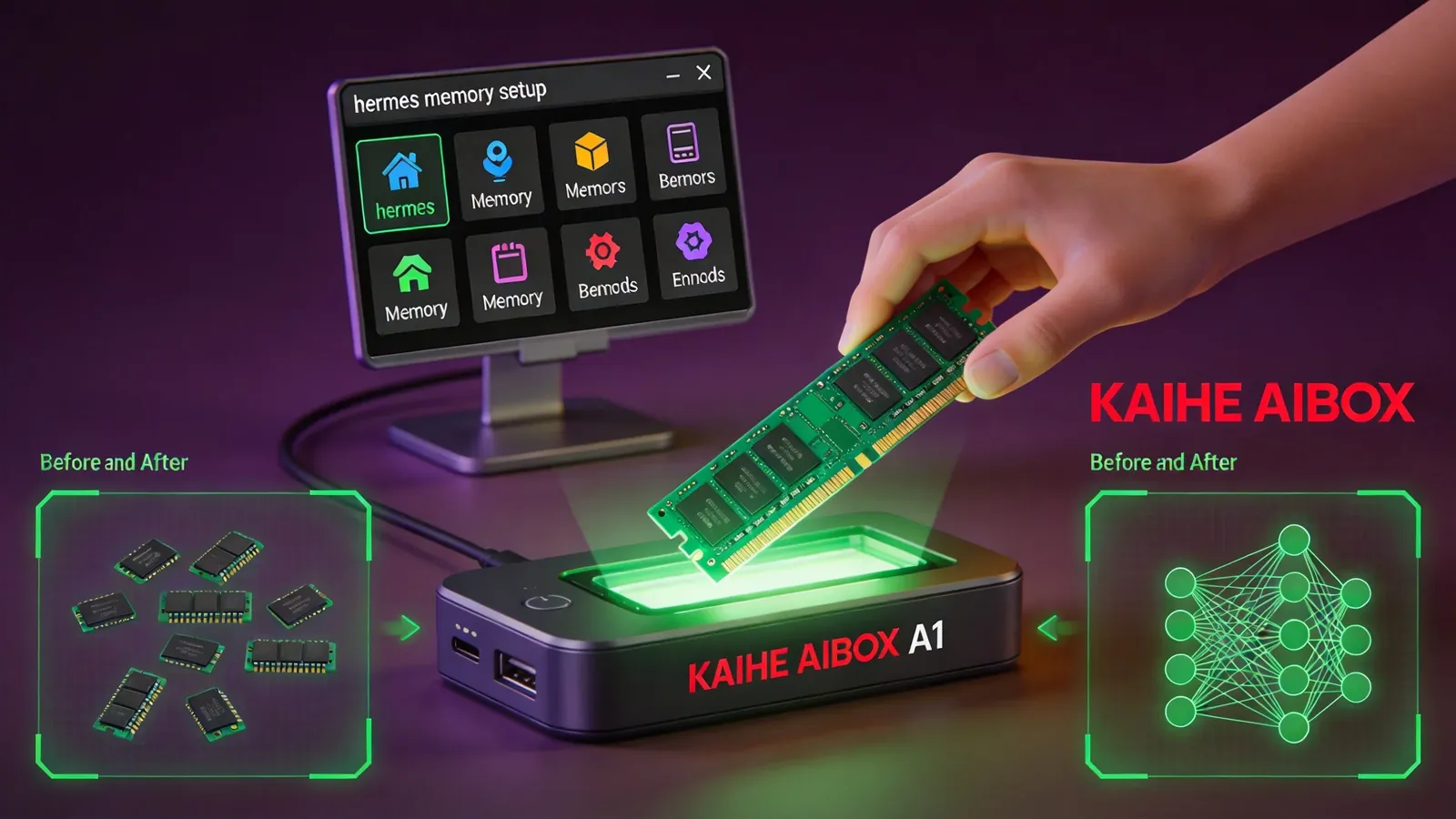
The core feature has a long name: Pluggable Memory Provider Interface. In plain terms: swapping AI memory is now as simple as swapping a RAM stick in a computer.
This may be the most important architectural upgrade since Hermes Agent's launch. Why? Read on.
Why "Swap Brains Without Changing Bodies"
Let me explain the concept.
Hermes Agent is an AI agent framework — it understands your commands, plans tasks, calls tools, and executes operations. Its "brain" is the underlying LLM (GPT, Claude, DeepSeek, etc.), responsible for reasoning and decisions. Its "memory" stores what you've discussed, your preferences, and past task results.
Previously, Hermes' memory system was fixed — a built-in three-layer architecture: local file memory, SQLite session search, and an optional external backend. To change memory providers, you had to modify code.
v0.7.0 changes this: memory is now a "pluggable" interface. You can swap memory backends anytime without changing any code — one command does it.
Analogy: like a computer where CPU and RAM are separate — you can upgrade the CPU (switch to a smarter model) or upgrade RAM (switch to a stronger memory backend) independently.
"Swap brains without changing bodies" means: Hermes' agent body (task planning, tool calling, command execution) stays the same — only the memory module changes. After swapping, AI behaves like a different person — things it couldn't remember before, it now remembers; details it couldn't recall, it now retrieves precisely.
8 Memory Backends, Plug and Play
v0.7.0 opened 8 external memory backends, selectable with one command:
hermes memory setup
Runs an interactive menu with 8 options:
Mem0. General-purpose memory layer combining vector retrieval and knowledge graphs. Best for "remembering user profiles" — everything you've told the AI is stored and auto-retrieved in future conversations. Requires API Key from app.mem0.ai.
Honcho. Conversation-focused memory, excels at maintaining context consistency in long dialogues. Best for multi-turn deep conversations.
Holographic. Holographic memory supporting complex associative retrieval. Best for cross-task, cross-timeframe information linking.
Hindsight. Hindsight-style memory, excels at extracting lessons from past tasks. Best for "learning from mistakes" self-evolution scenarios.
OpenViking. Open-source solution, local deployment, full data control. Best for privacy-conscious enterprise users.
RetainDB. Dedicated memory database, optimized for high-frequency writes and fast retrieval. Best for large-volume memory storage.
ByteRover. Lightweight solution for resource-constrained devices — like Kaihe AIBOX A1 edge devices.
Supermemory. Super memory emphasizing cross-session depth and breadth. Best for long-term knowledge accumulation.
Only one active at a time. Each backend has different strengths — choose based on your use case.
What AI Can Do After Swapping Memory
Using Mem0 as example (the most general choice), Hermes auto-gains three new tools:
mem0_profile. View complete user memory profile. AI sees everything about you at once — what you've said, preferences, work habits, project context.
mem0_search. Semantic memory retrieval. Not simple keyword matching — understands meaning to retrieve relevant memories. Say "that client's issue from last time" and AI finds the specific client and problem from memory.
mem0_conclusions. Extract conclusions from historical memory. AI doesn't just remember what happened — it identifies patterns: "This user usually meets on Tuesday mornings" "This project's most failure-prone step is testing."
These three tools auto-mount after installing Mem0 — Hermes' LLM can call them without manual configuration.
Relationship with Kaihe AIBOX
Kaihe AIBOX A1 comes pre-installed with Hermes Agent. After v0.7.0, A1 users can use the pluggable memory interface directly.
Most practical scenarios for A1 users:
Remember your work habits. By default, Hermes memory is session-level — each conversation independent, next conversation doesn't remember the last. With Mem0, Hermes remembers across sessions — preferences, workflows, project background, all persistently stored.
Learn from historical tasks. With Hindsight backend, Hermes extracts experience from each task execution — which steps succeeded, which failed, how to do better next time. This is the core of "self-evolution": not you teaching AI manually, but AI learning from memory automatically.
Optimize on low-resource devices. A1 has RK3576 chip, 4GB RAM. ByteRover, designed for resource-constrained edge devices, runs more efficiently on A1.
3 Steps to "Swap Brains"
Step 1: Install memory backend. In A1's management terminal:
hermes memory setup
Choose your desired backend (e.g., Mem0), enter API Key if needed, wait for installation.
Step 2: Verify. Run:
hermes memory status
See Active provider: mem0 — installation successful.
Step 3: Use normally. No change in usage. Your Hermes experience is the same — it just remembers more, recalls more accurately, and learns faster.
Want to switch back to default? Run hermes memory setup again, select "default." Want another backend? Same command, different selection. No code changes, no config file editing.
A Rational View
Not all scenarios need external memory backends. For occasional simple tasks — look something up, write an email — default memory is sufficient. External backends add value for long-term use, cross-session memory, and complex data association scenarios.
Not all 8 backends are equally stable. Some are new projects with potential bugs. Mem0 and Hindsight are relatively mature; others should be tested in non-critical scenarios first.
Privacy requires self-assessment. Mem0, Supermemory, etc. are cloud services — your memory data lives on their servers. For data privacy requirements, choose local solutions like OpenViking or ByteRover. To learn more, visit the homepage.
Want to Go Deeper?
"Your AI Isn't a Chatbot: Understanding Hermes and OpenClaw Collaboration" — Hermes architecture "Hermes Agent Office Automation: One Message, Excel Analysis + PDF" — Hermes in practice
-#HermesAgent #PluggableMemory #KaiheAIBOX #AIAgent #AgentMemory
Kaihe AIBOX | The Agent Computer That Works 7×24 for You · Hermes