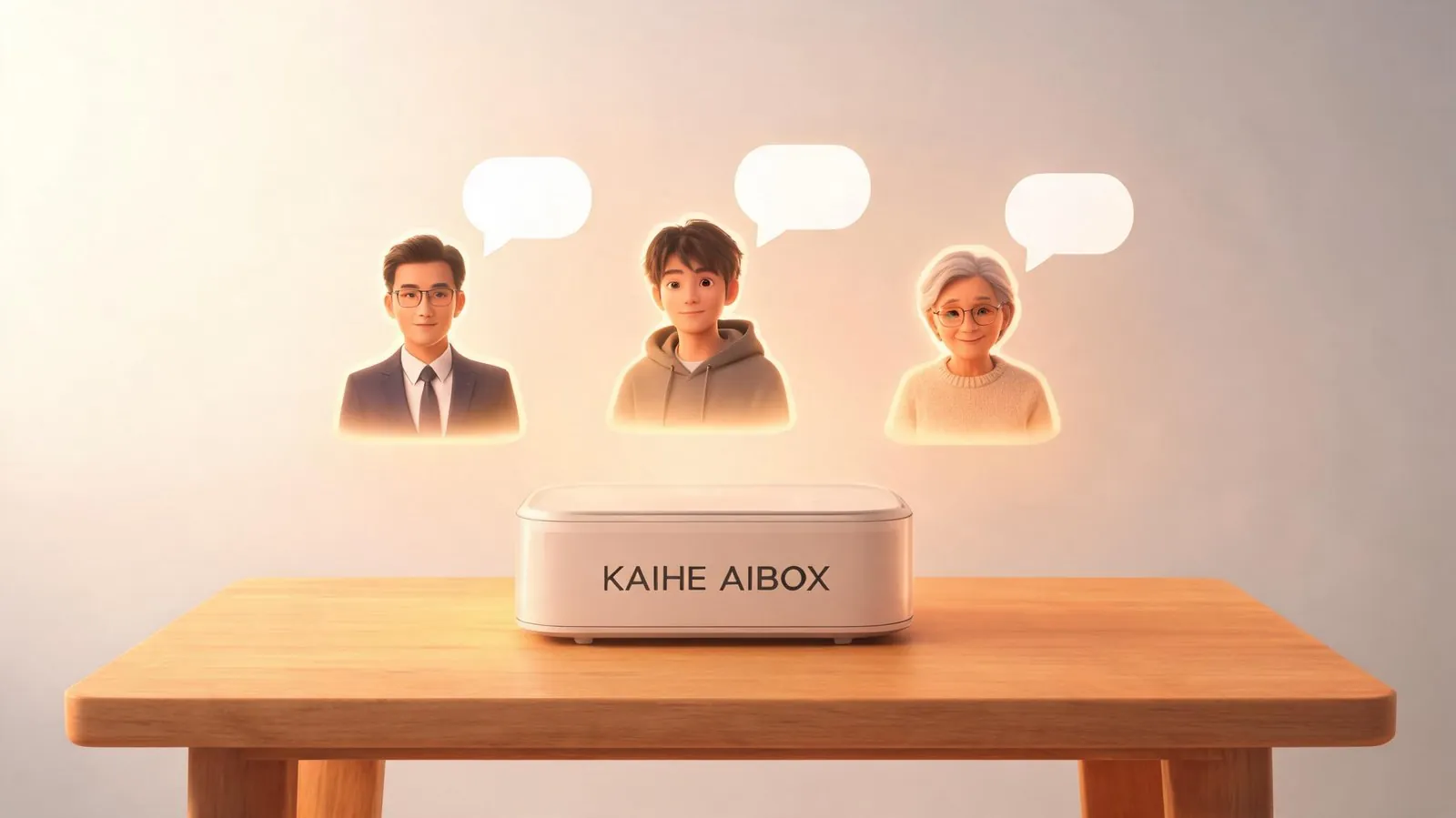
One KAIHE AIBOX, one device for the whole family — and every person gets their own independent AI assistant. Not sharing one account, not fighting over the same conversation history. The feature is called Hermes Profiles, and it's a core capability of the Hermes local AI agent framework. One KAIHE AIBOX can create multiple fully isolated AI personas. One person's grocery list doesn't leak into another's work report. A kid's homework help doesn't get tangled up with dad's email drafts.
If you have two or more people in your household who could use an AI, this is worth five minutes of your time.
The Real Awkwardness of Sharing AI at Home
📖 Glossary
AI Box (also known as Agent Computer / Agent PC), is a dedicated local hardware device that runs AI Agents. Pre-installed with an AI agent management system, plug-and-play, running 24/7. Users can remotely command AI to work via Discord, Slack, Telegram, WhatsApp, and more.
Anyone tried sharing one AI account with their whole family? You ask ChatGPT to draft a weekly report. Your spouse opens the same computer to look up a recipe. Your kid needs homework help in the same chat window. Thirty minutes later, the conversation history is a complete mess.
The privacy problem is worse. You want the AI to help you sort out your personal finances. Some numbers you'd rather not have your family see. But you can't just say "hang on, let me open an incognito tab." AI applications are designed single-user, single-session — they assume one person, one account.
This contradiction has no clean solution in cloud products. Multiple accounts? That means multiple subscriptions. Switching accounts? Login, logout, every single time. And getting back to the KAIHE AIBOX — it's a hardware box sitting in your home. If it can only serve one person, everyone else in the house just watches.
Hermes Profiles solves this. The design philosophy is brutally simple: one KAIHE AIBOX runs one Hermes instance, and that Hermes can contain multiple Profiles. Each Profile has its own name, memory, preference settings, conversation history, and permission boundaries. Profile A cannot see Profile B's data. Profile B has no idea it isn't the only AI — to its "owner" it simply doesn't perceive the existence of other users.
It's not "multiple people sharing one AI." It's "one machine running multiple AIs, each recognizing exactly one person."
How It Actually Works
Setting it up is straightforward — arguably the most elegant part.
After you deploy Hermes on your KAIHE AIBOX, go into the admin panel or send a command through WeChat to create a Profile. Give it a name, like "Dad's Work Assistant." You can specify what it should specialize in — office productivity, schedule management, data analysis — and it focuses its attention there.
Then create a second Profile: "Mom's Shopping Advisor." This Profile doesn't need to know anything about dad's work. Its core capabilities can be tuned for price comparison, product reviews, and budget management.
Third Profile: "The Kid's Learning Companion." It answers homework questions, explains concepts, reviews essays — but with boundaries set, no access to adult work data or family finances.
Each Profile binds to a different WeChat contact. Dad chats with "Work Assistant" on WeChat. Mom talks to "Shopping Advisor." The kid messages "Learning Companion." Three people using the same KAIHE AIBOX, each in their own silo, completely invisible to one another. WeChat is the entry point — no new app to install, no learning curve.
I've set this up myself. Getting a KAIHE AIBOX running with three Profiles takes about ten minutes — most of that time is naming each Profile and writing role descriptions. It's a one-time setup. Configure and forget.
Separate Memory, Separate Execution — One Box Handles It
Let me be clear: running multiple Profiles on one KAIHE AIBOX does not cause performance issues. Take a look at the KAIHE AIBOX-A1 hardware specs. This isn't a device meant for watching videos or playing games — it's built specifically to run AI agents, with low power consumption, designed for 24/7 multi-task scheduling. One Hermes instance managing three Profiles switches context in milliseconds. Users won't perceive any latency.
But what's really worth talking about is the "separate memory" part.
A lot of people don't realize that an AI's memory is its most valuable asset. An AI that knows your meeting habits. An AI that remembers your grocery preferences every time. An AI that understands your child's learning weaknesses. This kind of accumulation doesn't happen in one conversation — it builds up over time.
And if the whole family shares one memory pool, it's a disaster. The AI simultaneously remembers "Dad has cross-timezone meetings every Thursday," "Mom needs to buy salmon this week," and "The kid still doesn't understand quadratic functions." The AI won't go crazy, but you'll spend more tokens just constraining the context every time you talk to it.
That's exactly where Profiles shine. Each AI remembers only what it needs to remember. No crossover. Dad's Work Assistant won't suddenly suggest buying salmon — it doesn't know salmon exists as a concept in this household. Mom's Shopping Advisor won't push meeting reminders on Thursday afternoons — it has never heard of a cross-timezone conference room.
Put simply: let each AI mind its own business, and stay out of everyone else's.
Four Real-World Use Cases
Scenario 1: Dad's Remote Work Butler
Office worker in Shenzhen, two-hour daily commute, still needs to handle emails and project progress after getting home. Set up a Profile on the KAIHE AIBOX, bind it to his WeChat. This Profile knows his work rhythm — Monday morning it auto-pulls last week's data and generates a weekly report. Wednesday afternoon it reminds him to check outsourced team deliverables. Every night at 11 PM it compiles the next day's schedule and sends it to him.
He types one line into WeChat: "What needs following up on today?" The AI extracts all unfinished items from the past two weeks of conversation, ranked by priority. He doesn't need to open his laptop, doesn't need to dig through email. He plans his entire workday on the subway.
Same benefit as a dedicated AI box — it doesn't compete for your computer's resources. You're coding, in meetings, processing files on your work PC. The AI box is quietly running at home. By the time you pick up your phone on the subway, the results are already waiting.
Scenario 2: Mom's Smart Shopping Consultant
The person managing household finances — comparing prices across three grocery apps every week, analyzing spending patterns, hunting for the best deals on household supplies. These tasks are mind-numbingly tedious, but a large language model can do them in seconds.
Set up a Shopping Advisor Profile. Forward shopping receipts from your phone's photo album to it. It auto-recognizes them, categorizes expenses, and generates a monthly consumption analysis. Ask it "which platform is cheapest for fresh groceries this week," and it simultaneously pulls prices from three apps, delivering a conclusion and a comparison table.
Price comparison is fundamentally repetitive information gathering and contrast — the kind of work humans hate most and AI does best. And the process is deeply personal. Every family's consumption habits and preferences are different. Once a Profile remembers things like "our family doesn't eat spicy food" or "diapers only from this brand," its recommendation accuracy keeps improving.
Scenario 3: The Kid's AI Tutor
Not the "AI does your homework for you" kind of wrong turn. This is AI discussing with your child why a particular solution works, explaining the same concept through different analogies, practicing English conversation.
The child chats with the Learning Profile. The AI doesn't hand out answers — the Profile configuration can limit it to "use Socratic questioning, guide the student to derive the answer themselves." When the kid gets stuck, the AI says: "let me try a different example." It explains quadratic functions through the arc of a basketball shot, or negative numbers through counting change at a store.
Even more important: the child's data is not shared with other Profiles. Many parents worry about "AI collecting children's personal information." These local Profiles never connect to the external internet for data processing. Conversation history stays on the KAIHE AIBOX locally. Nobody outside can access it.
Scenario 4: Elderly AI Companion
Older adults face a hard barrier with AI — the registration, login, and operation flows of most cloud products are overwhelming for them. But WeChat needs no teaching. Set up a Profile on the KAIHE AIBOX for the elderly family member. You only need to teach them one thing: this WeChat contact is called "Life Assistant." Tap it, start talking.
Check the weather. Look up bus routes. Find health-conscious recipes. Read medication instructions aloud. Transcribe spoken dialect into standard text for a WeChat Moments post. Elderly users don't need to understand what AI is. They just need to know this "WeChat friend" can help with anything.

Compared to Cloud Multi-Account Plans — Where's the Difference?
Don't compare this to ChatGPT Plus. They're not in the same category.
The cloud approach is to subscribe to multiple accounts. Say you buy three subscriptions — do the math on what that costs per year. And even with three accounts, the act of switching is fundamentally anti-human. Log out, log in, verification codes, two-factor authentication — elderly people and children can't do this on their own.
The deeper difference is data. With three cloud accounts, all your data sits on someone else's servers. Local policy changes, a terms-of-service update, and you have no say. Hermes Profiles on KAIHE AIBOX stores everything locally, physically in your home. You can pull the network cable and it still works. Cloud "free tier" benefits can vanish at any moment — just look at what happened when ByteDance killed Doubao's agent feature with a single announcement. One memo from a vendor and you're packing up to move.
Local Profiles will never have their files reclaimed, because they're on your hard drive, not their cloud disk.
On top of that, Hermes' scheduled automation capabilities are something cloud plans simply can't offer. Each Profile can have its own automation tasks configured — Dad's Profile auto-generates a weekly report every Friday. Mom's Profile pushes a price comparison every morning at 8 AM. The Kid's Profile compiles a weekly learning progress report every weekend. Check out the 24/7 AI article for examples spanning 23 regions worldwide.

The Tech — Just One Paragraph
You don't need to understand how it works. But if you're curious:
Hermes is a local AI agent framework running on the KAIHE AIBOX. Each Profile is an independent context space — with its own system prompt, memory database, tool permissions, and conversation history. Different Profiles are process-isolated. While Profile A is calling a model API, Profile B is running a different task, and the scheduler coordinates everything.
External model access can be shared — Hermes can dispatch to multiple LLM APIs, picking whichever is cheapest or fastest for the task at hand. But the call pool is shared while the memory is isolated. You get cheap, fast responses without your preferences leaking into someone else's context.
The fundamental difference between this architecture and "one AI serving multiple users" is that it doesn't use a single global AI to distinguish between users — it splits the AI per-user. One extra layer of abstraction technically, but experientially, three completely separate people.
Risks Worth Mentioning
Hermes Profiles in its current version isn't perfect. When three Profiles simultaneously initiate complex tasks that require external API calls — say, one is generating a long document, one is processing a large dataset, one is analyzing images — queue times will be several to ten-plus seconds longer than single-user scenarios. Not unusable, just something to expect.
Also, the "complete isolation" between Profiles relies on Hermes' permission mechanisms. This is not hardware-level physical isolation (like two separate phones). It's logical isolation at the software level. If you have military-grade data security requirements, this solution needs further evaluation. But for the vast majority of household scenarios, software isolation is more than sufficient. Your shopping history won't appear in your child's conversation. Your spouse's financial plans won't show up in yours.
See it in action → KAIHE AIBOX Store or go straight to the KAIHE AIBOX-A1 product page.
Further Reading
- Why an AI Box Beats Installing AI on Your PC — The real advantages of dedicated AI hardware
- AI Can Work 24/7 for You — Because It Keeps Running While You Sleep — Your AI keeps working after you shut down your computer
Hermes #AIFamily #PrivateAIAssistant #MultiUserAI #LocalAI
Learn more — search for 【KAIHE AIBOX】 Contact: [email protected]
—— KAIHE AIBOX · Your Private 24/7 AI Assistant | User Case Study