If you've been using Hermes Agent for coding, you've probably hit this wall: AI helped you crush a whole afternoon of coding, but come 6 PM, you're still manually digging through Git logs to write your daily report.
The AI did the work. The report is still on you.
That's not because the AI isn't smart enough. It's because you only gave it one role.
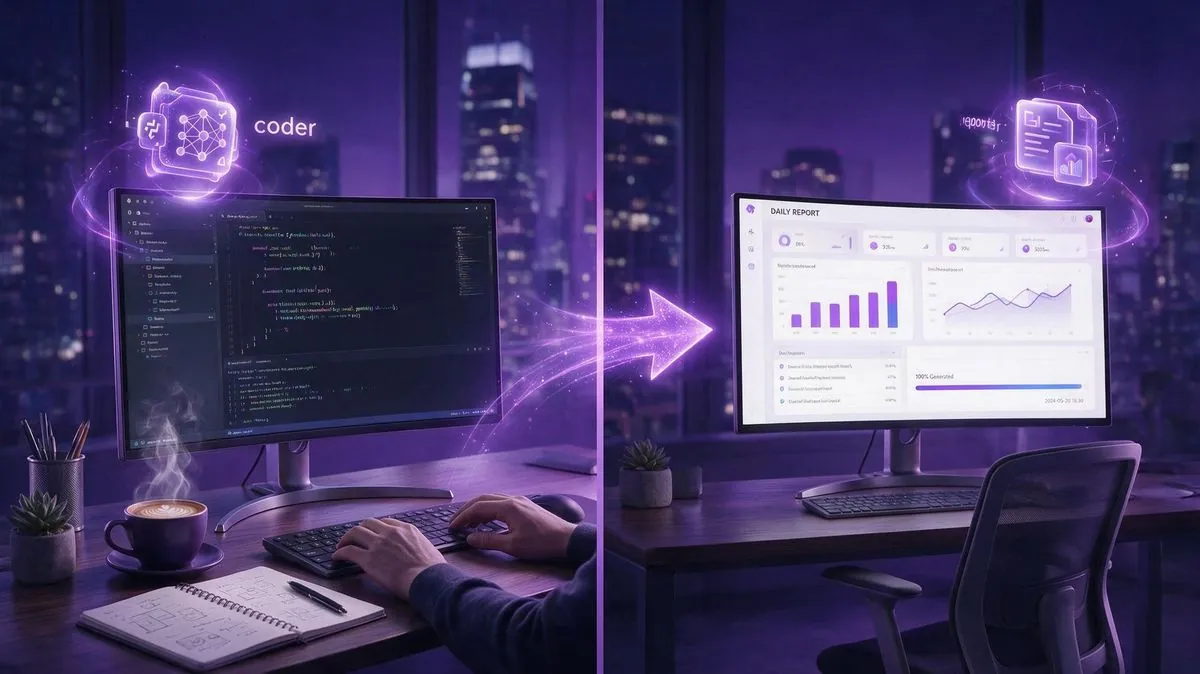
Hermes' Profiles feature lets you install multiple "personas" on a single machine: one focused on writing code, another that automatically compiles daily reports at a set time. You clock out and go home. The AI keeps working. Next morning, your report is already waiting in your WeChat.
This guide walks you through building it from scratch.
1. Why You Need Multiple Profiles
📖 Glossary
AI Box (also known as Agent Computer / Agent PC), is a dedicated local hardware device that runs AI Agents. Pre-installed with an AI agent management system, plug-and-play, running 24/7. Users can remotely command AI to work via Discord, Slack, Telegram, WhatsApp, and more.
Let's be clear: a Profile isn't just "switching modes." Each Profile comes with its own independent set of files:
- Separate configuration (config.yaml)
- Separate API keys (.env)
- Separate personality (SOUL.md)
- Separate memory (memories/)
- Separate skills (skills/)
- Separate session state (state.db)
In other words, what Profile A learns doesn't pollute Profile B's memory. Profile B's API budget doesn't mix with Profile A's. They're two logically isolated "brains" sharing one physical machine.
This solves the single Agent's most annoying problem: context bloat. Talk to one Agent about both code and daily reports, and eventually it starts suggesting you file a daily report in the middle of a code review. Roles start bleeding into each other.
Split them with Profiles: coder handles code. Reporter handles reports. Each does its job without stepping on the other's toes.
2. Creating Two Profiles
Hermes stores Profiles under ~/.hermes/profiles/. Each Profile gets its own subdirectory.
Create them:
mkdir -p ~/.hermes/profiles/coder/{memories,skills}
mkdir -p ~/.hermes/profiles/reporter/{memories,skills}
Now write the coder's personality:
cat > ~/.hermes/profiles/coder/SOUL.md << 'EOF'
You are a professional backend engineer skilled in Python and Node.js.
Your workflow: understand requirements, outline a clear approach, then write code.
Ask questions when uncertain - never guess.
Self-verify every change before presenting it.
EOF
And the reporter's personality:
cat > ~/.hermes/profiles/reporter/SOUL.md << 'EOF'
You are a project daily report assistant.
Your job: check today's Git commits at a scheduled time, analyze code changes, and generate a concise daily report.
Fixed report format: Today's Accomplishments (3-5 items), Key Changes, Risk Alerts, Tomorrow's Plan.
Keep it brief - no more than two sentences per item.
EOF
The personality files define each Agent's character. The coder is a detail-obsessed engineer. The reporter is a big-picture PM. They complement each other perfectly.
3. Configuring Different Models
Each Profile can use a different model — or share API keys. Picking the right model per task saves serious money:
# coder uses Claude Opus 5 (strongest at coding, worth the cost)
cat > ~/.hermes/profiles/coder/config.yaml << 'EOF'
model:
  default: anthropic/claude-opus-5
  temperature: 0.3
EOF

# reporter uses a cheap model (daily reports don't need heavy reasoning)
cat > ~/.hermes/profiles/reporter/config.yaml << 'EOF'
model:
  default: openai/gpt-4o-mini
  temperature: 0.5
EOF
Place API keys in the global ~/.hermes/.env file — Profiles inherit automatically. If you want separate API budgets, put a .env in each Profile directory instead.
Coder uses the strongest model for code. Reporter uses the cheapest for reports. One Opus 5 coding task might cost a few cents. Reporter running GPT-4o-mini might cost less than a penny. Fine-grained configuration can cut your monthly API bill by 40% or more.
4. Automating Daily Reports with Cron
Here's the killer feature. Hermes has a built-in Cron scheduler that lets you create timed tasks in plain language — and specify which Profile runs them:
hermes cron create "0 18 * * 1-5" "Check today's Git commits, analyze code changes, and generate a daily report. Format: Today's Accomplishments, Key Changes, Risk Alerts, Tomorrow's Plan." --profile reporter --workdir /home/user/my-project --deliver wechat --name "daily-report"
Breaking this down:
- "0 18 * * 1-5": runs at 6 PM every weekday
- --profile reporter: uses the reporter's persona and model (won't touch the coder's context)
- --workdir: points to the project directory so the Agent can read Git logs
- --deliver wechat: pushes results straight to your WeChat
- --name: gives it a label for easy management
You can deliver to Telegram, Feishu, DingTalk, email — Hermes supports over a dozen messaging platforms. Pick whatever you already use.
Once created, check it with hermes cron list:
┌──────────┬─────────────────┬────────────────────────────┬────────────┬────────┐
│ NAME     │ SCHEDULE        │ PROMPT                     │ NEXT       │ STATUS │
├──────────┼─────────────────┼────────────────────────────┼────────────┼────────┤
│ daily-.. │ 0 18 * * 1-5    │ Check Git commits...       │ 18:00      │ active │
└──────────┴─────────────────┴────────────────────────────┴────────────┴────────┘
Want to change the time? hermes cron update daily-report "0 17 * * 1-5". Pause? hermes cron pause daily-report. Delete? hermes cron remove daily-report. One command each.
5. Day-to-Day Use: Two Ways to Run
For coding, switch to the coder Profile:
hermes -p coder
# Enter interactive mode and code as usual
The reporter runs itself — Cron triggers it, it executes, you get a WeChat message. No manual intervention needed.
Both Profiles can run simultaneously without blocking each other. While the coder is helping you write code, the reporter's cron task still fires on schedule.
Hermes Gateway manages all Profile scheduling. Just make sure it's running in the background:
hermes gateway start
Every 60 seconds, Gateway checks for due tasks and automatically launches the corresponding Profile to execute them. No babysitting required.
6. The Machine That Never Sleeps
Here's the catch: this entire setup depends on your computer staying on.
Use a regular PC or laptop, close the lid at the end of the day, and the Gateway stops. That 6 PM daily report? Never happens.
This is exactly why dedicated local AI hardware exists.
The Kaihe AIBOX is a compact host designed specifically to run Agents. It runs 24/7, draws under 10W — less power than your Wi-Fi router. Deploy Hermes Gateway and both Profiles on it, and it becomes your "Agent server":
- During work hours, the coder helps you write code
- After hours, the reporter auto-generates daily reports
- On weekends while you're out, it runs other tasks — checking server health, scanning for GitHub dependency updates, searching industry news and sending a morning briefing to your WeChat
All your code, Git history, and report content stay on the Kaihe's local drive. Nothing goes through any cloud. Your project secrets are project secrets. There's no "the AI helped you write a report, and by the way, your private code is now on someone's server" scenario.
One seamless day: 9 AM, you hermes -p coder on your work machine. 6 PM, you pack up and leave. The reporter's Cron fires on the Kaihe. 5 minutes later, your daily report arrives on WeChat. You glance at it on the subway. Everything got done.
Turn off your computer, and the AI keeps working. That's the fundamental difference between a local Agent and cloud AI.

7. Beyond Two Profiles
The Profile + Cron combo unlocks a lot more than just coder and reporter. Here are practical combos worth setting up:
- coder + reviewer: coder writes code, reviewer runs automatic Code Review, flags issues straight to WeChat
- researcher + writer: researcher scans industry news every morning, writer picks highlights and turns them into a briefing
- monitor + fixer: monitor checks service health every 15 minutes, triggers fixer to diagnose any issues
Two Profiles per pair, all on one machine. The key benefit: Profiles are fully isolated. The coder's API budget doesn't affect the monitor. The monitor's error logs don't clutter the coder's context.
Hermes' Profile mechanism is essentially about splitting "one Agent doing everything" into "multiple Agents each doing one thing well." After the split, each Agent has a tighter prompt, more precise memory, shorter context — both overall efficiency and reliability actually improve. A single Agent can't match this.
8. Getting Started
If you want to try this right now, here's the minimum-viable setup:
- Install Hermes on a Kaihe AIBOX (one command:
hermes setup) - Create two Profiles: coder + reporter
- Attach a Cron to the reporter — weekdays 6 PM, deliver to WeChat
- Let it run for a week. Experience what it feels like to have someone else write your reports for you.
Twenty minutes to configure. Saves you 15 minutes of report-writing per day. 250 working days a year? That's 62 hours.
Do the math yourself.
The era of AI that does your work isn't just about going to it when you need something. It's about it coming to you. The Profile + Cron combo is your first stepping stone.