KaiheAiBox: The 24/7 AI Employee That Actually Works for You
📖 Glossary
AI Box (also known as Agent Computer / Agent PC), is a dedicated local hardware device that runs AI Agents. Pre-installed with an AI agent management system, plug-and-play, running 24/7. Users can remotely command AI to work via Discord, Slack, Telegram, WhatsApp, and more.
Summary: KaiheAiBox is a dedicated AI agent computer that runs 24/7 at just 10W power consumption, costing less than $1.50/month in electricity. Pre-loaded with OpenClaw, setup takes 5 minutes with WeChat scanning. AI transforms from an "occasional tool" to an "always-working employee."
1. AI's Biggest Problem Is Not Capability — It's Availability
You have used ChatGPT. You have used Claude. AI is powerful, but the moment you close your browser, it is gone. Every time you need AI, you must open a webpage, type a question, and wait for a response. AI is a "tool" to you, not an "employee."
What should a real AI employee look like?
- While you sleep, it replies to customer messages
- While you are in meetings, it has already prepared today's data report
- While you are on vacation, it publishes articles, posts to social media, and monitors for anomalies
This is what KaiheAiBox is designed to do: transform AI from a "passive tool" into an "active employee."
2. What Is KaiheAiBox
KaiheAiBox is a micro-computer specifically designed for running AI agents. About the size of a smartphone (62mm wide), it runs AI tasks 24/7 once connected to power and network.
Core specifications: - Power consumption: Only 10W, equivalent to an LED light bulb, under $1.50/month electricity - Operation: ARM architecture, fanless silent design, 24/7 stable operation - Security: Physically isolated from your main PC, enterprise data never leaves the device - Management: Web interface, no IT background required, 5-minute setup
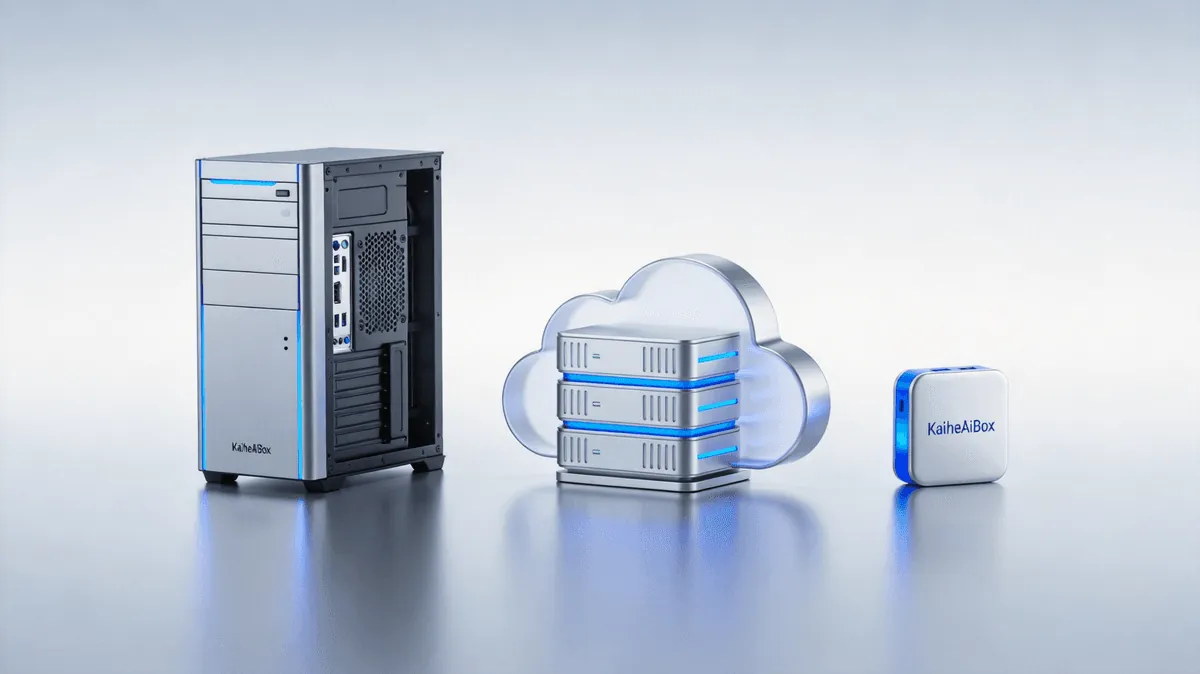
Compared to leaving a 300W PC running 24/7 for AI tasks, KaiheAiBox consumes just 1/30 the power, cutting electricity from hundreds of yuan per month to under 10 yuan.
3. Four Steps from Unboxing to AI Running
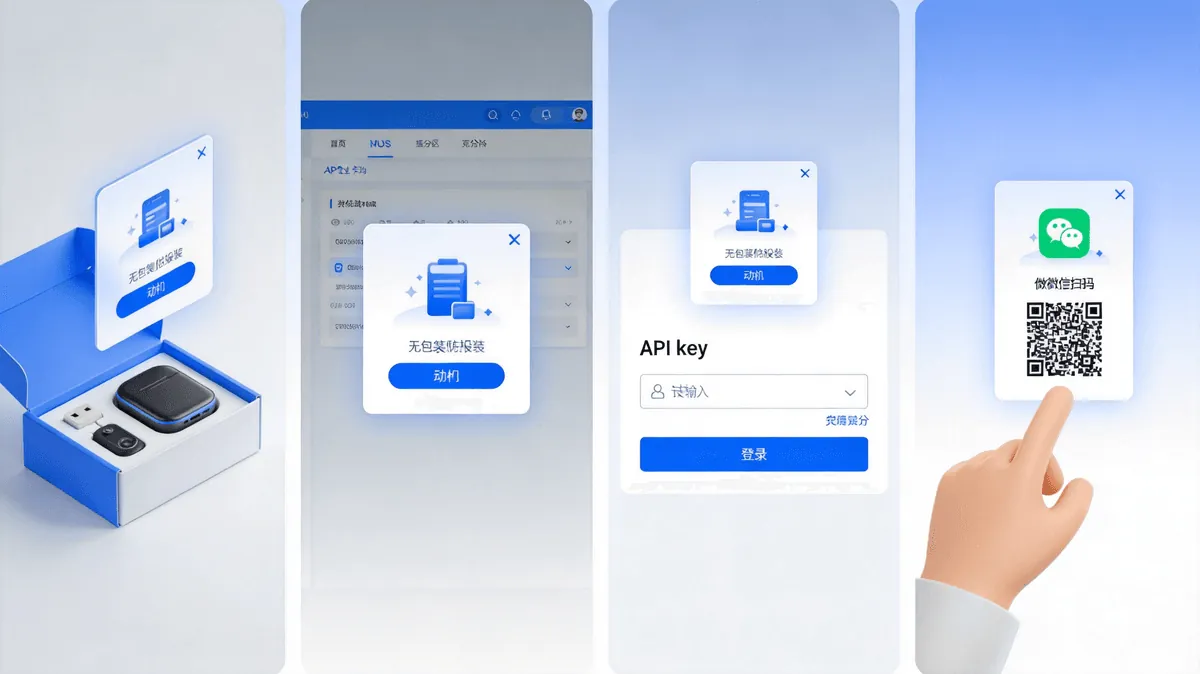
The complete setup process from unboxing to AI working takes just 4 steps:
Step 1: Connect Network + Power Unbox, plug in power cable and Ethernet, device starts automatically.
Step 2: Access Web Management Interface Enter the device IP address in your browser to access the OpenClaw management dashboard.
Step 3: Bind LLM API Key Enter your LLM API Key (supports OpenAI, Claude, Tongyi Qianwen, etc.), system connects automatically.
Step 4: Scan WeChat to Bind WeChat scan code to bind, then communicate with AI and assign tasks directly through WeChat.
Four steps done. Your AI employee is officially on duty.
No Python installation needed. No environment variables to configure. No Docker required. If you can use WeChat, you can use KaiheAiBox.
4. OpenClaw Intelligence System: What Can AI Do
KaiheAiBox comes pre-loaded with the OpenClaw agent runtime system, extending AI capabilities through Skills (plugin packages):
Content Creation - Auto-write weekly reports, daily updates, presentation materials - Auto-generate topic suggestions and articles based on trending news - AI image generation, one-click cover and body images
Information Processing - Long document auto-summarization and key point extraction - Meeting recording transcription + action item extraction - Multi-platform information aggregation + daily digest push
Automated Execution - Scheduled tasks: Push data reports every day at 9:00 AM - Auto-reply: Customer inquiries answered within 30 seconds - Workflow chaining: Writing → image generation → publishing, fully automated
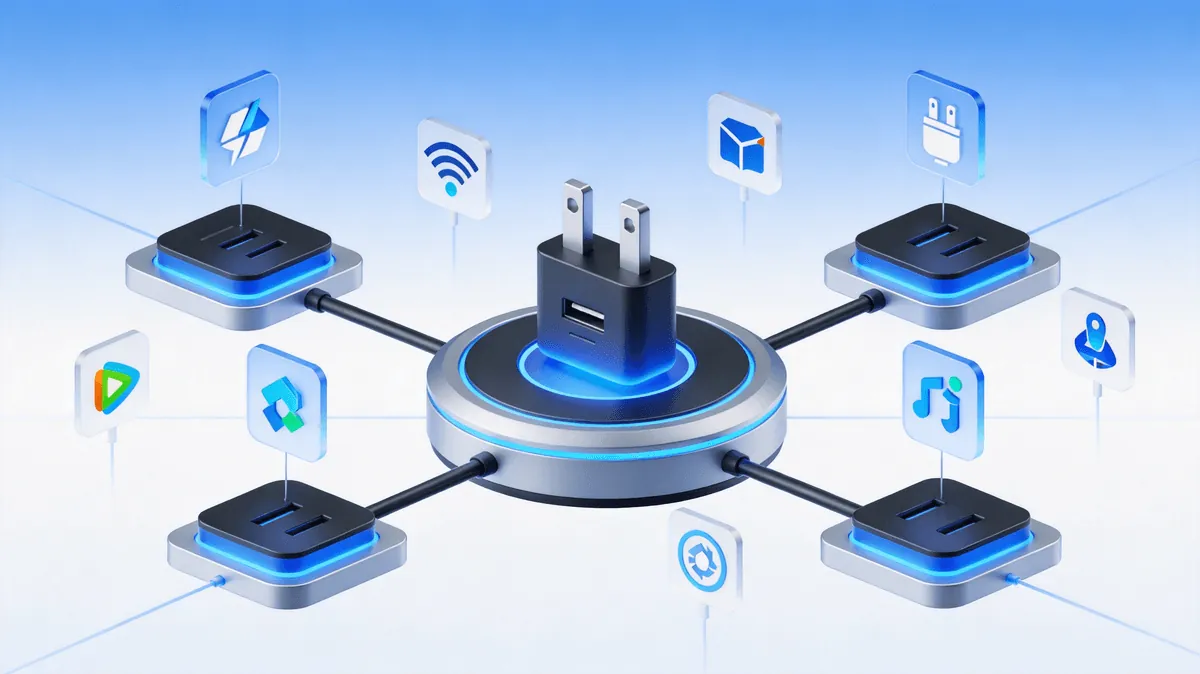
Multi-Platform Integration - WeChat, WeChat Work, Feishu, QQ Email, DingTalk - One AI managing tasks across multiple platforms simultaneously
5. Why Not Just Use a PC or Cloud Server
Many people ask: why not just run AI on a regular PC? Why not use a cloud server?
| Comparison | PC 24/7 | Cloud Server | KaiheAiBox |
|---|---|---|---|
| Power consumption | 300W+ | Pay-as-you-go | 10W |
| Monthly cost | $15-20+ electricity | $30-100+ | Under $1.50 |
| Noise | Fan noise | None | Fanless silent |
| Space | Full tower | None | 62mm cube |
| Setup difficulty | Environment config | DevOps required | 5-min out-of-box |
| Data security | Mixed with work PC | Data on cloud | Physically isolated |
| Power recovery | May lose data | Unaffected | Auto-recovery |
KaiheAiBox's positioning is clear: not a general-purpose computer, but a dedicated AI device. It does one thing — stably run AI agent tasks. And it does that one thing extremely well.
6. KaiheAiBox Performance Boundaries
To be honest, KaiheAiBox (A1/B1) uses ARM architecture and can only run models under 4B parameters locally. It is not a "run large models locally" device.
Its architecture is: local handles Agent scheduling, cloud handles LLM inference.
This means: - KaiheAiBox handles "what to do and when" (scheduling layer) - LLM API handles "how to think" (inference layer) - Together they complete the full AI task
So KaiheAiBox's capability ceiling depends on the LLM API you bind. Stronger model = stronger AI.
Suitable scenarios: 24/7 automated tasks, customer service auto-reply, scheduled content publishing, data monitoring alerts, information aggregation push
Unsuitable scenarios: Running large models locally, high-compute tasks (image/video processing), GPU-accelerated workloads
For high-compute needs, KaiheAiBox offers D1/E1/F1/G1 high-performance series supporting local deployment of various model sizes.
7. Who Is KaiheAiBox For
Best fit: - Small teams / solo founders: 1 person + 1 KaiheAiBox = 3-person operations team - SMEs: AI customer service + content ops + data analysis for under $1.50/month - Data-sensitive industries: Finance / healthcare / government, data never leaves the device - Anyone who needs AI running continuously without leaving a PC on 24/7
Not ideal for: - Researchers needing local large model deployment (consider D1+ models) - AI developers requiring GPU acceleration - Users wanting "one device that does everything"
8. From "Occasionally Using AI" to "AI Always Working"
AI's real value is not "occasionally helping out" — it is "always working."
Just like hiring an employee, you do not want them working only 5 minutes a day. You want 8 hours of output. AI is the same — its strongest capability is 24/7 uninterrupted execution, as long as you give it a stable runtime environment.
KaiheAiBox is that runtime environment. Plug it in, AI stays on. Turn off your computer, AI is still running. Go on vacation, AI is still working.
Make AI an "always-on worker," not an "occasionally opened tool." That is the value of KaiheAiBox.
KaiheAiBox| Agentaibox that lets AI work for you 24/7· Product Center