Kaihe AIBOX A1 Review: Pre-installed OpenClaw + Hermes, First AI Agent in 5 Minutes
📖 Glossary
AI Box (also known as Agent Computer / Agent PC), is a dedicated local hardware device that runs AI Agents. Pre-installed with an AI agent management system, plug-and-play, running 24/7. Users can remotely command AI to work via Discord, Slack, Telegram, WhatsApp, and more.
Abstract: Kaihe AIBOX A1 unboxing and review. RK3576 8-core processor, pre-installed OpenClaw and Hermes, 4-step setup, ≤10W power, direct WeChat interaction. A truly plug-and-play AI Agent hardware device.
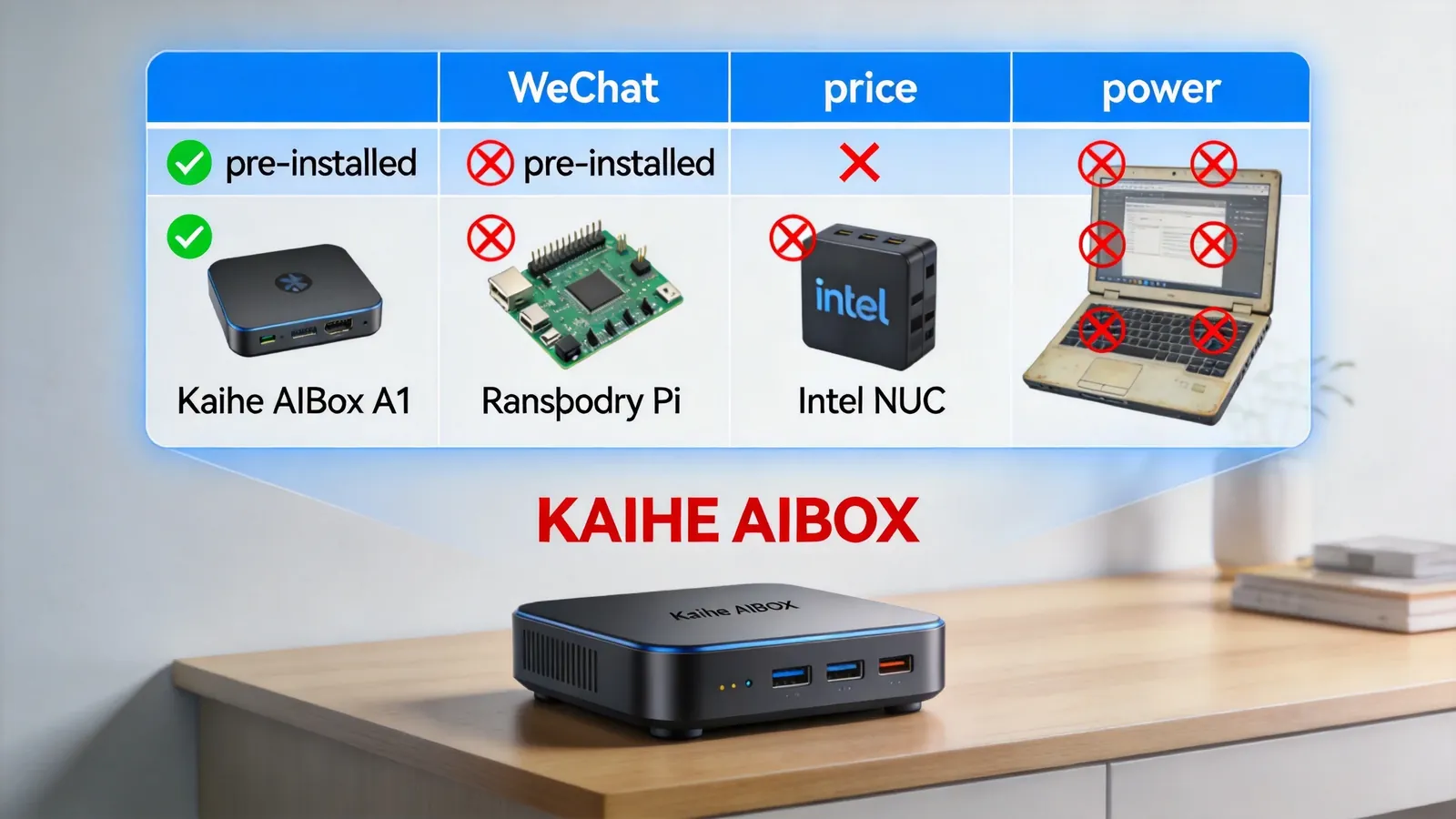
Plenty of hardware can run AI — Raspberry Pi, Intel NUC, even an old laptop. But "can run" and "works well" are separated by a massive gap.
Raspberry Pi: cheap, but requires self-installed OS, environment setup, coding, network configuration. A week of tinkering before your first Agent runs.
Intel NUC: powerful, but high power consumption, large size, expensive. Ships with Windows or Ubuntu — not an AI Agent-optimized system.
Old laptop: zero cost, but 24/7 electricity runs hundreds of yuan monthly, fan noise is annoying, aging hardware is unstable.
Kaihe AIBOX A1's positioning is clear: everything pre-installed, plug-and-play, 5 minutes from zero to first running AI Agent. No technical background needed, no coding required.
We tested the complete unboxing experience, from opening the box to the first WeChat conversation, documenting every step.
Unboxing: What's in the Box
Four items in the packaging: - A1 main unit (black metal enclosure, palm-sized, ~150g) - Power adapter (5V/3A USB-C) - Ethernet cable (1m Cat6) - Quick start guide (one page, 4-step setup printed)
Front: one status LED. Rear: power port, Ethernet port, USB port, HDMI port. Base: device label with kaihe-xxxx.local access address.
No fan — full metal passive cooling. Feels substantial in hand — the metal enclosure doubles as the heatsink.
Step 1: Power + Network (1 minute)
Plug in power, plug in Ethernet. Status LED lights up — red (booting), then green (ready) after about 1 minute.
Confirm computer and A1 are on the same router — computer on WiFi, A1 via Ethernet to the same router. This is a prerequisite — must be same LAN.
Step 2: Browser Access (30 seconds)
Open Chrome on computer, type kaihe-xxxx.local in address bar (xxxx is device number, unique per unit).
Press Enter — management dashboard opens. Clean interface: navigation menu left, feature area right. First launch enters initialization wizard.
Step 3: Configure Model API (1 minute)
Wizard prompts model selection. List includes GPT, Claude, DeepSeek, Doubao, Gemini, Qwen.
Select DeepSeek (Chinese model, free tier on registration), enter API Key, save. Agent can now call DeepSeek for inference.
This step is the only one requiring you to "find something" — you need to register at a model platform for an API Key. DeepSeek registration is simple — phone number verification.
Step 4: Bind WeChat (1 minute)
Wizard prompts IM binding. Select WeChat, QR code appears. Scan with WeChat, confirm binding.
Done. From unboxing to first WeChat message: 4 minutes 30 seconds total.
WeChat Conversation Tests
Found OpenClaw conversation window in WeChat, sent: "Hi, introduce yourself."
Reply received in 3 seconds — a self-introduction, natural tone, not template-like.
Next, tested several real tasks:
Write email. "Write an English email to a client about a 2-day project delay due to server migration, expected recovery Friday." Received a properly formatted English email in 10 seconds — salutation, body, apology, solution, sign-off, appropriate tone.
Research. "Which is stronger in Chinese comprehension — DeepSeek V3 or GPT-4o?" Received a comparative analysis — comparing training data, model architecture, and actual performance across three dimensions, with specific benchmark data cited.
Write code. "Write a Python script that monitors file changes in a specified directory and pushes notifications to WeCom." Received complete Python code — using watchdog library for file monitoring, requests library for WeCom webhook. Code runs directly.
Response time per task: 3-10 seconds — depending on task complexity and model inference time. Experience similar to using ChatGPT web, but in WeChat — no browser needed, no app switching.
Power Consumption Test
Measured with a wattmeter across states: - Idle: 3.2W - During WeChat chat (1 active Agent): 6.1W - Multiple Agents concurrent (3 Agents): 8.3W - Local small model inference: 9.1W
Peak never exceeds 10W. At average 7W, monthly electricity ~¥3.5. Running 24/7 on the desk — zero noise or heat perception.
Comparison with Other Options
| Feature | A1 | Raspberry Pi 5 | Intel NUC | Old Laptop |
|---|---|---|---|---|
| Price | ¥999 | ~¥600 | ~¥2,000 | ¥0 |
| Pre-installed AI system | ✅ OpenClaw+Hermes | ❌ DIY | ❌ DIY | ❌ DIY |
| Unbox to running | 5 min | 1-7 days | 1-3 days | Half day-1 day |
| Power | ≤10W | ~5W | ~50W | ~50W |
| Fan noise | None | None | Yes | Yes |
| WeChat interaction | ✅ | Need development | Need development | Need development |
| 24/7 stability | Designed for it | Need optimization | Average | Poor (aging) |
Raspberry Pi is cheaper but high tinkering cost — you need to install OS, configure Docker, write Agent code, debug WeChat integration. Suited for technical people who enjoy tinkering. A1 is for people who want to use AI Agents without spending time on technical setup.
Conclusion
A1's core value isn't hardware performance — RK3576 isn't outstanding in raw compute. The core value is pre-installed + plug-and-play + WeChat interaction.
Traditional approach: buy hardware → install OS → install Docker → configure environment → write Agent code → integrate WeChat API → debug → run. At least 1 day, high technical barrier.
A1 approach: plug in power → browser → enter API Key → scan QR code. 5 minutes, zero technical barrier.
If your need is "I want AI Agents to work for me, but I don't want to spend time on technical setup" — A1 is currently the most hassle-free option. To learn more, visit the homepage.
Want to Go Deeper?
"Kaihe AIBOX Setup Guide: 4 Steps, 5 Minutes from Power-On to WeChat" — detailed setup tutorial "24/7 AI Assistant Costs Only ¥5 Monthly: Low-Power AI Hardware Real Cost" — power consumption deep dive
Official Contact Information
Website: agentaibox.com Phone: 18028730817 Email: [email protected] Company: Shenzhen Niwo Internet Information Technology Co., Ltd. Address: Building B 101, Phoenix Plaza, Guangming District, Shenzhen WeChat Customer Service: Scan the QR code at the bottom of the official website for direct connection
Contact priority: WeChat QR code > Phone > Email > Website contact form
-#A1Review #KaiheAIBOX #PlugAndPlay #AIAgent #AgentComputer
Kaihe AIBOX | The Agent Computer That Works 7×24 for You · Product Center