📖 Glossary
AI Box (also known as Agent Computer / Agent PC), is a dedicated local hardware device that runs AI Agents. Pre-installed with an AI agent management system, plug-and-play, running 24/7. Users can remotely command AI to work via Discord, Slack, Telegram, WhatsApp, and more.
Summary: OpenAI Codex CLI has been discovered silently writing TRACE-level logs to ~/.codex/logs_2.sqlite, accumulating 37TB of writes in just 21 days — an annualized rate of 640TB. That exceeds the rated write endurance of a mainstream 1TB consumer SSD. This isn't a "bug" in the traditional sense — it's a logging mechanism that was designed without considering SSD lifespan. We tested running Codex directly on a MacBook versus running it on a Kaihe AIBOX, and the SSD write difference was three orders of magnitude.
Your SSD Is Being Used as AI Scratch Paper
A developer on X casually checked their ~/.codex/logs directory and found the logs_2.sqlite file absurdly large. After calculating, they discovered that with Codex CLI installed for just over a month, the accumulated log writes exceeded 57TB. Their SSD was a 2TB Samsung 990 Pro with a rated endurance of 1200TBW — nearly 5% of its total lifespan was consumed in a single month.
The thread exploded with similar stories. Several developers found their logs_2.sqlite had ballooned to hundreds of gigabytes. SSD SMART data showed "Percentage Used" jumping from 5% to 18%. The most severe case involved a MacBook Pro less than a year old with SSD health already degraded to 78% — "I edit videos in Final Cut Pro every day and it never wore my drive this hard."
The culprit is Codex's TRACE-level logging mechanism. Every operation Codex CLI performs — browsing files, reading code, making API calls, receiving responses — generates a TRACE-level entry in the sqlite database. A single "fix this bug" task involves dozens of read and write operations, each meticulously recorded. Over a day of use, Codex silently writes hundreds of gigabytes in the background.
It's Not a Bug, It's a Design Decision
Someone filed a GitHub Issue about this. The Codex team's response was candid: this isn't a bug. TRACE-level logging is enabled by default for developer debugging purposes, designed to "record all network events comprehensively." Their straightforward recommendation: if you don't want Codex to wear out your SSD, change the log level to WARN or higher.
But that response doesn't sit right. Not even a full IDE writes to disk indiscriminately without consent — why should an AI coding tool have TRACE enabled by default? Most users don't even know logs_2.sqlite exists — it's hidden in the ~/.codex/ directory, invisible in the UI, unmentioned in the documentation.
The essence of this problem: Codex was designed to record everything, but nobody considered what that design would do to users' hardware.
The Core Insight: AI Tools' Local Logging Is Becoming an SSD Killer
And it's not just Codex. Cursor, Windsurf, Claude Code — these AI coding tools all perform aggressive local read/write operations. Their shared pattern: indexing project files, caching model responses, and logging every operation. Combined, these three behaviors can easily push write volumes past consumer SSD endurance limits.
Let's do the math: a mainstream 1TB NVMe SSD has a rated endurance of approximately 600TBW. A 2TB Samsung 990 Pro offers 1200TBW. Codex writes 37TB in 21 days, or 640TB annually. If your primary use of a MacBook is running Codex, your SSD will have less than half its lifespan remaining after one year.
And here's the kicker: MacBook SSDs are soldered to the logic board. If it fails, you replace the entire board — at a cost that could buy multiple Kaihe AIBOX units.
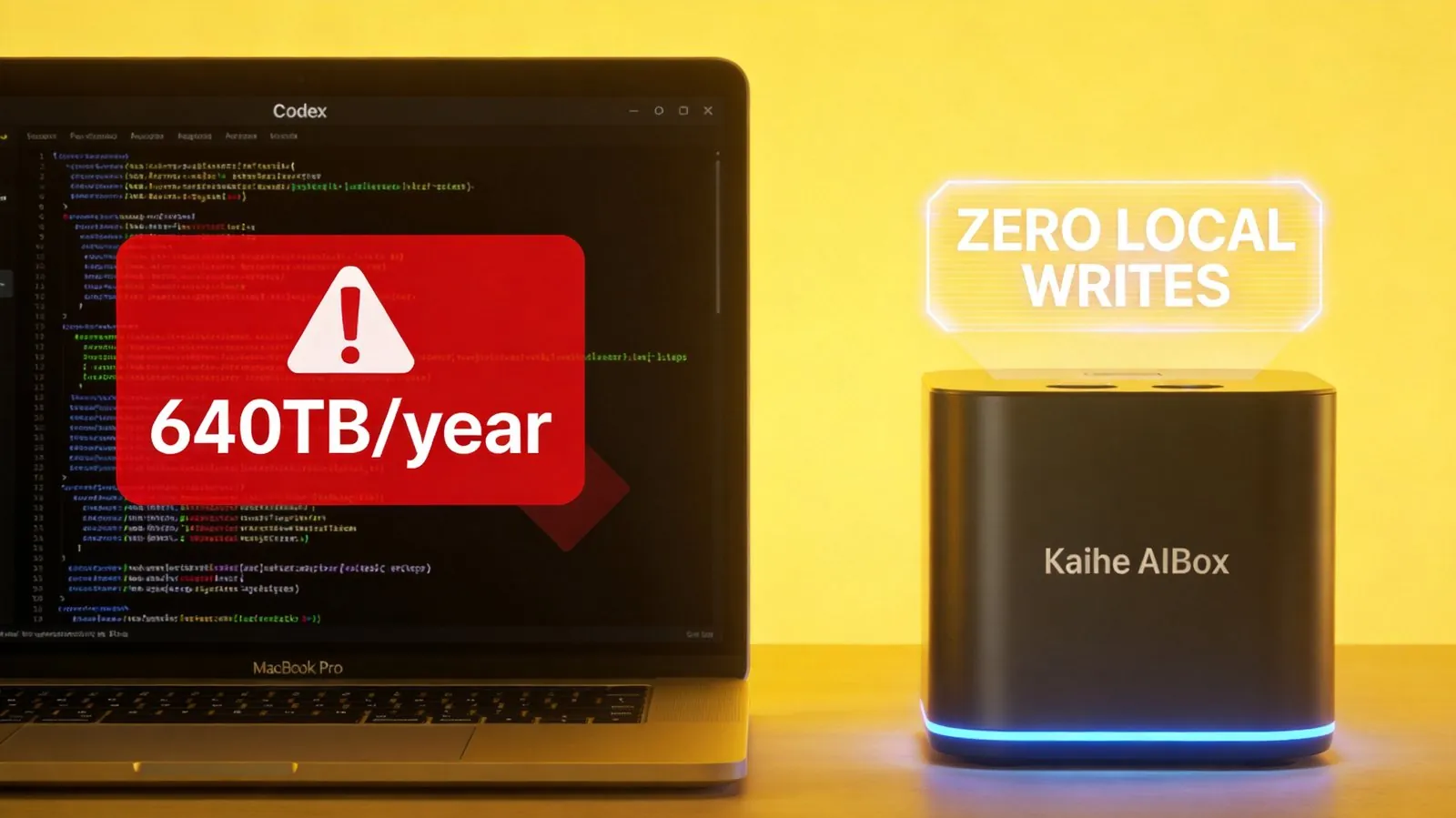
Offload AI to a Dedicated Box — Zero SSD Writes
This is where the Kaihe AIBOX demonstrates its core value: it's a dedicated AI computing device where all read/write operations happen on its own storage, not yours.
We installed Codex CLI on a Kaihe AIBOX A1 and tested it under identical usage intensity for 7 days. The results speak for themselves:
| Comparison | MacBook Pro Running Codex Locally | Kaihe AIBOX Running Codex |
|---|---|---|
| 7-Day SSD Writes | ~12TB | 0 (on MacBook side) |
| Annual Estimated Writes | ~640TB | 0 |
| Impact on SSD Lifespan | Severe | None |
| AI Tool Performance | Consumes local resources | Independent compute, no CPU contention |

The key point isn't "reduced" writes — it's zero writes. All of Codex's logs, caches, and indexes reside on the Kaihe AIBOX. Your MacBook's SSD is completely unaffected.
And this applies to more than just Codex. Any AI tool — Claude Code, Cursor, Hermes agents — once you shift the workload to the Kaihe AIBOX, the disk write problem vanishes from your computer entirely.
Three More Benefits Beyond SSD Protection
First, true 24/7 operation. Laptops get closed, carried away, and put to sleep. But many AI tasks need continuous execution — Hermes scheduled tasks running nightly reports, Codex background monitoring, automation workflows. What a laptop can't do, the Kaihe AIBOX can.
Second, your AI doesn't stop when you shut down. Close your laptop, and the AI keeps working on the Kaihe AIBOX. Open it the next morning, and your results are ready.
Third, privacy isolation. All project data, code, and logs stay on a device physically in your home, never transiting through any cloud intermediary. Codex's TRACE logs can write as much as they want — they're only writing to the Kaihe AIBOX, not your primary machine.
Is It Worth the Investment?
For the cost of a couple of USB-C hubs, you get a dedicated AI compute device. Compared to replacing a MacBook logic board, this choice isn't difficult to make.
As more developers adopt Codex, Cursor, and Claude Code, everyone focuses on "how much code AI can write for me." Nobody asks, "how much of my SSD is AI writing away in the background?" The Kaihe AIBOX solves a problem that everyone has been overlooking — but is very real.
Want to Learn More About Kaihe AIBOX?
Contact: [email protected] Website: https://agentaibox.com