📖 Glossary
AI Box (also known as Agent Computer / Agent PC), is a dedicated local hardware device that runs AI Agents. Pre-installed with an AI agent management system, plug-and-play, running 24/7. Users can remotely command AI to work via Discord, Slack, Telegram, WhatsApp, and more.
Summary: KAIHE AIBOX answers a simple question: what if you don't sit at a desk all day, but still need AI to get things done? No laptop required, no command lines to learn — WeChat is your control panel, and a dedicated always-on agent computer works for you 24/7, even when you're living your life away from the screen.
Not everyone sits in front of a computer eight hours a day.
Shopkeepers, field sales teams, stay-at-home parents, people approaching retirement — they don't use computers daily, but they have work to do every day.
These people all share one thing in common: they don't use a computer every day, but they have work that needs doing every single day.
Contracts to review, meeting notes to write, emails to answer, clients to follow up with, documents to organize, homework questions to look up, shop finances to tally — the list never ends, and AI could help with all of it. But today's AI tools seem built exclusively for office workers who sit at desks all day long.
It's Not That You Can't Use AI — You're Never At Your Desk
Modern AI tools have three fundamental barriers that lock out the people who need AI most:
First, you need a computer open to use them. When you're out meeting clients and suddenly want AI to summarize yesterday's meeting notes, you can't exactly pull out a laptop on the sidewalk. No matter how smart cloud AI is, it can't help you if you can't open a browser. By the time you get home and boot up your computer, you've already forgotten what you needed.
Second, they're too complicated. Registering, subscribing, tuning parameters — every extra step is a barrier for people who don't use computers often.
Third, they stop working the second you close your laptop. Want AI to organize this month's sales data overnight so you can see results first thing in the morning? Sorry — close your laptop and every task stops dead. You'd have to leave your computer running all night, wasting electricity and worrying about it going to sleep or losing connection.
The result is deeply ironic: white-collar workers sitting at computers all day save a bit of time with AI; while the people truly swamped with errands who need AI most can't use it at all.

Good AI Shouldn't Require You To Babysit It
KAIHE AIBOX, a dedicated agent computer, solves exactly this problem.
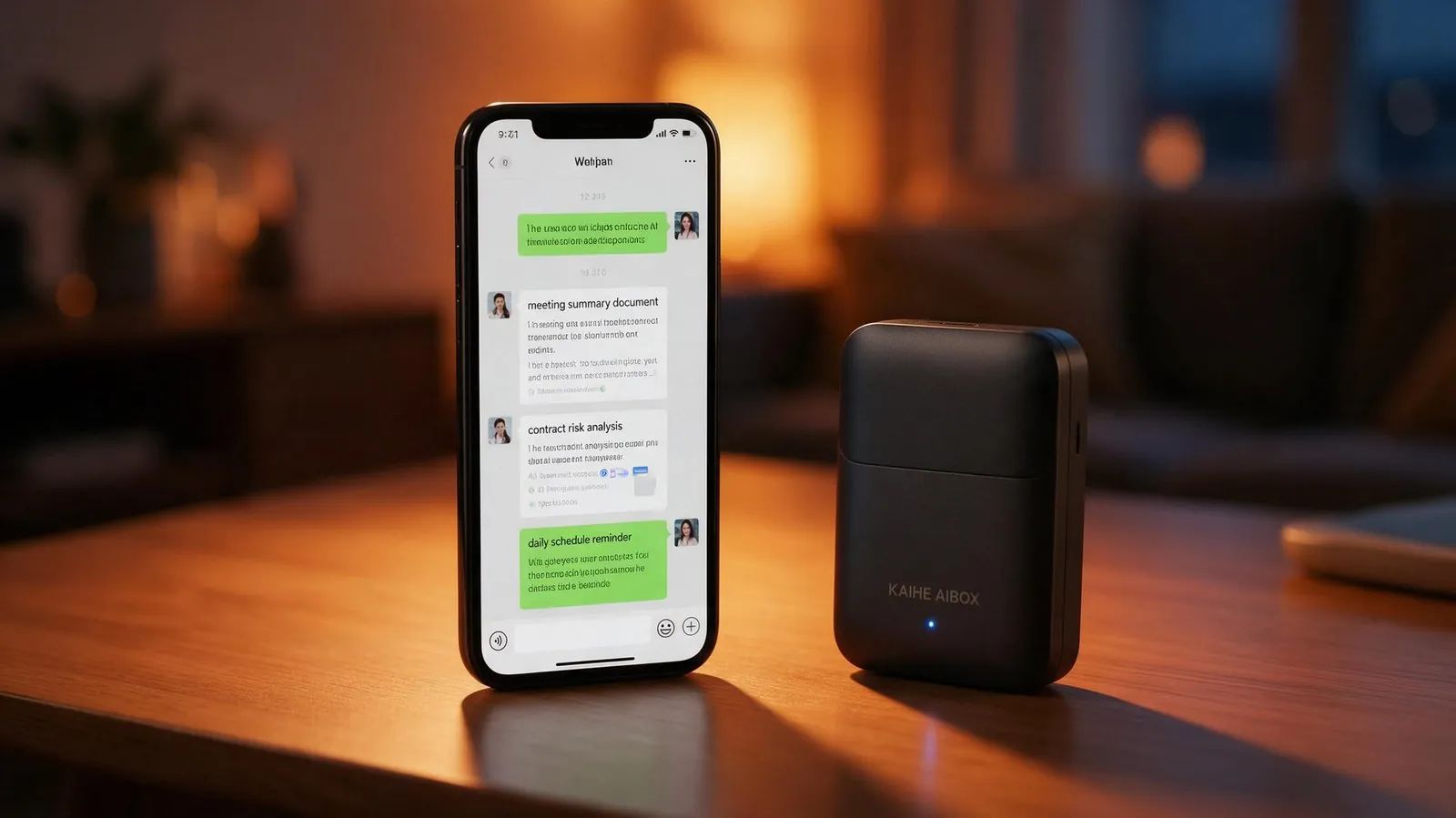
It's not software installed on your computer, and it's not a webpage you need to open every day. It's a palm-sized device that you plug into ethernet and power, place anywhere in your home — no monitor required, no keyboard or mouse needed. It just runs, quietly, by itself.
The only tool you need to communicate with it is WeChat — the app you already use every day.
Send a voice note on your commute for meeting notes; snap a contract photo between client visits for risk analysis; dictate reminders and summarization tasks before bed — it works while you sleep.
You don't need to learn any new software, remember any commands, or turn on a computer. You talk to it exactly the way you talk to friends on WeChat.
The Core Logic: It Works Even When You're Not There
When people first hear about this, they often ask: how is this different from the AI assistant on my phone?
The difference is night and day. Phone AI is "you ask one question, it gives one answer" — if you don't open the app, it does nothing. KAIHE AIBOX is "you tell it once, it keeps working":
| Comparison | Phone AI Assistant | Desktop Cloud AI | KAIHE AIBOX |
|---|---|---|---|
| Requires screen time | Must open the app | Must open a browser | Just send WeChat messages |
| Works when device is off | Stops immediately | Stops when PC is off | Runs 24/7 always-on |
| Automatic scheduled tasks | Only simple reminders | Fails when PC sleeps | Set rules, runs overnight |
| Data storage | Phone maker's cloud | AI company servers | On your local agent computer |
| Subscription creep | Constant upgrade popups | Subscriptions keep getting more expensive | Hardware + Agent system one-time purchase, no recurring software fees |
| Learning curve | Simple but limited features | Must learn UI and parameters | If you can use WeChat, you can use it |
Set up tasks during the day, it executes them automatically while you sleep at night. You're out running errands, it's at home processing documents. You only need to check results and send instructions via WeChat — leave the rest to it.
Who Should Try This Approach Most
Shopkeepers, field workers, parents, casual users, freelancers — anyone who doesn't sit at a desk all day can use it via WeChat, no computer required.
AI shouldn't be an advanced tool only for desk workers. It should be like home appliances — plugged in, working quietly, there when you need it.
What KAIHE AIBOX does is transform AI from "something you have to sit at a computer to use" into "a personal assistant that works whenever you speak." You don't need to turn on a computer just to use AI, and you don't need to babysit it to get work done — go about your business, take care of your kids, run your errands, and leave the work to it.
After all, the best tools don't make you circle around them — they circle around you.
KAIHE AIBOX · 7x24 Personal AI Assistant | User Stories
For more information, search [KAIHE AIBOX] or contact: [email protected]