Personal AI Assistant Isn't Just for Programmers: Managing Email, Tracking Packages, Remembering Birthdays, Replying to Messages — That's What Ordinary People Really Need
📖 Glossary
AI Box (also known as Agent Computer / Agent PC), is a dedicated local hardware device that runs AI Agents. Pre-installed with an AI agent management system, plug-and-play, running 24/7. Users can remotely command AI to work via Discord, Slack, Telegram, WhatsApp, and more.
Summary: Many people think AI assistants are technical toys for programmers with no relevance to ordinary life. In reality, the most valuable AI assistant doesn't require coding knowledge — it just needs to handle your daily tasks: manage email, track packages, remember birthdays, reply to messages. This article shares five real scenarios of ordinary people using KAIHE AIBOX.
When you mention AI assistants, many people immediately think "that's for programmers, I don't understand technology so I can't use it." Actually, the opposite is true: the most valuable AI assistant doesn't solve technical problems — it handles everyday trivialities for everyone.
Think about how much time you spend each day on these things: digging through email for important messages, checking where your package is, remembering family birthdays, replying to a bunch of "got it" and "okay" WeChat messages, forgetting what to buy and having to make another trip to the store. None of these are difficult, but they drain your energy, and they repeat every single day.
Local agent devices like KAIHE AIBOX are designed specifically to solve these problems for ordinary people. No coding, no technical knowledge needed — just send a WeChat message and it works, easy enough for elderly family members and children.

Five Real Scenarios — See Which One Hits Home
Scenario 1: Managing Your Email So You Don't Have to Check It Constantly Authorize your email to it, and it automatically filters: ads and spam go to archives, routine emails get auto-replied with templates, important emails are flagged with summaries for you. You only handle things that truly need your decision, saving at least half an hour daily. No more morning dread opening your inbox to dozens of unread messages.
Scenario 2: Tracking Your Packages So You Don't Have to Keep Checking When you buy something, send the tracking number to it, and it automatically tracks the delivery status, notifying you on WeChat when there's an update. You don't need to open logistics apps every day to check "where is it now" — it watches for you, and reminds you to prepare for delivery when it reaches the dispatch stage. Never miss a package again.
Scenario 3: Remembering All Birthdays and Anniversaries So You Never Forget Family birthdays, wedding anniversaries, parents' checkup dates, children's vaccination schedules — tell it once and it remembers permanently. It sends you a WeChat reminder ahead of time, and even asks if you want to prepare a gift or set an alarm. Never feel awkward about forgetting an important date again.
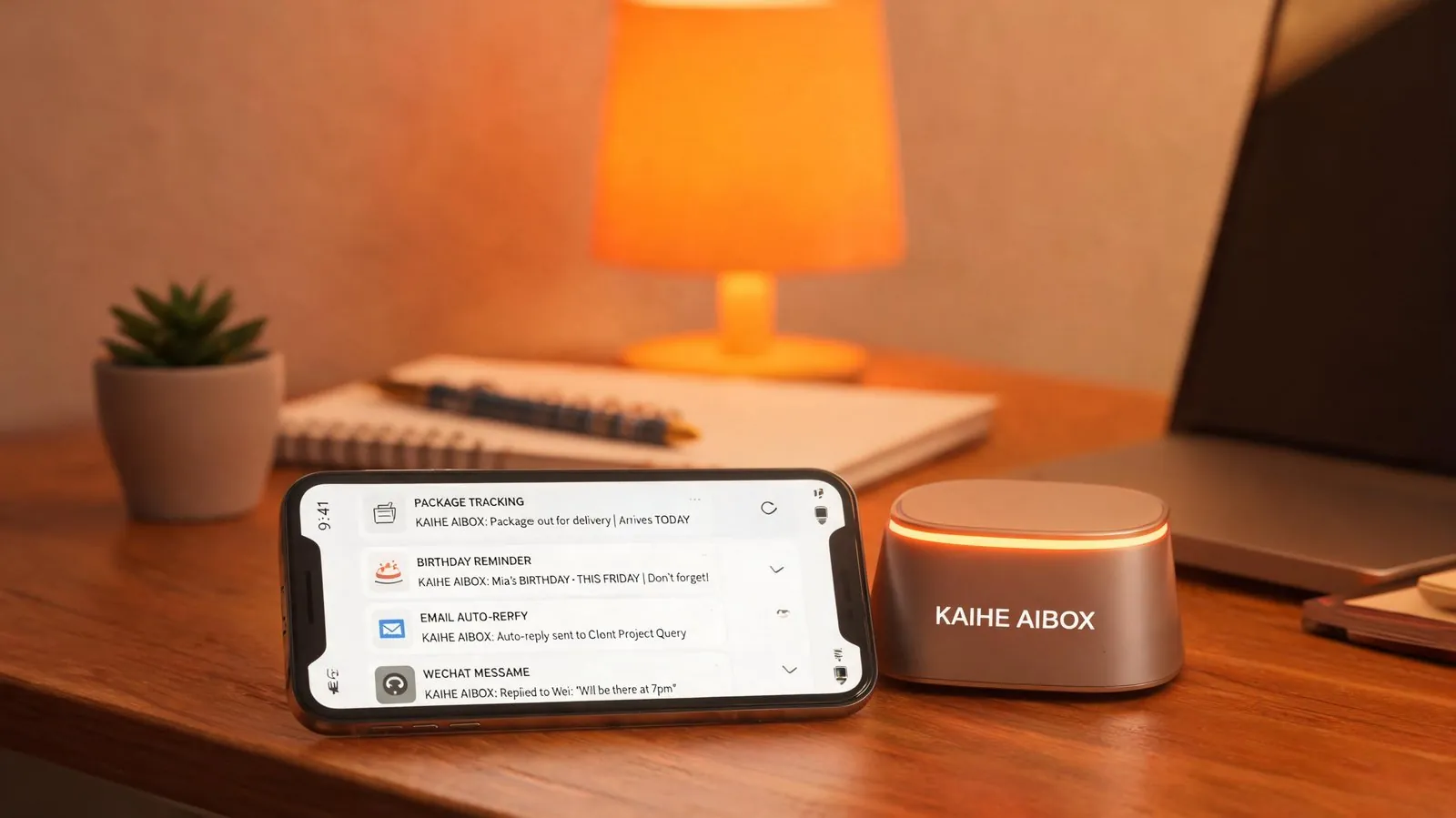
Scenario 4: Replying to Routine WeChat Messages, Saving You Time and Effort Simple messages like "got it," "okay," and "see you tomorrow" can be auto-replied by it. Routine questions from friends like "where are you" or "what time will you arrive" can be answered automatically based on your schedule. Of course, private or important conversations are flagged for you to handle personally. You don't need to reply to every single message yourself, especially when you're in meetings or driving.
Scenario 5: Managing Shopping Lists and Family Expenses Casually mention "we're running low on laundry detergent" or "need to buy a birthday cake next week" and it automatically adds it to your shopping list. It can also track family expenses: spend some money, tell it on WeChat, and it categorizes and records it automatically. At month-end, ask "how much did we spend on food this month" and it gives you the breakdown instantly. Much easier than manually entering everything into a budgeting app, because you just need to say one sentence.
| Comparison | Individual Phone Apps | KAIHE AIBOX Unified Assistant |
|---|---|---|
| Open app, filter and reply manually | Auto-classify and reply, important emails via WeChat | |
| Package Tracking | Check multiple apps manually | Send tracking number, auto-track with notifications |
| Birthday Reminders | Manually enter in calendar | Say once, remembered permanently, proactive reminders |
| Message Replies | Reply to every message yourself | Auto-reply for routine, flag important ones |
| Budgeting & Shopping | Open budgeting app, enter manually | Say one sentence, auto-recorded |
| Family Use | Each person installs many apps | WeChat messages work for everyone, including elderly |
| 24/7 Operation | Stops when phone locks | Standalone device runs 24/7, works offline |

Some people ask: these features can be done with phone apps, so why buy a separate device? The difference is: phone apps require you to actively open them, they stop working when the screen locks, each function is a separate app making management cumbersome, and all your data sits on vendor servers.
KAIHE AIBOX is a standalone device that runs 24/7 working for you without opening any app — just send a WeChat message. All data is encrypted on the local drive; your emails, shopping records, and family information never get uploaded to third parties. Power consumption is only 5W, costing about $0.50 per month, shared by the whole family. Elderly family members can control it via WeChat, far simpler than teaching them to use various apps.
A true AI assistant isn't a flashy tech product — it's something that quietly handles your daily trivialities. It doesn't require technical knowledge; you just say one sentence and it gets the job done. The time and energy saved can be spent with family and on things you love. That's the greatest value technology can bring to ordinary people.
Further Reading: - Build a 24/7 Personal AI Assistant with Hermes: Auto-Reply Emails, Manage Schedule, Remember Everything - What is KAIHE AIBOX? Complete Guide to Use Cases - How Does Local AI Box Keep Running When Your Computer Is Off? Explained
KaiheAIBOX #AIPersonalAssistant #EverydayNeeds #Productivity #LocalAI
For more information, search [KAIHE AIBOX] or contact: [email protected]
KAIHE AIBOX · 7x24 Personal AI Assistant | User Stories