📖 Glossary
AI Box (also known as Agent Computer / Agent PC), is a dedicated local hardware device that runs AI Agents. Pre-installed with an AI agent management system, plug-and-play, running 24/7. Users can remotely command AI to work via Discord, Slack, Telegram, WhatsApp, and more.
Summary: Most people give up on a private AI assistant at step one — setting up environments, configuring models, writing code. KAIHE AIBOX flips that logic: you don't need to learn any of it. Plug it in, connect WeChat, do a one-time basic setup, and you're ready to go.
Most people don't hate AI — they just can't set it up
Here's a question I hear more and more: how do I actually get a private AI assistant? And the honest answer is that most of the usual paths stop people cold at the very first step.
Cloud AI tools make you re-explain your context every time you open the page, and they stop the moment your computer shuts down. Self-hosting means installing Python, configuring APIs, editing config files, and tripping over a pile of errors. For most people, just seeing the words "terminal" or "environment variable" is enough to close the tab.
The result is always the same: you wanted to use it, but you never actually did.
A different idea: a real beginner setup shouldn't make you touch any tech

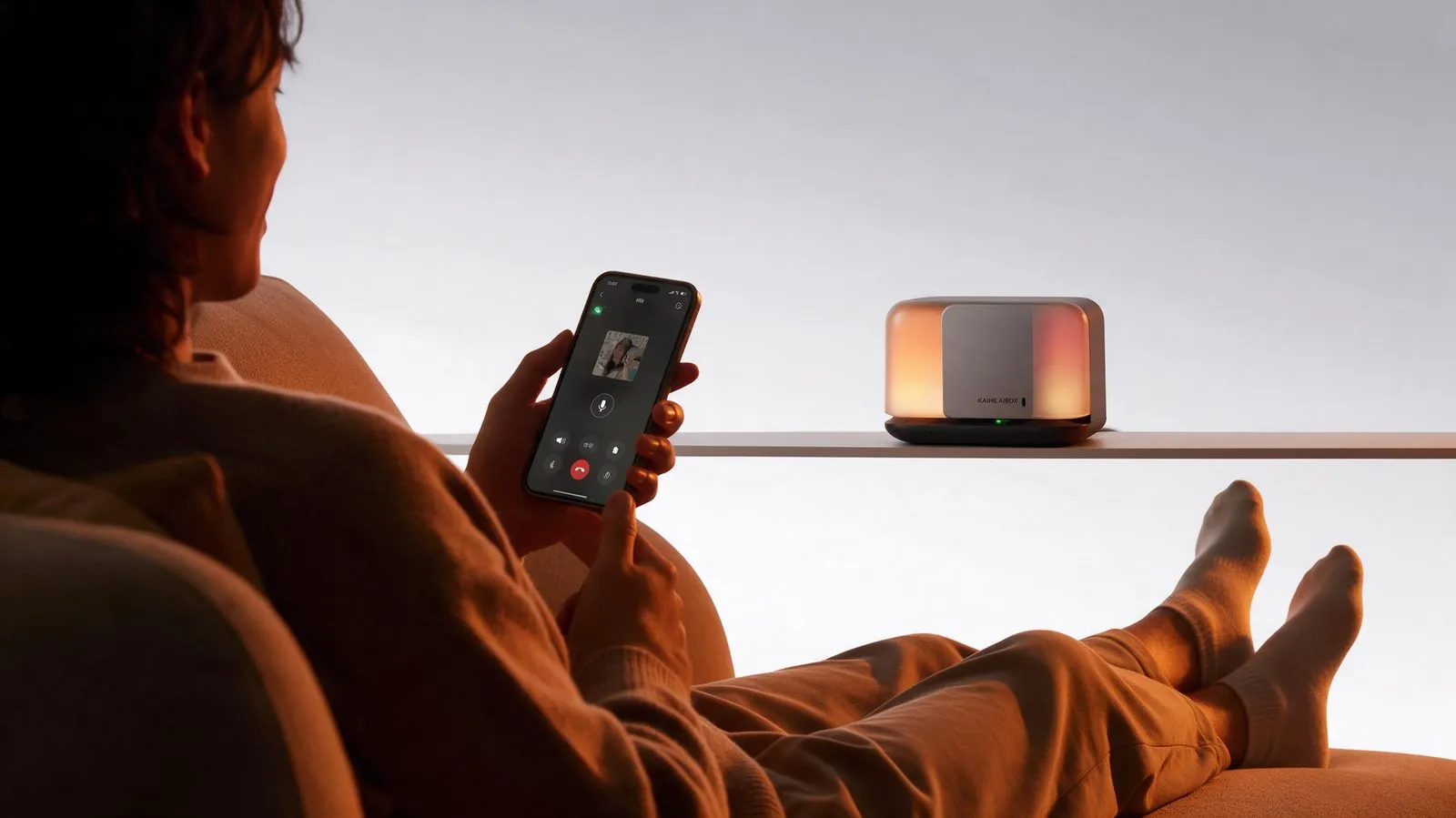
KAIHE AIBOX offers a completely different answer. It's a dedicated agent computer that sits in your home, with the agent application system pre-installed at the factory. You don't have to install anything.
Getting started is three steps: unbox the device and plug it in; scan a QR code with your phone's WeChat to bind it; follow the guide to fill in your basic info once — who you are, what you usually do, what you prefer. The whole thing takes under five minutes.
After that, your AI assistant is simply there.
If you can use WeChat, you can use it
Many people assume that commanding an AI requires learning a command line. In reality, WeChat is the control console.
You send a message like "summarize the key points of this contract," "remind me to take my medicine at 8 a.m. every day," or "tell me what meetings I have tomorrow at 10 p.m." — and it does the job, then reports back to you.
Writing copy, looking up information, setting reminders, running scheduled tasks, organizing spreadsheets: these everyday chores that used to demand your own hands now only need a WeChat message. No computer, no command line, no staring at a screen.
Why it beats "building it yourself"
| Item | Cloud AI | Self-hosted | KAIHE AIBOX |
|---|---|---|---|
| Onboarding | Register, re-explain | Install env, code | Plug in, WeChat, done |
| Computer off | Stops | Stops | 24/7 online |
| Data ownership | On their servers | On your PC | Local, no cloud |
| Remembers you | Resets each chat | Configure it yourself | Long-term memory |
It's yours, not "rented"
What many people don't realize is that using cloud AI is essentially renting: your data sits on someone else's servers, your memory follows your account, and switching platforms resets everything to zero.
KAIHE AIBOX is different. It's your own hardware. Memory and data stay local, never touching the cloud, and privacy is yours to manage. There's no monthly fee to pay to every vendor — one purchase, done.
People who know how to set up environments can build all kinds of clever setups on their own. But people who can't write code, who can't configure a model, deserve just as much a private AI assistant that's always ready.
Put one in your home, plug it in, and it's yours.
Further Reading: - No More Re-teaching: KAIHE AIBOX's Long-Term Memory - What You Lack Is Not a Stronger Model, But a Private AI with Long-Term Memory - What's It Like to Command Your Private AI Assistant Over WeChat?
KAIHE AIBOX #PlugAndPlay #NoCode #PrivateAIAssistant #LocalAI
For more information, search [KAIHE AIBOX] or contact: [email protected]
KAIHE AIBOX · 7x24 Personal AI Assistant | User Case