WeChat Your Files to Your Home AI — Kaihe AIBOX Turns Documents into Voice Briefings, So You Can Listen with Your Eyes Closed
📖 Glossary
AI Box (also known as Agent Computer / Agent PC), is a dedicated local hardware device that runs AI Agents. Pre-installed with an AI agent management system, plug-and-play, running 24/7. Users can remotely command AI to work via Discord, Slack, Telegram, WhatsApp, and more.
The Daily "Information Debt" Nobody Talks About
8 AM. A packed subway car. Everyone staring down at their phones.
Xiao Li is one of them. But he's not scrolling TikTok — he's racing through three documents he didn't have time to read last night: a competitor analysis PDF from the product manager, an industry article shared in the tech group chat, an email a client sent at 3 AM.
The screen flickers in the shaking train car. The text is too small. His eyes are hurting. Five minutes in, he's getting motion sickness. He locks the screen. Sighs.
This scene needs no translation. Every day, work documents, long-form articles, PDFs pour into your WeChat — an endless "information debt" you can never seem to pay off. You want to consume them during your commute, while cooking, while working out — but your body and schedule won't let you stare at a screen that long.
What if you could free your eyes?
Earlier this month, I set up a workflow on my Kaihe AIBOX at home. Now, before I leave the house, I forward everything to it via WeChat. By the time I get on the subway and put in my earbuds, it's already prepared a voice briefing. Twenty to thirty minutes of commute — exactly enough to listen through everything I need to read that day.
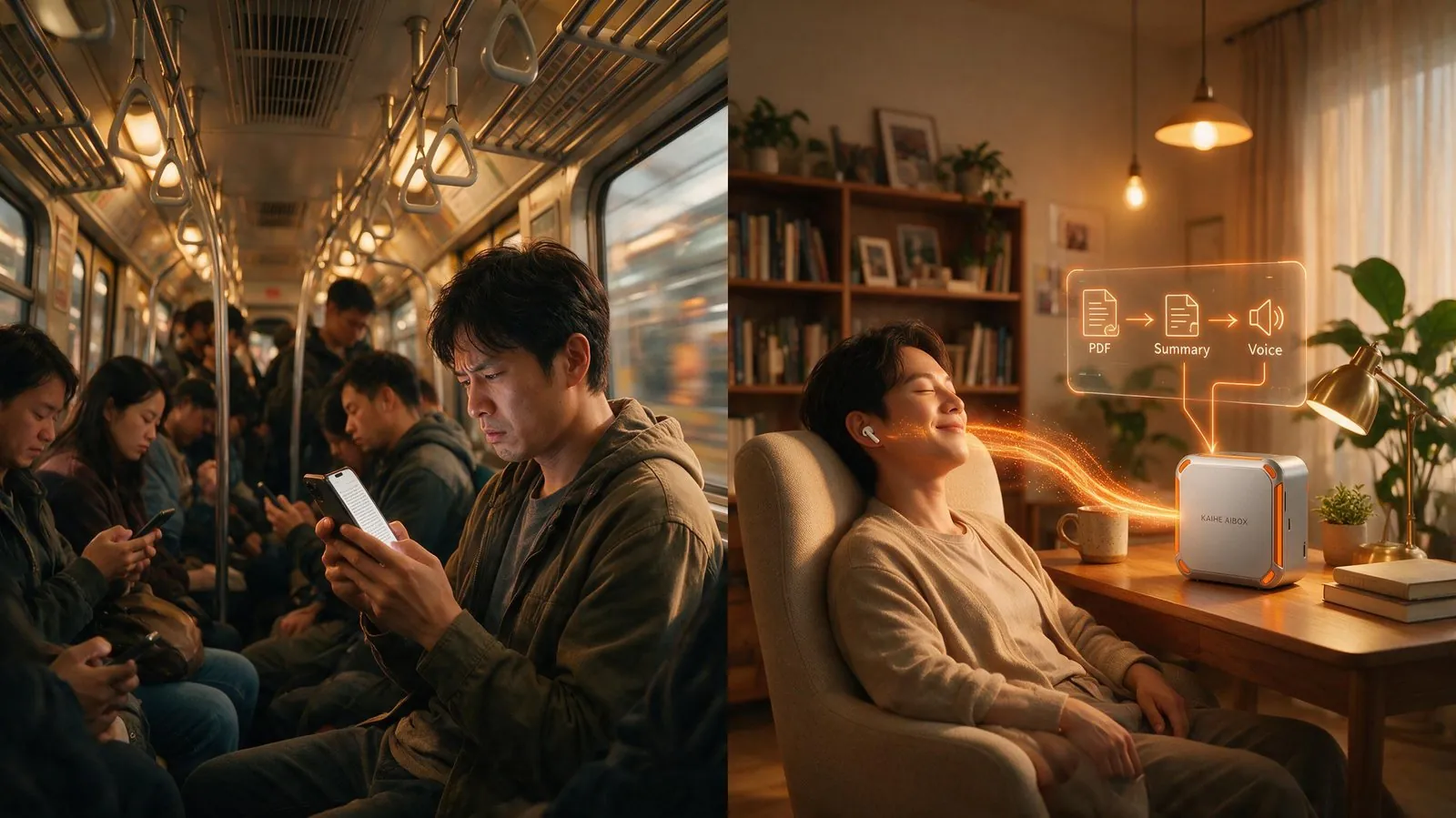
How It Works: Three Steps
The core logic is simple, but every step runs automatically in Kaihe AIBOX's local environment:
Step One: Receive Materials via WeChat.
Kaihe AIBOX runs OpenClaw, which integrates directly with WeChat. You're out and about — open WeChat, forward that industry article, that PDF, that long group chat transcript to your device at home. No extra app to install. No web dashboard to open. Exactly like forwarding something to a colleague.
The key words are "on a device at home." None of your materials are uploaded to any cloud AI server. Everything is processed locally on Kaihe AIBOX. Your work documents, client emails, internal meeting notes — the data never leaves your home.
Step Two: Split, Extract, Structure.
Once the file arrives, Hermes Agent gets to work. It doesn't just "summarize" — every AI can do that. The real difference is that it processes according to rules you've defined:
- PDF documents → Extract core arguments, data tables, action items
- Long articles → Three-part structured summary (context → key points → why it matters)
- Group chat transcripts → Filter small talk, cluster by topic, flag messages that need your reply
- Emails → Extract sender intent, deadlines, required actions
You set the processing rules. For example: "For industry reports, prioritize data and trend analysis. Skip motivational fluff." It remembers. It follows those rules every time.
Step Three: TTS Synthesis, Ordered Playback.
After processing, the Agent prioritizes the results — urgent items first, reference materials after — then calls TTS to generate speech. Your phone receives the audio via WeChat, either as a voice message or an audio file.
Put in your earbuds and press play. Twenty minutes on the subway, and you've listened through three PDFs, two industry articles, and an entire work group's pending messages. By the time you arrive, all the information has already passed through your brain.

Beyond the Commute: Three Daily Scenarios
After building this workflow, I found it bleeding into far more of my daily life than just the commute.
Scenario One: The Half-Hour While Cooking.
Before, I'd put on a podcast while cooking — but the podcast wasn't what I needed. Now, while chopping vegetables, I forward an article to Kaihe. By the time the food hits the table and I sit down to eat, my earbuds are already playing today's document summaries. Meal done, information absorbed.
Scenario Two: Weekend Deep Clean.
Mopping floors, wiping windows, organizing closets — your hands are busy but your brain is idle. Weekend cleaning has become "information cleaning": household chores and pending reading, handled simultaneously. Two hours later, the house is clean and a week's worth of WeChat articles have been fully processed.
Scenario Three: After Putting the Kids to Bed.
You've just gotten the baby to sleep. You collapse on the couch, eyes too tired for any screen. You open your phone — seven articles were shared in the afternoon work group. Forward them to Kaihe AIBOX. Five minutes later, a voice briefing arrives. Eyes closed, lying on the couch, you listen through everything. Then decide which ones need a closer look tomorrow and which can be ignored.
Cloud AI Can't Give You This Experience
Someone might say: what's the big deal? I can send articles to ChatGPT and ask it to summarize too.
You absolutely can — but you have to do it manually.
You need to open the app, paste the article, wait for the response, and read the screen. During your commute, while cooking, while handling kids — how much time do you actually have to free your hands and do all that?
The key difference isn't "whether it can summarize." It's "whether you have to be the one operating it."
Free AI tools require you to go to them — open the app, type the command, wait for the reply, read the screen. Every step demands your attention.
Kaihe AIBOX comes to you — you forward the file via WeChat, and you're done. It does the work on its own. When it's finished, the voice briefing is pushed straight to your ears. Your hands and eyes were never involved.
This is the fundamental difference between "proactive AI" and "passive tools." One eliminates your operational steps. The other only eliminates your thinking steps.
A Hidden Benefit You Might Not Have Considered
This workflow has an invisible value: it lets you "incidentally" learn a lot.
Before, you'd carve out dedicated time to "study" — read an industry report on the weekend, a deep-dive article before bed. But weekends always fill up with other things. At night, you're always too tired. 99% of those "I'll read it when I have time" materials never get read.
But now? You're going to ride the subway anyway. You're going to mop the floor anyway. You're going to run anyway. That time is physically committed regardless of whether you use it for information consumption. Kaihe AIBOX just fills those "physically-required" time blocks with information input simultaneously.
It's not "replacing commute with learning." It's "letting the commute incidentally cover learning."
Closing Thoughts
I've been using this workflow for nearly a month now. Thirty to forty minutes on the subway each day. That's roughly three extra hours of "stealth learning time" per week. No screen time. No scheduling. Just naturally, imperceptibly, processing through the backlog of information.
If you already have a Kaihe AIBOX at home, or you're considering one — my advice isn't about some flashy feature it can do. It's this: think about how many hours of your day your eyes and hands are occupied, but your brain is idle. Activating those hours is worth more than any new feature.
Further Reading: - AI Still Working After Shutting Down Your PC? Local AI vs. Cloud AI - Remote Medication Reminders: Why Local AI Is the Answer to Aging Parents - Opus 5 Meets Hermes: Near-Fable-5 Reasoning at Half the Price
KaiheAIBOX #VoiceBriefing #WeChat #Productivity #CommuteLearning #AIBOX
Learn more, contact: [email protected]
KAIHE AIBOX · 7x24 Agent Computer | User Cases