📖 Glossary
AI Box (also known as Agent Computer / Agent PC), is a dedicated local hardware device that runs AI Agents. Pre-installed with an AI agent management system, plug-and-play, running 24/7. Users can remotely command AI to work via Discord, Slack, Telegram, WhatsApp, and more.
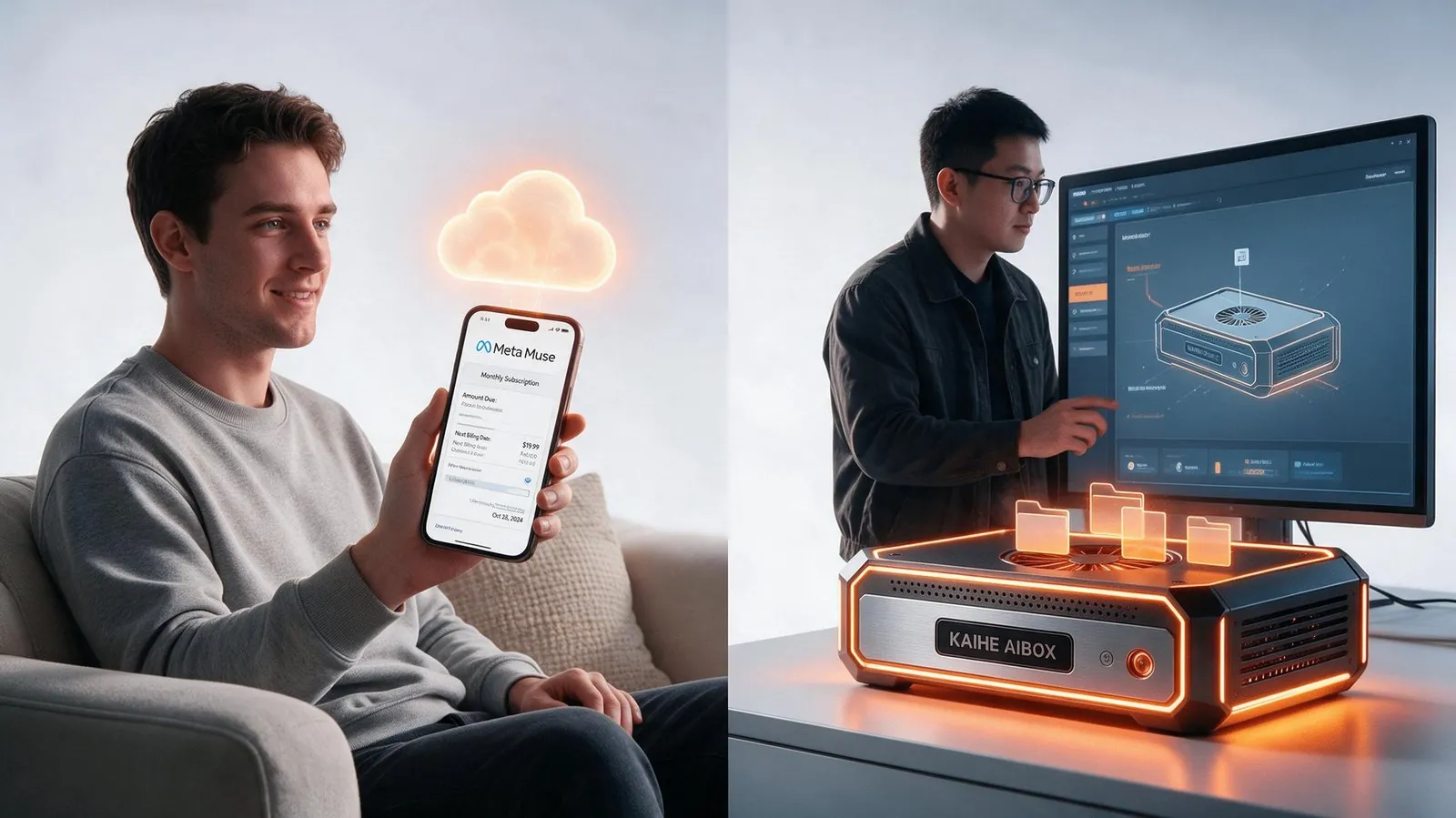
Summary: Meta just launched Muse, a personal AI agent that books flights, sends emails and shops on your behalf. A lot of people are asking: how is it different from KAIHE AIBOX? They are both "AI assistants that do the work for you" — but the difference comes down to one sentence: one stores your life and memory in someone else's cloud, the other keeps everything inside your own intelligent agent computer at home. This article walks through five dimensions: where it runs, who owns the memory, does it keep working when the computer is off, how you command it, and how you pay for it.

First, What Is Muse? What Is KAIHE AIBOX?
On September 8, 2026, Meta launched Muse in the United States — a personal AI agent that "gets things done for you." You ask it to book a flight, send an email, fill out a form, or make a purchase. It opens a browser, works through the steps by itself, and only comes back to you for confirmation when something important is about to happen. Sound impressive, right?
KAIHE AIBOX is also an AI assistant that works for you — but it takes a completely different path. It is a dedicated intelligent agent computer. Plug it in and it comes alive, running 24/7 at low power. You command it remotely through WeChat and collect the results in the same chat window.
Both are AI assistants, so why is one called Muse and the other KAIHE AIBOX? The real differences hide inside the five questions below.
Difference 1: Where Does It Run? One in a Cloud VM, One at Home
Muse runs inside Meta's Secure VM in the cloud. Every time you use it, you need an internet connection — no network, no commands. When you close the app, the task keeps running on Meta's servers, but every action it takes and every piece of data it touches lives inside Meta's data centers.
KAIHE AIBOX runs inside your own intelligent agent computer. Plug it in and it is alive, independent of your laptop being on or off. You sleep, you shut down your computer, you travel — it keeps running quietly. Data stays local, and local capabilities keep working even when the network drops.
Difference 2: Who Owns the Memory? One on Meta's Servers, One Locked Locally
Muse remembers your preferences and habits — that is genuinely useful. The problem is that those memories live on Meta's servers. Meta says it does not share them with the ads system, but the data is ultimately in someone else's hands. It can access your data today; whether the terms change tomorrow, and whether you can delete it completely, is not entirely up to you.
KAIHE AIBOX keeps its memory and work records fully local. Nothing is uploaded to any cloud, and only you can access it. You can back it up, take it with you, or wipe it clean whenever you want. Every single thing your AI remembers belongs to you.
Difference 3: Does It Keep Working When the Computer Is Off? One Relies on Meta's Cloud, One Is a Device of Its Own
Muse's "background work" is essentially delegating tasks to Meta's cloud. If you are offline, you cannot command it. If Meta has an outage or a policy change, your assistant follows suit.
KAIHE AIBOX runs 24/7 at low power — it is a device of your own. The computer is off, it keeps going. The network drops, local capabilities keep working. Platform policy changes cannot touch it.
Difference 4: How Do You Command It? One Needs a New App, One Uses WeChat
Muse lives in its own app and on WhatsApp, currently available only in the United States to users aged 18 and over.
KAIHE AIBOX: just send a WeChat message. No new software, no new interface to learn — your familiar chat window is your command center.
Difference 5: How Do You Pay? One Subscription, One One-Time Purchase
Muse has a free tier, but advanced automation costs $20 to $100 per month, and Meta controls the pricing — it can change at any time.
KAIHE AIBOX is a one-time hardware purchase with no software subscription. As models get cheaper, you save more. You are never locked into a single subscription.
The Comparison Table
| Dimension | Meta Muse | KAIHE AIBOX |
|---|---|---|
| Nature | Cloud subscription service | Dedicated intelligent agent computer |
| Where it runs | Meta cloud VM, needs internet | Local hardware, plug in and it works |
| Memory belongs to | Meta servers | Local storage, only yours |
| When computer is off | Keeps running in cloud, but offline means out of control | Keeps running, unaffected |
| How you command it | Its own app / WhatsApp | WeChat remote commands |
| Pricing | Subscription $20-100/month | One-time purchase, no subscription |
Why This Matters to You: The First Rule of Choosing an AI Is Who Owns the Data
Meta Muse is capable and has a big ecosystem — but it is a "butler who lives at someone else's house." Every command and every piece of data you give it settles inside someone else's data center.
KAIHE AIBOX is "the butler who lives at your house": it orchestrates the best cloud models as external brains, but memory and data stay local and belong to you. Computer off, network down — it keeps running. WeChat, and it responds.
When you choose an AI assistant, ask yourself one question first: would you rather have your life butler hosted at someone else's home, or living at yours?
Further Reading
- Cloud models change prices every month; KAIHE AIBOX orchestrates multiple providers with a one-time purchase
- Why your AI understands you better over time: local data + persistent memory
- What is the difference between a personal AI assistant and Doubao
KAIHEAIBOX #MetaMuse #LocalAI #IntelligentAgentComputer #CloudMemory
For more information, search [KAIHE AIBOX] or contact: [email protected]
KAIHE AIBOX · 7x24 Personal AI Assistant | User Case