OpenClaw Takes 30 Minutes to Install? Kaihe AIBOX Is Plug-and-Play, Zero Minutes
📖 Glossary
AI Box (also known as Agent Computer / Agent PC), is a dedicated local hardware device that runs AI Agents. Pre-installed with an AI agent management system, plug-and-play, running 24/7. Users can remotely command AI to work via Discord, Slack, Telegram, WhatsApp, and more.
Abstract: OpenClaw is a powerful open-source AI Agent framework, but installation has a learning curve — install Node.js, configure environment variables, install dependencies, debug connections. Smooth sailing takes 30 minutes; rough sailing can eat half a day. Kaihe AIBOX comes with the full OpenClaw stack pre-installed — plug in power, connect to network, and you're running. Zero installation, zero configuration.
OpenClaw is one of the most active open-source AI Agent frameworks, with GitHub stars climbing steadily. But the most common newcomer question in the community is always: I can't install it, what do I do?
Wrong Node.js version, npm install errors, misconfigured environment variables, occupied ports, browser extension connection failures — for experienced developers these are trivial. For users without technical backgrounds, they're showstoppers.
Standard OpenClaw Installation Process
The official OpenClaw documentation lists these installation steps:
Step 1: Install Node.js. Requires v18+, recommends v22. Download from the Node.js website, install, verify version.
Step 2: Install OpenClaw CLI. Run npm install -g openclaw in terminal. In mainland China, npm sources may be slow — switch to a domestic mirror first.
Step 3: Initialize Workspace. Run openclaw init to create the working directory and generate config files.
Step 4: Configure Model API. Fill in LLM API addresses and keys in the config file. Supports OpenAI, DeepSeek, Zhipu GLM, etc.
Step 5: Install Browser Extension (optional but recommended). For web automation tasks. Search and install from the Chrome extension store.
Step 6: Start Gateway. Run openclaw gateway start. If the port is occupied, change the config.
Step 7: Test Connection. Send a test message in terminal to confirm the Agent responds.
Smooth sailing: 30 minutes. Rough sailing — Node.js version conflicts, npm permission issues, firewall blocking ports, extension version mismatches — each pitfall can trap you for an hour or two.
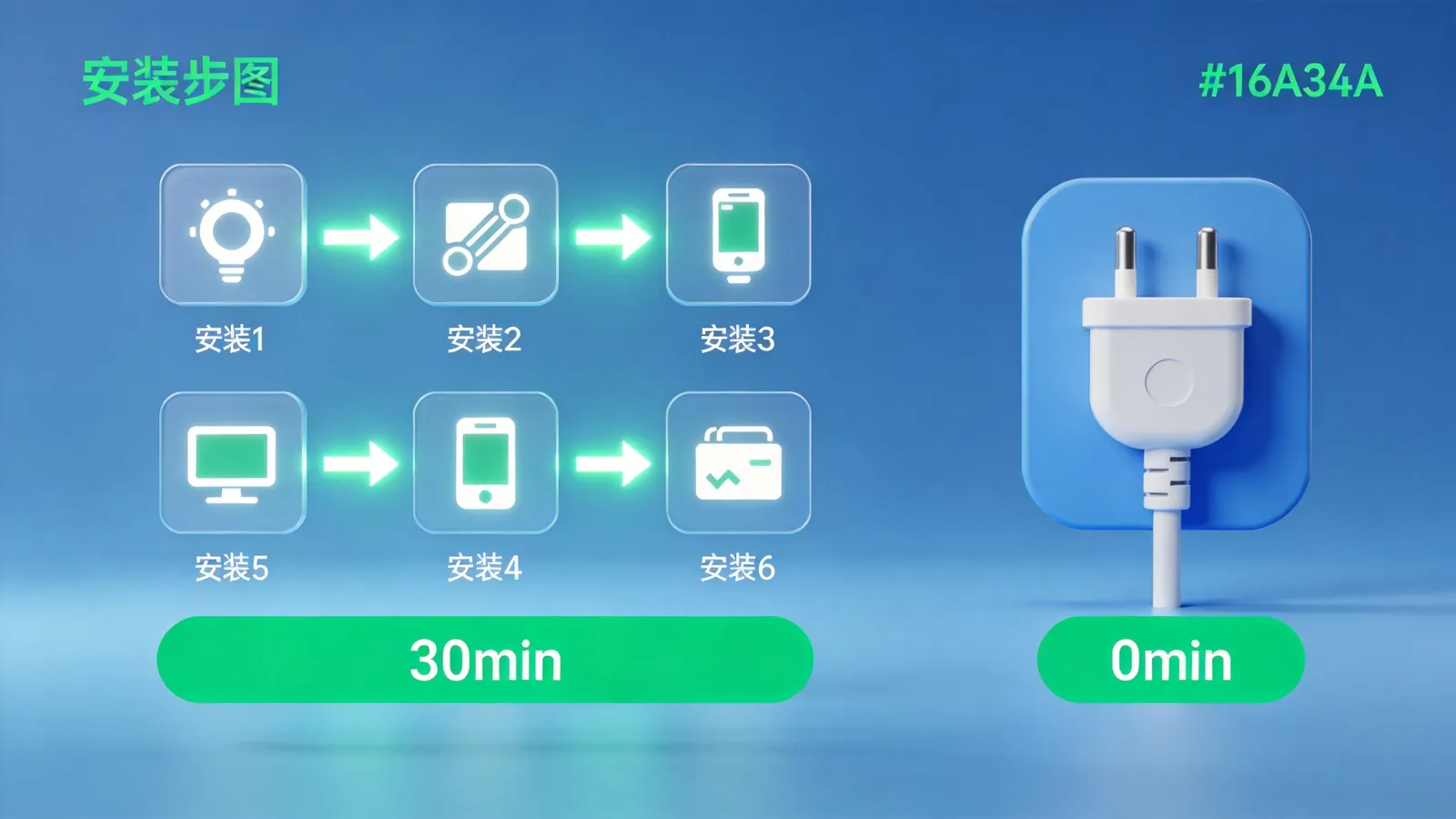
Kaihe AIBOX's Zero-Minute Solution
Kaihe AIBOX A1 comes with the full OpenClaw stack pre-installed:
OpenClaw CLI, Gateway, browser extension, Node.js runtime, common Skills — all pre-installed and configured. The user's setup flow:
Step 1: Plug in power.
Step 2: Connect Wi-Fi (or plug in ethernet).
Step 3: Scan QR code to bind WeChat.
That's it. There is no Step 3.5.
From unboxing to sending the first command, under 5 minutes. Those 5 minutes are physical actions — unboxing, plugging in, scanning. Not a single command to type, not a single config file to edit.
How Installation Is Eliminated
Kaihe AIBOX uses a local multi-Agent + cloud LLM edge-cloud collaborative architecture. The OpenClaw framework as Agent runtime is deployed at the factory:
Node.js environment pre-installed, version matched, no user installation needed. All npm dependencies installed — no npm install required. Gateway pre-started with auto-start on boot — no manual start. Browser extension pre-installed in the device's built-in browser environment. Common Skills (email, search, document processing) pre-installed and configured. Model API only requires entering the key once during WeChat binding — subsequent calls are automatic.
Users don't need to understand what Node.js is, how npm works, or how to check ports. They only need to know: plug in → connect → send WeChat command → Agent works.
Who Is This For?
Users without technical backgrounds. People who want to use AI Agents but have no intention of learning command-line tools. Teachers, salespeople, operators, content creators — they want Agents that work, not lessons in framework installation.
Technical users who don't want to waste time on setup. Knowing how to install doesn't mean wanting to install. 30 minutes of setup time could be spent on more valuable work. Kaihe AIBOX eliminates not capability, but repetitive labor.
Multi-device deployment scenarios. A company needs to equip 5 departments with AI Agent devices. Manual OpenClaw installation means installing, configuring, and debugging 5 times. Kaihe AIBOX: ship 5 units, plug and play on arrival.
OpenClaw Community Members Ask: Why Would I Still Install Myself?
Absolutely. OpenClaw is an open-source framework — installing yourself means complete customization: install whatever Skills you want, modify any configuration, use any model. This freedom is something Kaihe AIBOX can't fully provide.
Kaihe AIBOX targets a different group: people who want results, not process. They don't want to know how Agents run — they want to know what Agents can do for them.
OpenClaw is the framework. Kaihe AIBOX is the framework's productization. Frameworks serve developers. Products serve users.
Further Reading
- Kaihe AIBOX-A1 Product Details — Pre-installed OpenClaw, plug and play
- Kaihe AIBOX Store — Full lineup of Agent Computers, starting at ¥999
- OpenClaw Official Documentation — Framework installation and configuration guide
-#KaiheAIBOX #AIAgent #OpenSource #ArtificialIntelligence
Kaihe AIBOX | The Agent Computer That Works 7×24 for You · AI Agent