The Complete Guide to Connecting OpenClaw with WeCom, Feishu, and DingTalk
📖 Glossary
AI Box (also known as Agent Computer / Agent PC), is a dedicated local hardware device that runs AI Agents. Pre-installed with an AI agent management system, plug-and-play, running 24/7. Users can remotely command AI to work via Discord, Slack, Telegram, WhatsApp, and more.
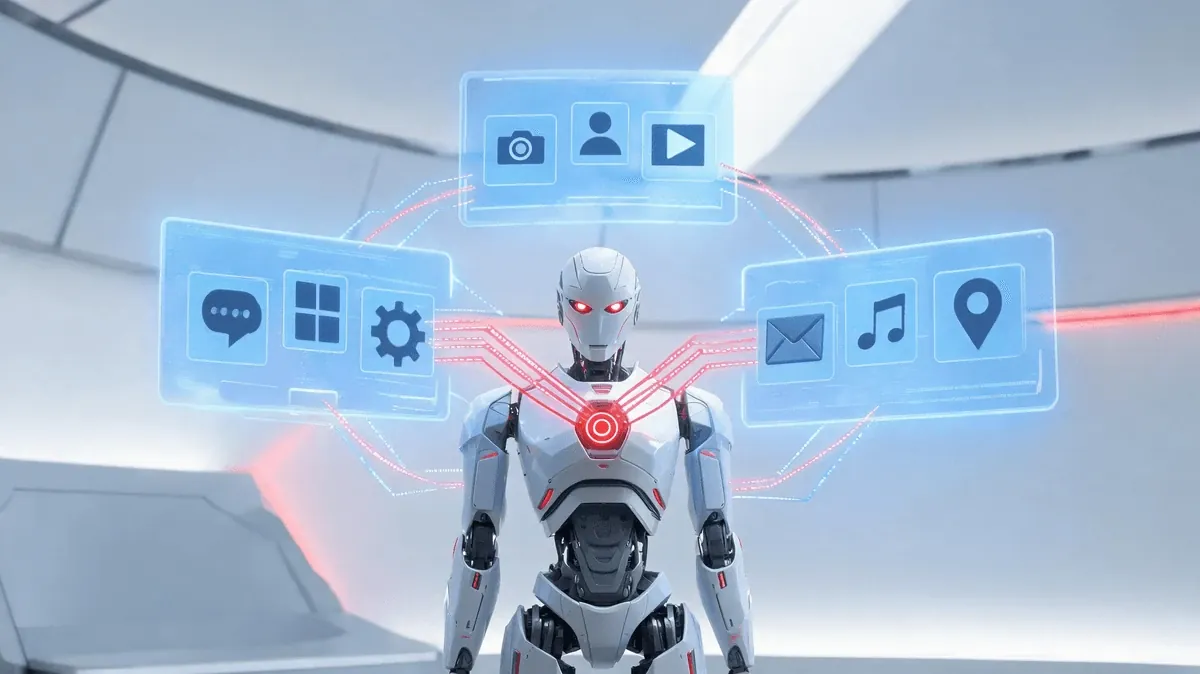
Imagine an AI agent that never sleeps — one that reads your emails at dawn, posts daily standup notes to your team chat by 9 AM, and pings you on DingTalk the moment a server alarm trips. That is not science fiction. That is OpenClaw, the open-source agent framework with over 280,000 stars on GitHub, running on a KaiheAiBox AIBOX-A1 right on your desk.
In this guide, we walk through every step of wiring OpenClaw into the three most popular enterprise messaging platforms in China — WeCom (企业微信), Feishu (飞书), and DingTalk (钉钉). By the end, you will have a single AI assistant that can push messages, respond to commands, run scheduled tasks, and automate approval flows across all three platforms simultaneously.
Why OpenClaw for Enterprise Messaging?
Most companies already use WeCom, Feishu, or DingTalk as their communication backbone. The problem is that each platform is an island — automations built for one do not transfer to another, and no single tool sits in the middle to coordinate them all.
OpenClaw changes the equation. As a fully open-source agent framework, it provides:
- Unified message routing — Receive messages from any platform, process them with the same agent logic, and reply through the same or a different platform.
- Skill-based extensibility — Each integration is a self-contained "Skill" that can be installed, configured, and upgraded independently.
- Scheduled execution — Built-in cron and heartbeat systems let your agent run recurring tasks without external schedulers.
- Local-first privacy — OpenClaw runs on your hardware. No conversation data leaves your network unless you explicitly send it out.
The KaiheAiBox AIBOX-A1, an Agent Computer pre-installed with OpenClaw, makes deployment literally plug-and-play. Unbox it, connect it to your network, and start configuring integrations in minutes.
Part 1: WeCom (企业微信) — WeCom MCP Integration
WeCom is the most widely adopted enterprise messaging platform in China, especially among companies embedded in the Tencent ecosystem. OpenClaw connects to WeCom through its WeCom MCP (Model Context Protocol) server, which exposes WeCom's official APIs as standardized tool calls.
Setting Up the WeCom MCP Server
- Create a WeCom application — Log in to the WeCom Admin Console, create a self-built application, and note the
CorpID,AgentID, andSecret. - Configure MCP in OpenClaw — Add the WeCom MCP server to your OpenClaw configuration. The MCP server acts as a bridge, translating OpenClaw's tool calls into WeCom API requests.
- Enable message callbacks — Set the callback URL in the WeCom console to point to your OpenClaw instance. This allows your agent to receive messages in real time whenever someone @-mentions the bot.
What You Can Do
- Message push — Send text, markdown, image, and file messages to individuals or groups.
- Command response — When a user sends a command like
/reportin a WeCom group, OpenClaw parses the intent, executes the corresponding Skill, and replies with the result. - Scheduled tasks — Combine WeCom messaging with OpenClaw's cron system. For example, every weekday at 8:30 AM, the agent fetches overnight email summaries and pushes them to the management group.
Example: Pushing a Daily Brief to WeCom
# Cron schedule: 0 8:30 * * 1-5
# Skill: email-summary → wecom-push

1. Agent connects to email via IMAP
2. Summarizes unread messages from the past 12 hours
3. Formats summary as WeCom markdown
4. Sends to the "Management" group via WeCom MCP
The entire flow runs unattended on the KaiheAiBox AIBOX-A1, drawing less power than a desk lamp.
Part 2: Feishu (飞书) — Webhook and Interactive Cards
Feishu, ByteDance's collaboration platform, is favored by tech-forward companies for its rich card messages and deep integration with document workflows. OpenClaw leverages Feishu's Webhook and card message APIs to deliver both informative and interactive experiences.
Webhook Setup
- Create a Feishu bot — In the Feishu developer console, create a custom bot and generate a Webhook URL.
- Register the Webhook in OpenClaw — Store the Webhook URL in your agent's configuration. OpenClaw's Feishu Skill handles message formatting and sending.
- Optional: Enable event subscriptions — For two-way communication (receiving messages from Feishu users), set up an event subscription endpoint that forwards events to OpenClaw.
Card Messages: Making Notifications Actionable
Feishu's card messages support buttons, columns, and interactive elements. With OpenClaw, you can send cards that let users take action directly in the chat — for example, approving a request, acknowledging an alert, or triggering a workflow.
{
  "msg_type": "interactive",
  "card": {
    "header": { "title": { "tag": "plain_text", "content": "📋 Daily Report Ready" }},
    "elements": [
      { "tag": "markdown", "content": "**Date:** 2025-06-10\n**Tasks Completed:** 12\n**Blockers:** 1" },
      { "tag": "action", "actions": [
        { "tag": "button", "text": { "tag": "plain_text", "content": "View Full Report" }, "url": "https://..." }
      ]}
    ]
  }
}
Example: Daily Standup Report to Feishu
Every evening at 6 PM, OpenClaw can:
- Pull task completion data from your project management tool.
- Generate a structured daily report.
- Post it as an interactive card to the team's Feishu group.
- Include a "View Details" button that links to the full report.
Part 3: DingTalk (钉钉) — Stream Mode and Approval Automation
DingTalk, Alibaba's enterprise platform, is dominant in manufacturing, retail, and traditional industries. Its Stream Mode Webhook provides a persistent connection that is ideal for real-time automation.
Stream Mode Webhook
Unlike traditional Webhooks that require a public callback URL, DingTalk's Stream Mode keeps a long-lived connection open from your agent to DingTalk's servers. This means:
- No public IP needed — Your OpenClaw instance can sit behind a firewall or NAT.
- Lower latency — Messages arrive instantly without HTTP round-trips.
- Simplified setup — No need to configure reverse proxies or SSL certificates.
Connecting OpenClaw to DingTalk Stream
- Create a DingTalk robot — In the DingTalk developer console, create a custom robot and enable Stream Mode.
- Install the DingTalk Skill — OpenClaw's DingTalk Skill handles the Stream protocol, including authentication via the ClientID and ClientSecret.
- Start listening — The Skill opens a persistent Stream connection and begins processing incoming messages.
Approval Flow Automation
DingTalk's approval (审批) system is one of its most powerful features. OpenClaw can:
- Listen for approval events — When a new approval request is submitted, DingTalk pushes the event through the Stream connection.
- Auto-process simple requests — For routine approvals (e.g., leave requests under 1 day, expense claims under ¥500), the agent can auto-approve based on predefined rules.
- Escalate complex requests — For requests that require human judgment, the agent can send a notification to the approver's WeCom or Feishu, creating a cross-platform escalation path.
Example: Server Alert → DingTalk Notification
1. Monitoring system detects CPU > 95% on production server
2. Alert triggers OpenClaw via Webhook
3. Agent formats alert as DingTalk markdown message
4. Sends to the "Ops On-Call" group via Stream Mode
5. Agent also creates a DingTalk approval flow for the restart action
6. On-call engineer approves → Agent executes the restart command
This is where the KaiheAiBox AIBOX-A1 truly shines — as an always-on Agent Computer, it maintains the Stream connection 24/7 without the cost or complexity of a cloud VM.
Part 4: Unified Configuration — One Agent, Three Platforms
Running three platform integrations separately would be a maintenance nightmare. OpenClaw's architecture is designed for unified management.
Message Routing
OpenClaw uses a channel-based routing system. Each messaging platform is a "channel," and you define rules for how messages flow:
- Fan-out — One event triggers messages to all three platforms simultaneously (e.g., a critical alert goes to WeCom, Feishu, and DingTalk).
- Conditional routing — Route based on content type, urgency, or team (e.g., financial reports → Feishu, ops alerts → DingTalk, executive summaries → WeCom).
- Cross-platform bridging — A command received on WeCom can trigger an action that reports back on Feishu.
Multi-Platform Sync
OpenClaw's Skill system allows a single Skill to have multiple output channels. Write once, deploy everywhere:
# Example: daily-brief skill
channels:
  - wecom:   target: "Management Group"
  - feishu:  target: "Team Channel"
  - dingtalk: target: "All Hands Group"
Permission Control
Not every agent action should be available to every user. OpenClaw supports:
- Channel-level permissions — Restrict certain Skills to specific platforms (e.g., financial data only accessible via WeCom, where SSO is enforced).
- User-level permissions — Map enterprise user IDs across platforms and enforce role-based access control.
- Action confirmation — For destructive operations (deleting resources, sending external emails), require explicit user confirmation before execution.
Part 5: Three Real-World Scenarios
Let us bring everything together with three concrete scenarios that demonstrate the power of a unified OpenClaw setup.
Scenario 1: Email Summary → WeCom Push
The problem: Executives receive hundreds of emails daily. Critical messages get buried.
The solution:
- OpenClaw connects to the executive's mailbox via IMAP every morning at 7:00 AM.
- It summarizes unread emails, prioritizing by sender and subject keywords.
- It pushes a concise markdown summary to the executive's WeCom.
- The executive can reply with commands like
/read 3to have the agent read the full email aloud via TTS, or/forward 3 to Zhang Weito forward it.
Result: Zero missed critical emails, no manual inbox triage.
Scenario 2: Daily Report → Feishu Card
The problem: Team leads spend 30 minutes each day compiling standup reports.
The solution:
- OpenClaw pulls task data from the project management tool at 6:00 PM.
- It generates a structured daily report with completed tasks, blockers, and tomorrow's plan.
- It posts an interactive card to the Feishu team channel.
- Team members can click "Add Update" to append their notes, which the agent incorporates into the next day's report.
Result: Automated reporting with human-in-the-loop flexibility.
Scenario 3: Server Alert → DingTalk with Approval Flow
The problem: Ops engineers are woken up at 3 AM for alerts that could be auto-resolved.
The solution:
- Monitoring system pushes a CPU alert to OpenClaw.
- Agent checks if the alert matches an auto-remediation rule (e.g., "restart service X when CPU > 95% for 5 minutes").
- If it matches, agent sends a DingTalk Stream message to the on-call channel with a one-button approval card.
- On-call engineer taps "Approve" → Agent executes the remediation.
- If no response within 10 minutes, agent escalates to WeCom and Feishu simultaneously.
Result: Faster incident response, fewer 3 AM wake-ups, cross-platform escalation as a safety net.
The Hardware: KaiheAiBox AIBOX-A1
All of the above runs on the KaiheAiBox AIBOX-A1 — a purpose-built Agent Computer that ships with OpenClaw pre-installed. Think of it as the always-on appliance that makes AI agents practical for real business use.
Key features:
- Pre-installed OpenClaw — No setup, no dependency hell. Power on and start configuring.
- 24/7 operation — Fanless, low-power design. Runs silently on your desk or in a server rack.
- Local-first — All agent logic and data stay on the device. Your conversations never leave your network.
- Skill ecosystem — Access to hundreds of pre-built Skills for email, messaging, automation, and more.
- Remote management — Configure and monitor your agents from anywhere through the KaiheAiBox dashboard.
The AIBOX-A1 is not just hardware. It is the infrastructure layer that makes 24/7 autonomous AI agents a reality for every business, without requiring a DevOps team to maintain them.
Getting Started
- Unbox your KaiheAiBox AIBOX-A1 and connect it to your network.
- Open the OpenClaw dashboard and navigate to the Skills marketplace.
- Install the WeCom MCP, Feishu, and DingTalk Skills — each takes under 5 minutes to configure.
- Define your message routing rules in the OpenClaw configuration.
- Create your first automated workflow using the cron system.
- Monitor and iterate — Use the dashboard to track agent activity and refine your rules.
The entire setup, from unboxing to a working three-platform agent, can be completed in under an hour.
Conclusion
Enterprise messaging platforms are the nervous system of modern organizations. OpenClaw is the brain that connects them all. With native integrations for WeCom, Feishu, and DingTalk, a unified routing and permission system, and the always-on reliability of the KaiheAiBox AIBOX-A1, you can build AI agent workflows that span your entire communication infrastructure.
The era of siloed automations is over. One agent, three platforms, zero sleep.
KaiAIBox | Agent AI Box that lets AI work for you 24/7 · OpenClaw Zone
-#OpenClaw #WeCom #Feishu #DingTalk #KaiheAiBox