📖 Glossary
AI Box (also known as Agent Computer / Agent PC), is a dedicated local hardware device that runs AI Agents. Pre-installed with an AI agent management system, plug-and-play, running 24/7. Users can remotely command AI to work via Discord, Slack, Telegram, WhatsApp, and more.
Abstract: What do you do when you are out meeting clients, on a business trip, or away from home and suddenly need a file on your home computer? No need to rush home, no need to bother family or colleagues to turn on your computer and find the file, send a message via WeChat to your home KAIHE AIBOX, it will automatically find the file you need, send it directly to your WeChat or to your client, available 24/7 to respond to remote emergencies without asking others for help. This article breaks down specific usage scenarios and implementation methods, so you can also have a personal AI assistant on call 24/7.
Have You Ever Encountered These Awkward Emergency Scenarios?
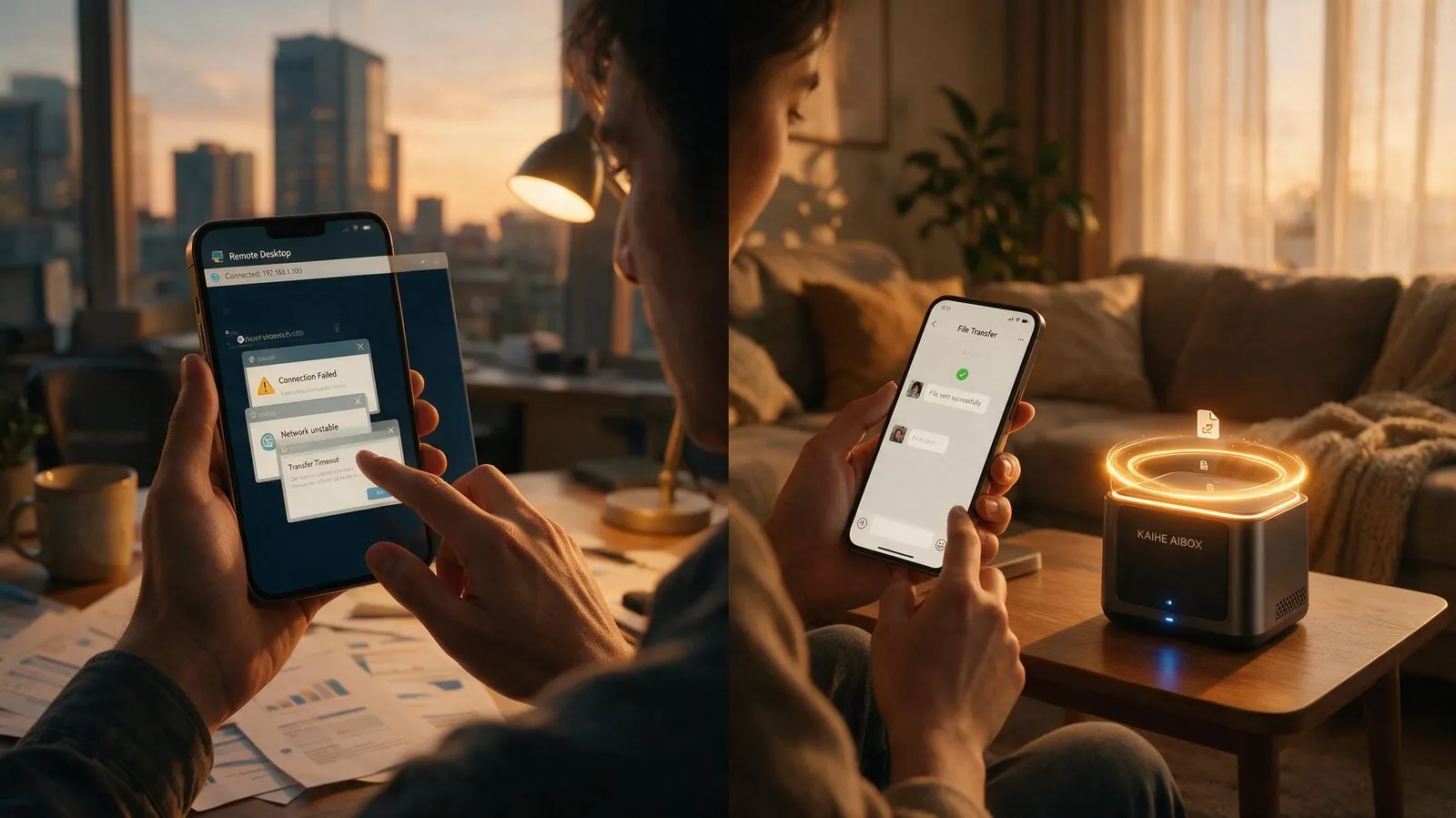
Forgot an important proposal on your computer when rushing out to work, a client temporarily asks for certain materials during a meeting, you need a scanned contract stored at home while on a business trip, your boss suddenly asks for last week's report on the weekend - almost every office worker has encountered these situations: - You're out and a client asks for a file, you don't have your computer with you, panicking - No one at home can turn on your computer and find the file, asking a colleague to make a trip owes a favor - Remote computer control is complicated, poor network connection makes you anxious - Files are stored on different hard drives and folders, it takes you half a day to find them even remotely
Previously when encountering these situations you either rushed home in a hurry or asked people for help everywhere, which delayed things and bothered others. Now with KAIHE AIBOX, everything becomes extremely simple: you just send a message on WeChat telling it what file you want and who to send it to, it will automatically find the corresponding file on your local hard drive and send it directly, no need to touch your computer the whole process, responding faster than you driving home to turn on the computer and find it yourself.

How Convenient Is It to Command AI to Work With One WeChat Message?
KAIHE AIBOX runs 24/7 with low power consumption. As long as you connect it to your WeChat in advance, no matter if you are out, on a business trip, or traveling, as long as your phone can send WeChat messages, you can command your home AI to handle various affairs for you at any time. Retrieving files remotely is just the most basic function:
1. Find and send files, done with one sentence
You just say "Send me the project proposal for Client A last week on WeChat" or "Send the Q2 sales report to Client Zhang's email", the AI will automatically search for the corresponding file on the local hard drive, confirm the version and send it directly, completed in seconds, faster than you turning on your computer and finding it yourself. It remembers the storage location of all your files, even if you forget which folder a file is stored in, describe the content and approximate time, it can find it for you.
2. Not only sending files, but also helping with simple work
Besides finding and sending files, you can also let AI help you with many things when you are out: "Check this month's pending payments and send me a list", "Mark the payment date in the client contract I just received and send it to me", "Send a notice to the team that there will be a project meeting at 10am tomorrow", these simple tasks don't require you to rush home, one WeChat message and AI will handle it for you.
3. All data is local, secure without leaks
All files and data are stored on your own local hard drive, will never be uploaded to any cloud server, AI finds and sends files entirely locally, no need to worry about sensitive files being obtained by third parties, much safer than using public cloud drives, even confidential commercial contracts can be safely handled by AI.
Why Is Using AI for Remote Processing Better Than Cloud Drives and Remote Control?
Many people say why not just upload files to cloud drive? Or use remote control software to operate your own computer? You will know the huge gap when you actually use it: | Solution | Advantages | Disadvantages | |---|---|---| | KAIHE AIBOX WeChat Control | Find and send automatically with one sentence, 24/7 online, local data storage secure, can handle other work | One-time configuration needed | | Public Cloud Drive | Download anytime | Files need manual upload, large files upload slowly, sensitive files have leak risk on cloud, you have to browse directories yourself to find files | | Remote Control Software | Can operate your own computer | Computer must be on, high network requirements, complicated operation, difficult to find files tapping on phone, useless when computer is off | | Asking Others for Help | No need to do it yourself | Owes favors, others find files slowly, easy to send wrong version, inconvenient for private content |
KAIHE AIBOX has power consumption of only about 10W, running 24 hours a day uses only a few kWh of electricity a month, almost no noise, takes up little space at home, on call 24/7, equivalent to having a dedicated assistant on duty at home all the time. No matter where you are, send a WeChat message to help you handle home and work chores, you'll know how convenient it is once you use it.
Summary
Work pace is getting faster and faster now, everyone will inevitably encounter emergencies where they need files when they are out. Instead of rushing around asking for help at the last minute, why not equip yourself with a 24/7 online personal AI assistant in advance. One WeChat sentence can find files, send emails, handle work, resolve remote emergencies without asking others, saving not only time and energy, but also avoiding a lot of unnecessary embarrassment and losses.
Technological progress is about freeing people from all kinds of trivial troubles. The sci-fi scene of "commanding your home AI to work for you with one word" has now become a practical tool within reach for ordinary people.
Further Reading: - 3 Days Business Trip, AI at Home Watches For You: Receive Emails, Review Contracts, Track Logistics, Reply to Customers, All Done With One WeChat Message - The Moment You Turn Off Your Computer and Close Your Laptop, Your Personal AI Just Starts Working - Command AI to Work in WeChat: No App Installation, No Code Learning, No Computer Always On, Just Send a Message and It's Done
RemoteWork #EfficiencyTool #AIAssistant #24/7Online #FileManagement #KAIHEAIBOX
For more information, search [KAIHE AIBOX] or contact: [email protected]
KAIHE AIBOX · 7x24 Personal AI Assistant | User Cases