What Is an AI Agent and How Do You Use One? — From Perception to Action, Deconstructing the AI Era's All-Purpose Digital Employee
📖 Glossary
AI Box (also known as Agent Computer / Agent PC), is a dedicated local hardware device that runs AI Agents. Pre-installed with an AI agent management system, plug-and-play, running 24/7. Users can remotely command AI to work via Discord, Slack, Telegram, WhatsApp, and more.
Have you ever had this experience: you ask ChatGPT a question, it gives you a brilliant answer, but deep down you know — it's just "talking." Ask it to book a flight, organize a spreadsheet, or send an email? Sorry, can't do it.
That's the critical dividing line between a regular AI chatbot and an AI Agent.
Today, we'll break down everything you need to know about AI agents in the clearest way possible: what they really are, why they outclass basic AI, and three ways you can start using one right now.
An Analogy: Lending Your Body to AI
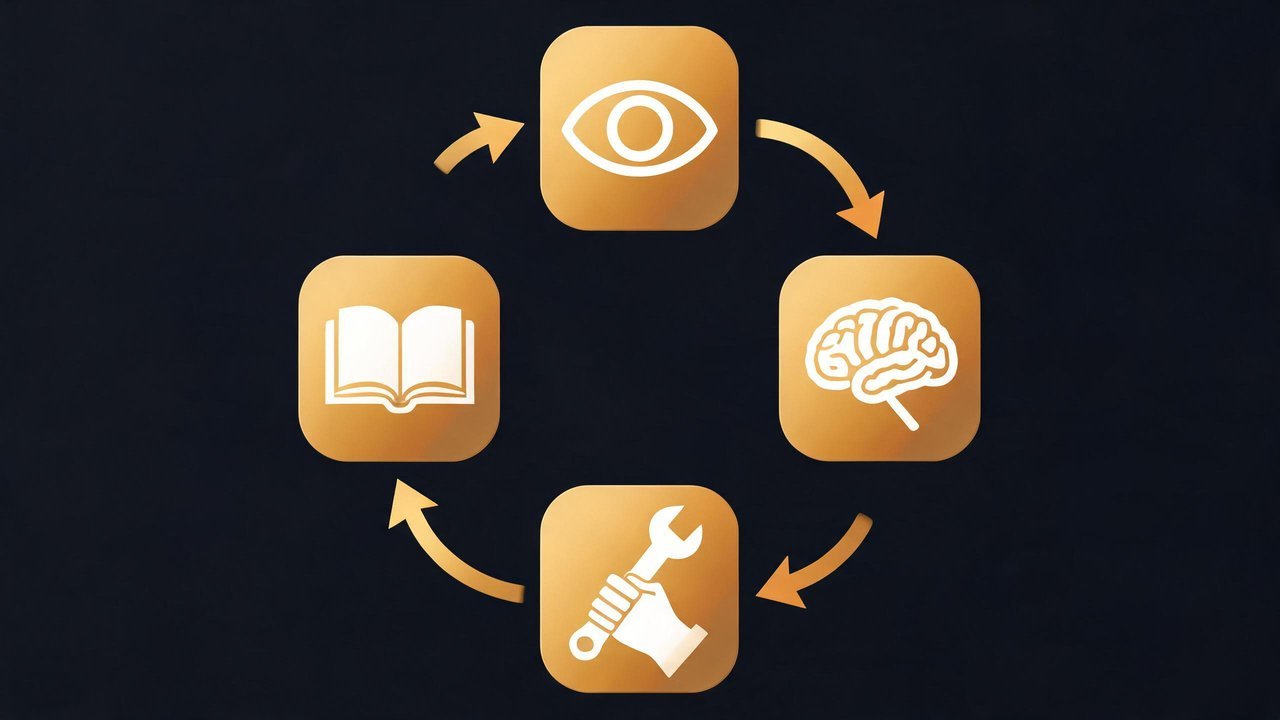
If a large language model (LLM) — think DeepSeek, GPT-4, Qwen — is the AI's "brain" responsible for thinking, understanding, and generating text, then an AI Agent is the complete human being with a full body.
- The Brain (LLM): Receives a task, breaks it down, formulates a plan, and decides what to do vs. what not to do
- The Senses (Perception): Not just reading text — it can interpret images, recognize speech, parse documents, query databases, monitor system logs… the more information sources it has, the sharper its "vision"
- The Hands and Feet (Action): Can access calendars, email, search engines, various software APIs, and even control a browser — actually executing plans in the real world
- The Hippocampus (Memory): Remembers your preferences, past decisions, and accumulated domain knowledge. It gets better with use, so you don't have to explain everything from scratch every time
A complete AI Agent = Brain + Senses + Hands and Feet + Memory. None of these can be missing.
Regular AI vs. AI Agent: One Teaches You How, One Just Does It for You
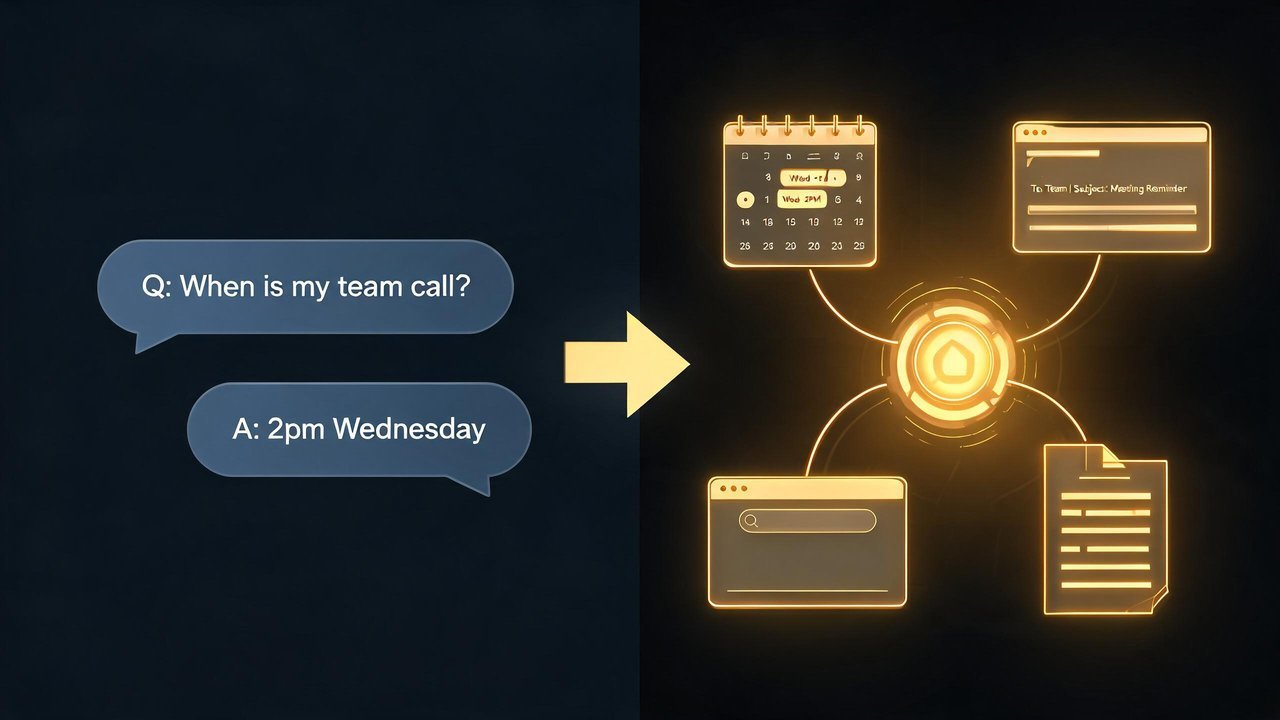
This is where most confusion happens. Let's compare using a real scenario:
Scenario: You have a business trip to Shenzhen tomorrow and need to book flights, a hotel, and plan the day's itinerary.
You ask a regular AI assistant: "Help me arrange my Shenzhen trip tomorrow." It replies: "I suggest you first open Ctrip to check flights, then compare hotel prices, and finally use Maps to plan your route… Have a great trip!" — It handed you a reference answer. You have to do everything else yourself.
You tell an AI Agent the same thing. It will: 1. Read tomorrow's available time slots from your calendar 2. Search for suitable flights, filtering by your preferences (window seat / economy class) 3. Compare hotels within your company's budget and book one 4. Automatically sync the itinerary to your calendar 5. Push a notification: "Done. Leave home at 8 AM tomorrow for the airport."
Regular human-AI interaction is Q&A-style. AI Agents are do-it-for-me style. That's the qualitative leap.
The Four Core Capabilities of an AI Agent
Every reliable AI Agent runs on these four engines under the hood:
1. Perception
The input side. It's not just text — images, voice, PDFs, web content, database query results, API response data, system logs… Perception determines how big the world is that an agent "can see."
2. Reasoning
The decision side. Driven by a large language model, it breaks fuzzy instructions into executable steps. Say you tell it, "Compile this month's sales data into a weekly report." The reasoning engine figures out: where to find the data, what metrics to use, what report format, which chart types, and who to send it to.
3. Action
The execution side. It calls tools to accomplish tasks. Tools can be anything with an interface: search engines, Excel, email clients, browsers, code compilers, even another agent. The larger the tool library, the more "universal" the agent becomes.
4. Memory
The experience side. Short-term memory maintains contextual coherence within a conversation, while long-term memory stores your habits, preferences, and domain expertise. An agent with memory doesn't need you to repeat instructions every time — it already "knows you."
What Can AI Agents Do? How Your Life and Work Will Be Transformed
AI agents aren't science fiction — they're already deployed in these domains:
Work Scenarios
- Data Analyst: Automatically connects to databases, runs SQL queries, generates visualizations and reports. You just ask, "Which product category grew the fastest last quarter?"
- Content Creator: Handles the entire pipeline from research, drafting, image generation, formatting, to multi-platform publishing — all based on your specified topic and style
- Programmer's Best Partner: Understands an entire codebase, generates code from requirements, runs tests, fixes bugs — like having a tireless pair-programming partner
Life Scenarios
- Travel Planner: Based on your budget, interests, and schedule, handles everything from flights and hotels to daily itineraries in one shot
- Health Manager: Connects to your fitness tracker data, combines it with diet logs and sleep quality, and provides personalized recommendations
- Smart Home Hub: Not just timed light-switching, but adjusting the entire home environment based on your routine — gradual morning light + coffee machine activation, pre-cooling the room based on evening weather
Professional Domains
- Customer Service Agent: Handles complex inquiries 24/7, not just canned responses — it can look up orders, modify shipping addresses, initiate refunds — a complete business loop
- Education Tutor: Customizes learning paths based on each student's knowledge gaps, adjusts difficulty in real time — understands each student better than a human teacher can
Three Ways to Start Using an AI Agent Right Now
Don't think it's too technical. Based on your background, here are three paths:
Path 1: No-Code Platforms (For everyone, 10 minutes to start)
Recommended tools: Coze, Dify
Build your agent like stacking blocks — pick an AI brain (connect to DeepSeek / Doubao / Qwen, etc.), give it tools (search engine, calendar, email), define its role (finance assistant? travel secretary? coding partner?), and… it starts working for you.
Never written a line of code? No problem. These platforms are all visual drag-and-drop, like building with LEGO.
Path 2: Mobile Apps — Instant On (For casual users)
The Doubao app's "Coding Assistant" and "PPT Generator," or Zhipu's AutoGLM — these pre-packaged agents work right out of the box. Customization is limited, but they handle common tasks just fine.
Path 3: Local Private Deployment (For those who value data security and extreme customization)
This is the direction of the future — running AI agents on your own hardware.
Why local deployment? Three reasons: 1. Data stays local: All files, chat histories, business data remain on your own machine. There is no such thing as "uploading to the cloud." 2. No monthly fees: Buy the hardware once, run as long as you want. No ongoing API subscription costs. 3. Truly yours: You are the sole owner. The AI learns your business, remembers your preferences, and does your specific work.
A locally-deployed AI agent computer — such as the KAIHE series — lets you simply plug it in, connect to the network, and access the management panel at kaihe.local to configure your personal agents. No Linux knowledge required. No command-line tinkering. It's an agent computer that works right out of the box.
Conclusion: Where Do You Stand Right Now?
AI agents aren't a "maybe later" thing. They're already here, and they're transforming how we work faster than most people anticipate.
Where are you right now? - Haven't tried one yet? — Go build a simple agent on Coze or Doubao. It takes ten minutes. - Already using one? — Consider local deployment. Upgrade from "using someone else's AI" to "raising your own AI." - Already deeply reliant? — You probably already have your own agent computer.
No matter where you are, one fact is unchanging: The future belongs to those who let AI do the work for them, not those who compete with AI for the work.
This article was written by the KAIHE AI Agent Computer team. KAIHE is a local AI computing device pre-installed with the OpenClaw agent framework — plug and play, giving you an AI agent computer that truly belongs to you. Visit nizwo.com to learn more.