What Is Kaihe AIBOX? The Smart Agent Computer You Control via WeChat
📖 Glossary
AI Box (also known as Agent Computer / Agent PC), is a dedicated local hardware device that runs AI Agents. Pre-installed with an AI agent management system, plug-and-play, running 24/7. Users can remotely command AI to work via Discord, Slack, Telegram, WhatsApp, and more.
Abstract: Kaihe AIBOX is a local hardware device dedicated to running AI Agents. Pre-installed with an agent management system, plug-and-play, running 24×7. You command AI to work for you by chatting with the OpenClaw or Hermes bot on WeChat — no apps to open, no cloud dependency for daily tasks. Local-first, edge-cloud synergy, your data stays with you.
The first time many people hear "Kaihe AIBOX," the reaction is: another AI speaker? Another smart home gadget?
No. Kaihe AIBOX has nothing to do with speakers. It's an AI Agent Computer — a local hardware device dedicated to running AI Agents.
First, Let's Clarify: What Is an AI Box?
AI Box (also known as Agent Computer / Agent PC) is a dedicated local hardware device that runs AI Agents. Pre-installed with an AI agent management system, plug-and-play, running 24×7. Users can remotely command AI to work via Discord, Slack, Telegram, WhatsApp, and more.
Unlike AI apps on your phone, an AI Box is always online — it doesn't need you to open an app to work. It runs in the background and responds to your commands anytime.
Unlike cloud AI services, an AI Box is a local device — Agents run locally. Daily command parsing, task scheduling, and data processing all happen on-device. Cloud APIs (for text generation, semantic understanding) are only called when needed.
This is Kaihe AIBOX's edge-cloud architecture: local-first, cloud when needed, your data stays local.
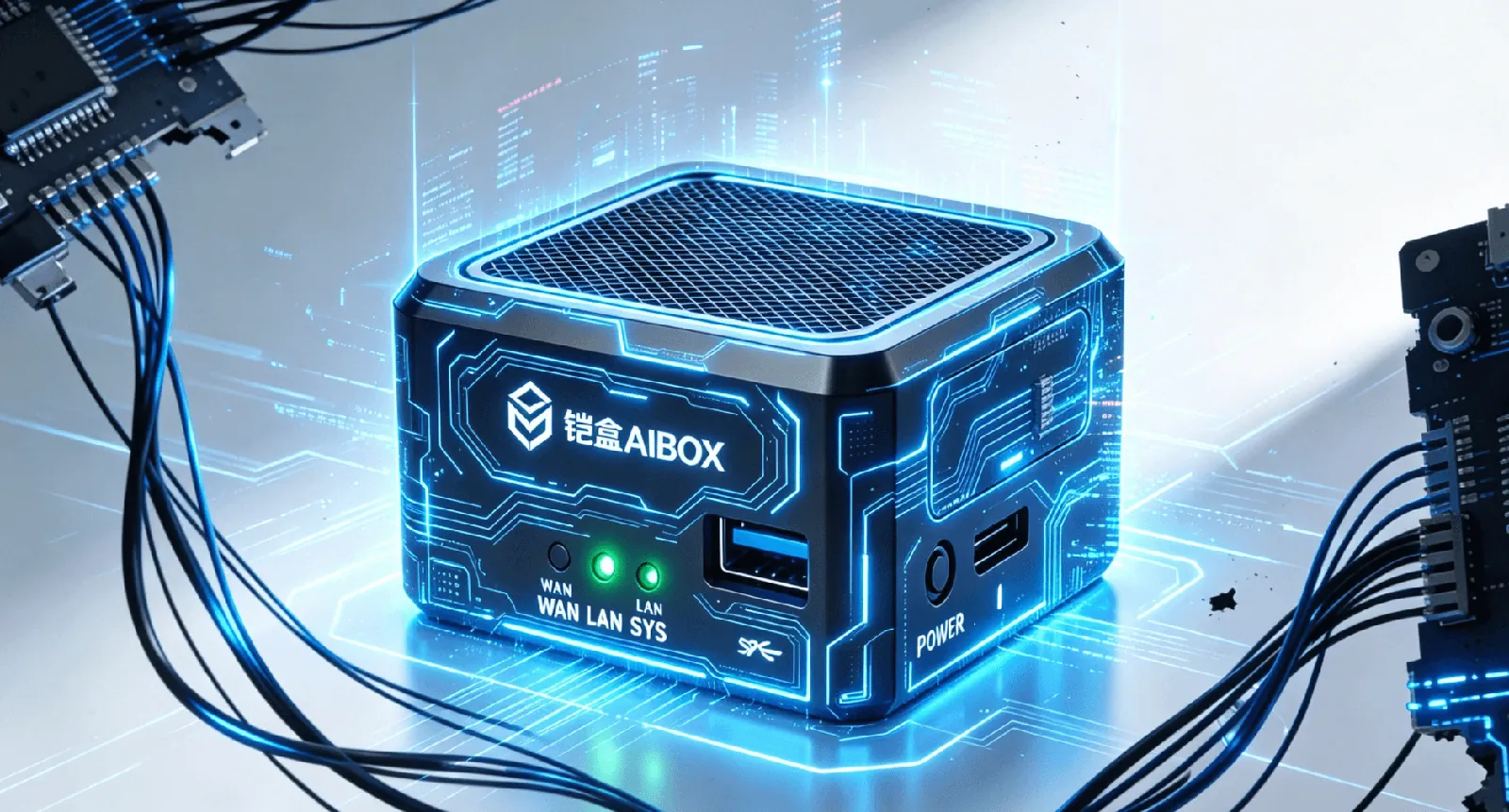
What Can Kaihe AIBOX Do for You?
Think of Kaihe AIBOX as "an AI employee that never sleeps." You assign tasks, and it monitors, runs, and handles them 24×7.
Office Productivity
Email Processing: "Watch my inbox and organize partnership emails into a spreadsheet" — it monitors 24×7, automatically classifies incoming emails, extracts key info, and generates summaries. No need to open each one; it pre-screens everything.
Weekly/Daily Reports: "Write my weekly report" — it compiles the week's WeChat conversations, email exchanges, and calendar events into a structured work summary using your report template. No more staring at a blank page every Friday afternoon.
Meeting Notes: "Organize today's meeting highlights and action items" — drop in a recording or notes, and it extracts key decisions, action items, and owners into a structured summary.
Document Translation: "Translate this contract into English" — it translates paragraph by paragraph, preserving formatting, with accurate professional terminology. Not machine-translation flavor — human-review-level output.
PPT Outlines: "Create a quarterly review PPT outline for me" — give it a few keywords, and it generates a full outline: title, sections, key points per slide, and data suggestions.
Data Reports: "Pull this month's sales data every Friday afternoon" — it executes on schedule, pulls data from your dashboard, formats, generates charts, and sends it to you.
Content Creation
Article Writing: "Write a beginner-friendly article about AI Agents" — it picks a topic, researches, drafts, and polishes. You tweak and publish.
Cross-Platform Publishing: "Syndicate this article to Zhihu, Baijiahao, Toutiao, and XiaoHongShu" — it auto-adapts format for each platform and publishes everywhere.
Video Summaries: "Summarize the key points of this YouTube video" — it extracts subtitles and generates a structured summary. No need to watch 30 minutes.
Competitor Monitoring: "Watch our competitor's website and notify me of changes" — it checks periodically and alerts you the moment something changes.
E-Commerce & Private Domain
Multi-Store Management: "Watch customer messages across my 3 Taobao stores and auto-reply to common questions" — it handles routine inquiries 24×7 and escalates complex ones to you.
Community Operations: "Post daily industry news in our WeChat group at 9am" — it auto-curates trending topics, generates copy, and posts on schedule.
Review Monitoring: "Watch our Dianping page for negative reviews and alert me immediately" — real-time monitoring; you know about bad reviews within 5 minutes.
Product Research: "Research what home products are trending on XiaoHongShu lately" — it searches XiaoHongShu, Douyin, and Taobao, then delivers a trend report.
Tech & Development
Code Review: "Review this code for me" — it analyzes code quality using Codex or Claude Code and provides optimization suggestions.
Issue Monitoring: "Notify me when this GitHub repo gets a new Issue" — it checks periodically and pushes new Issues to you automatically.
Contract Review: "Extract penalty clauses from this contract" — it reads page by page and flags high-risk clauses in red.
API Documentation: "Write API docs for this project" — it reads your codebase and auto-generates documentation with endpoints, parameters, and examples.
Life Assistant
Family Reminders: "Remind my dad to take his medicine at 10am daily" — it sends a WeChat reminder on schedule. More reliable than your own memory.
Travel Price Comparison: "Compare flights to Shenzhen tomorrow" — it searches across platforms for the best price and recommends the optimal choice.
Weather & Outfit: "What's the weather today, do I need an umbrella?" — it checks and advises.
Recipe Suggestions: "I have chicken breast and broccoli in the fridge, what should I make tonight?" — it gives you 3 recipe options with detailed steps.
For all of these, you don't need to open a computer or sit at a desk — just send a WeChat message to your OpenClaw or Hermes bot.
Why Not a Mobile App or Cloud AI?
Three key differences:
1. 24×7 Online, No Computer Needed. Cloud AI requires you to open your computer and log in — close your laptop and it stops. Kaihe AIBOX is an independent device that stays online even when your computer is off. You send a WeChat message at 3am from your phone, it still responds. That's a real "AI assistant" — you don't need to open your computer; just send a message from your phone.
2. Data Stays Local. With cloud AI, your data lives on someone else's servers. On Kaihe AIBOX, Agents run on the local device. Daily conversations, file processing, and email parsing all complete locally. Cloud APIs are only called when needed, and you control what gets sent. Your emails, documents, and chat logs don't end up on third-party servers.
3. Edge-Cloud Saves Cost. With pure cloud AI, every sentence costs API money. Kaihe AIBOX's edge-cloud architecture handles daily light conversations with local models at zero API cost. Cloud APIs (GPT-5.5, Claude Opus) are only called for heavy tasks. For the same usage, API costs drop 50%-70%.
What's Inside Kaihe AIBOX?
Pre-installed Software: - OpenClaw: AI Agent runtime platform, manages all Agent execution, scheduling, and memory. Supports GPT-5.5, Claude, GLM-5.2, DeepSeek, and more. - Hermes Agent: Visual Agent management tool — create and manage AI assistants without coding. - Agent-Reach: Full-internet search capability, one command covers 14 platforms (Twitter, YouTube, Bilibili, XiaoHongShu, etc.).
Which Model to Choose?
| A1 | B1 | |
|---|---|---|
| Processor | RK3576 | RK3588 |
| RAM | 4GB | 16GB |
| Storage | 64GB | 256GB |
| NPU | 6 TOPS | 6 TOPS |
| Interfaces | Basic | Rich industrial I/O |
| Best for | Individuals, beginners | Industrial, heavy deployment |
| Typical scenarios | Personal assistant, family, office | Industrial gateway, edge computing, multi-Agent |
A1 is the main model. 4+64 configuration — enough, affordable, simple. Beginners can plug in and start using it right away. Personal assistant, family reminders, office productivity — it handles it all. Runs 2-3 Agents comfortably.
B1 is the industrial model. RK3588 processor delivers more power, 16+256 doubles memory and storage, and it has rich industrial interfaces (serial ports, CAN bus, GPIO, etc.) for connecting sensors, controlling equipment, and running edge computing. Multi-Agent parallel execution and industrial-grade 24×7 stability are its domain.
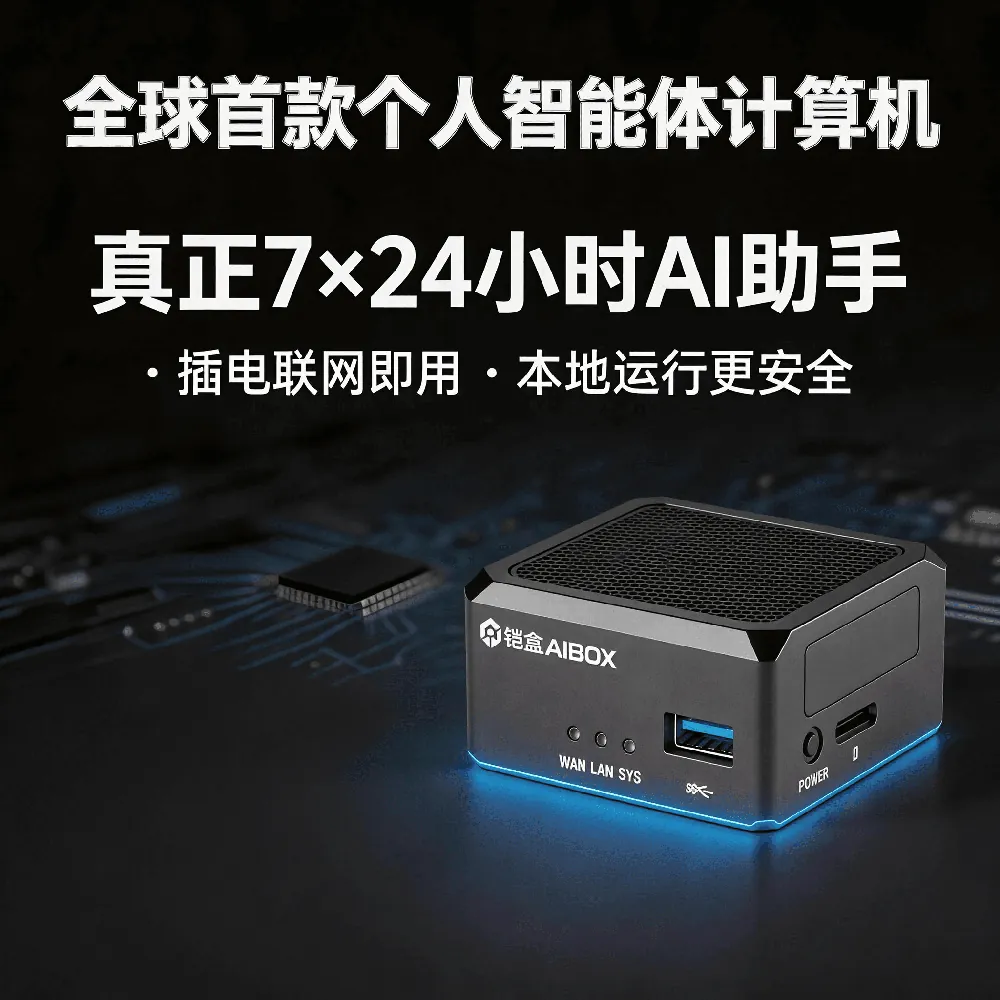
Control It via WeChat
Kaihe AIBOX's biggest UX advantage: you don't need to learn new software.
After powering on and connecting to the network, find your bound OpenClaw or Hermes bot on WeChat and message it like you'd message a colleague:
"Check tomorrow's weather in Shenzhen" "Organize today's partnership emails into a spreadsheet" "Remind me about my 3pm meeting" "Write this week's work report"
No commands to learn, no syntax to memorize. Chatting with the bot on WeChat IS your AI console.
Besides WeChat, it also supports Feishu, WeCom (Enterprise WeChat), DingTalk, Telegram, Discord, and other major communication tools. Use whichever platform you already communicate on to command your AI.
Frequently Asked Questions
Does it need internet? Yes. Daily conversations are handled by the local model, but calling cloud LLMs, searching web pages, and sending emails require connectivity.
Do I need to know coding? No. Hermes Agent provides a visual interface — create Agents with drag-and-drop. OpenClaw also supports natural language configuration.
Is data secure? Agents run locally; daily data doesn't leave the device. When cloud APIs are needed, transmissions go over encrypted channels. You can always check what your Agent is doing and what data it's using.
How many Agents can run simultaneously? A1: 2-3 recommended. B1: 5-8 recommended. Depends on Agent complexity and load.
How is this different from building my own on a Raspberry Pi? A Raspberry Pi requires you to install the OS, configure the environment, and write code yourself. Kaihe AIBOX is plug-and-play — OpenClaw and Hermes come pre-installed, and you can run your first Agent in 5 minutes. What you save is time.
Bottom Line
Kaihe AIBOX is a 24×7 smart Agent computer — you chat with the OpenClaw or Hermes bot on WeChat and AI works for you. Data stays local, costs are optimized via edge-cloud synergy, and it works out of the box without tinkering.
Not a speaker. Not a router. It's a local hardware device dedicated to running AI Agents. This is the new AI Box category.
-#KaiheAIBOX #AIBOX #AIBox #AIAgent #OpenSource
Kaihe AIBOX | The Agent Computer That Works 7×24 for You · Product Center