📖 Glossary
AI Box (also known as Agent Computer / Agent PC), is a dedicated local hardware device that runs AI Agents. Pre-installed with an AI agent management system, plug-and-play, running 24/7. Users can remotely command AI to work via Discord, Slack, Telegram, WhatsApp, and more.
Abstract: WorkBuddy officially launched its all-new Security Center today, introducing two core security mechanisms: real-time interception of unauthorized operations and automatic file deletion recovery via recycle bin. These features solve the core pain points of AI agent office scenarios at the underlying architecture level, including misoperation risks, data loss risks, and permission abuse risks, allowing enterprise and individual users to finally feel confident delegating daily office tasks to AI, truly realizing 24/7 unattended AI office experience.

Why Have Users Been Hesitant to Let AI Agents Work Autonomously?
The office capabilities of AI agents are beyond doubt: they can organize documents, process emails, write code, analyze data, and operate various office software at several times the efficiency of humans. However, almost every user who has used AI agents for office work shares a common concern—they dare not really let AI work on its own.
This concern is not unfounded. Although AI agents have strong capabilities, they essentially plan execution paths autonomously according to goals, and judgment deviations are inevitable during the process: they may accidentally delete important work files, modify system settings without explicit authorization, or perform operations beyond the expected scope. Once such problems occur, the losses caused may far outweigh the efficiency gains brought by AI.
In the past, when users used AI agents for office work, they often had to stare at the screen the whole time, requiring manual confirmation for every step, which greatly offset AI's efficiency advantages. Some people joked: "Using AI to work is more tiring than doing it yourself, because you have to keep an eye on it to prevent it from making mistakes." This has also become the core obstacle to the large-scale popularization of AI agents.
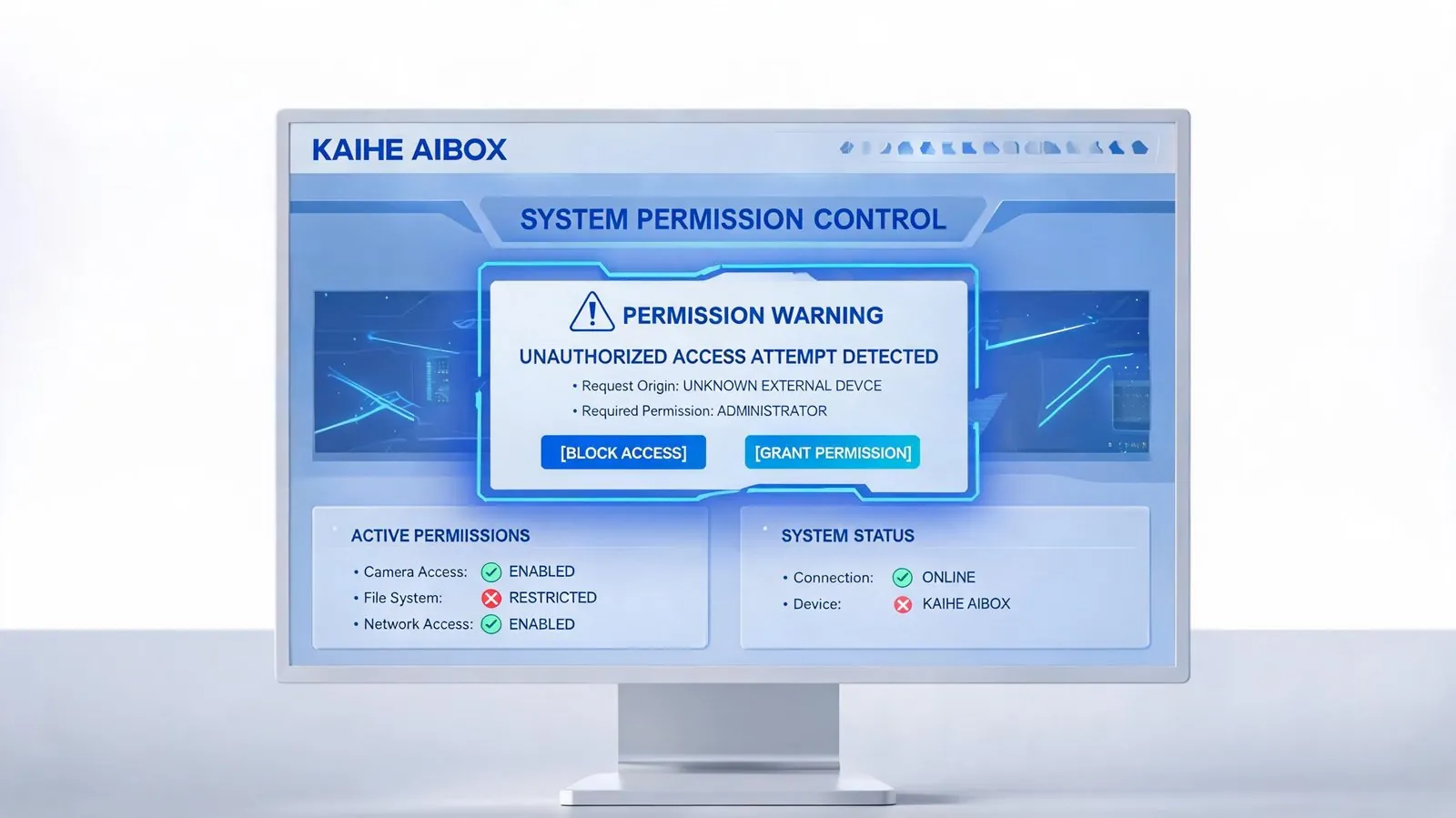
Two Core Security Mechanisms: Putting "Airbags" on AI Office Work
The newly launched WorkBuddy Security Center builds a complete security protection system from two dimensions: permission control and misoperation recovery, equivalent to putting multiple layers of "airbags" on AI office work. It neither restricts AI's capability performance nor ensures that no misoperation will cause irreversible losses.
1. Real-time Interception of Unauthorized Operations: AI Will Never "Cross the Line"
The Security Center has a built-in fine-grained permission control system, allowing users to set clear operation boundaries for AI in advance: which directories can be accessed, which operations require manual confirmation, and which commands are absolutely prohibited. When AI attempts to trigger unauthorized operations during task execution, the system will intercept them in milliseconds, immediately terminate the operation, and push an alarm notification to the user.
Different from traditional static permission settings, WorkBuddy's unauthorized interception system supports intelligent scene recognition: for routine safe operations, AI can execute smoothly without interruption; for high-risk operations (such as deleting system files, modifying core configurations, accessing sensitive directories), the system will automatically trigger a secondary confirmation mechanism, and users can authorize or reject with one click on their mobile phones.
This "secure by default, flexible authorization" mechanism not only ensures AI's execution efficiency but also completely eliminates the risk of permission abuse. You can safely let AI handle daily work without worrying about it accidentally "causing trouble."
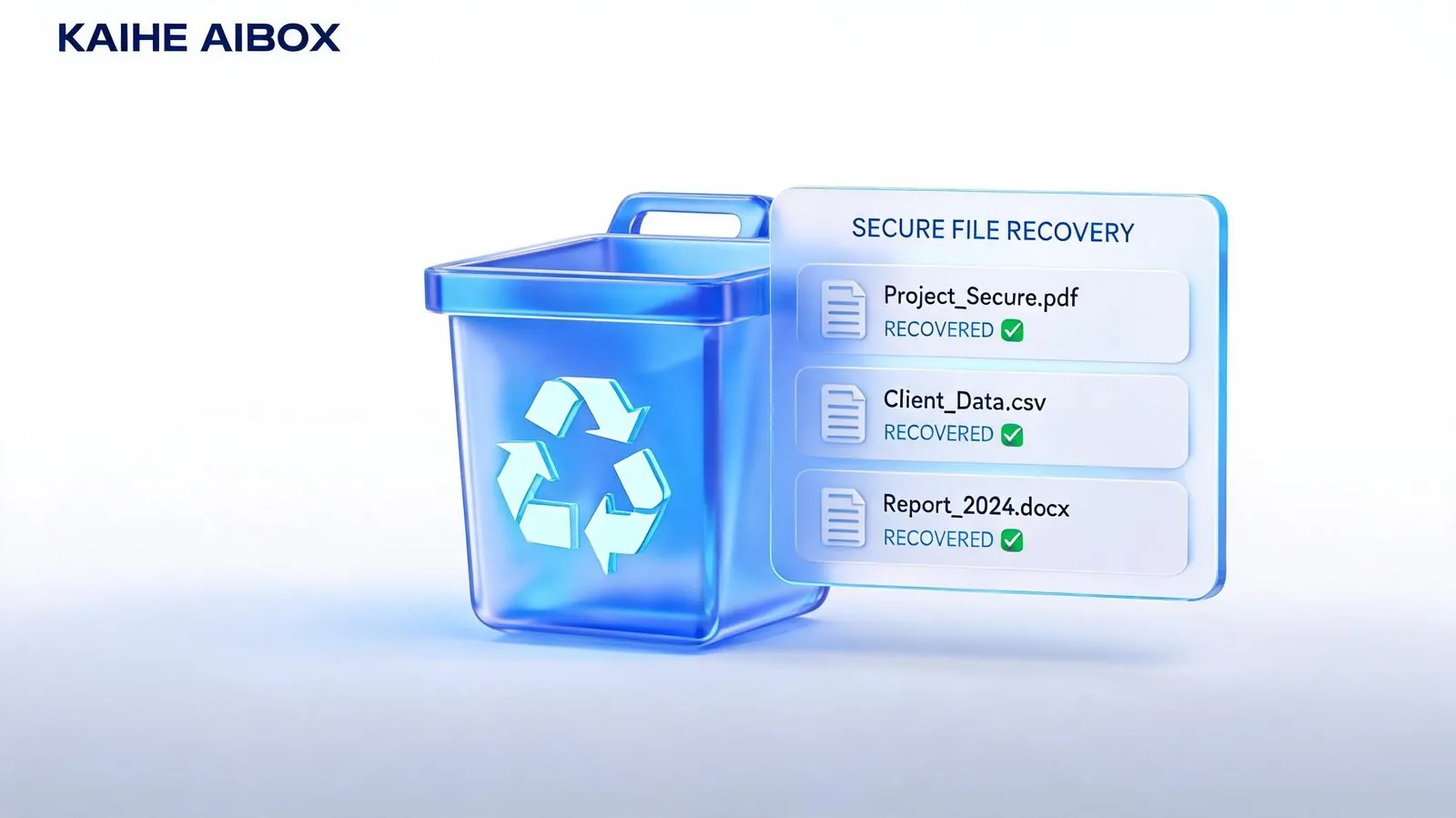
2. Deleted Files Automatically Go to Recycle Bin: Accidental Deletions Are Always Recoverable
Another problem users worry about most is accidental file deletion. In the past, when AI performed file organization and cleaning tasks, once it made a wrong judgment and deleted important files, it was often difficult to recover, especially since AI might directly delete files permanently to save space, bypassing the recycle bin entirely.
Now WorkBuddy Security Center stipulates: All deletion operations performed by AI will automatically send files to the system recycle bin, and will never be permanently deleted directly. Whether AI accidentally deletes project documents or incorrectly cleans up work materials, you can always restore them with one click from the recycle bin, just as safe as deleting files yourself normally.
This seemingly simple mechanism actually solves the biggest worry about AI office work—even if AI really makes a wrong judgment, the loss is completely reversible. You no longer need to stare at every step AI takes when deleting files; worst case, you can just retrieve them from the recycle bin later.
From "Dare Not Use" to "Use with Confidence": The Inflection Point for AI Office Has Arrived
| Comparison Dimension | Traditional AI Agent | WorkBuddy with Security Center |
|---|---|---|
| Accidental file deletion risk | High, may be permanently deleted unrecoverably | Zero risk, automatically goes to recycle bin for one-click recovery |
| Unauthorized operation risk | High, may perform unapproved actions | Real-time interception + secondary confirmation, clear and controllable boundaries |
| Manual supervision requirement | Full monitoring, confirmation for every step | Routine operations no intervention needed, only high-risk operations trigger alerts |
| Data security guarantee | Relies on Prompt constraints, no underlying protection | System-level protection mechanism, does not rely on AI self-discipline |
| Actual user experience | Limited efficiency improvement, high mental stress | Truly hands-off, AI works while you rest |
The launch of the Security Center marks that AI agent office work has officially entered the "production-ready" stage from the "toy" stage. In the past, you might have needed to stay in front of the computer watching AI work; now you can completely assign tasks to AI when you leave work, and directly collect the results when you come to work the next day—all risks have been covered by the security mechanism.
For enterprise users, this set of security mechanisms has dispelled the core concern of data security. Administrators can uniformly configure AI operation permission policies for the entire company, set strict protection for sensitive directories and core data, and open ordinary office scenarios to AI for autonomous processing, balancing efficiency and security.
Experience It Now
The WorkBuddy Security Center feature has been rolled out to all KAIHE AIBOX users. Upgrade to the latest version to use it. You can find the Security Center entry in Settings, customize permission policies, view operation logs, and manage recycle bin content. All security rules can be flexibly adjusted according to your own usage habits.
The core prerequisite for AI as your work buddy is reliability. We will continue to iterate security protection capabilities, so that AI can not only work, but work safely, truly becoming your 24/7 reliable work partner.
Further Reading: - WorkBuddy Official Launch: Your 24/7 AI Work Buddy is Here - Why Local Deployment of AI is the Best Choice for Enterprise Office Work? - KAIHE AIBOX: Put an Entire AI Team in Your Pocket
KAIHEAIBOX #WorkBuddy #AISecurity #AIOffice #AIAgent #DataSecurity
For more information, search [KAIHE AIBOX] or contact: [email protected]
KAIHE AIBOX · 7x24 Personal AI Assistant | Product Center